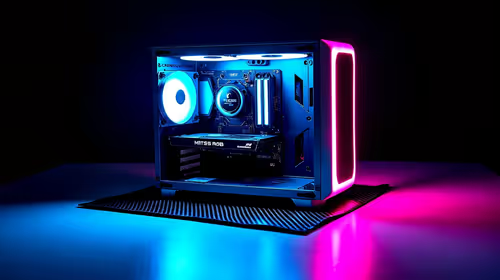
You are deep into a ranked match. The action is frantic... but suddenly your frames drop. Your PC case feels like a braai grid. If you are wondering why does my graphics card run hot during long sessions, you are not alone. South African summers push hardware to the absolute limit. Let us look at why your GPU temperatures spike and how to keep things frosty. 🚀
The Science Behind High GPU Temperatures
Every time you load up a demanding game, your PC works overtime. The GPU processes millions of calculations per second to render beautiful pixels. This massive power draw creates serious heat. Heat is the natural enemy of electronic components. Prolonged exposure to high temperatures degrades silicon over time.
If that heat cannot escape, your hardware will thermal throttle. This means it slows down to protect itself. Nobody wants stuttering frames during a clutch moment.
If you are looking to upgrade your rig, finding the right cooling solution is vital. When you browse to buy graphics cards, pay close attention to the cooler design. A massive heatsink can make a huge difference in sustained performance.
Environmental Factors and Case Airflow
Ambient temperature plays a huge role in PC health. If your room is 30 degrees Celsius, your PC starts at a disadvantage. Case airflow is your first line of defence. You need cool air flowing in and hot air exhausting out efficiently.
Sometimes, older hardware just runs hotter by default. For example, older NVIDIA GeForce GTX graphics cards might need a thermal paste replacement. Thermal paste dries out after a few years of heavy use.
If you prefer to start fresh, checking out the best gaming PC deals is often smarter. It is sometimes more cost-effective than fixing a dying rig.
Airflow Pro Tip 🔧
Keep your PC off the carpet. Placing your tower on a hard desk surface allows the power supply to breathe properly. Also, setting a custom fan curve in software helps ramp up cooling before temperatures get out of hand.
What Features Help Keep Your Graphics Card Cool? ⚡
Modern GPUs come packed with clever tech to fight the heat. Manufacturers know that gamers demand sustained performance. Here are the main features to look out for when upgrading:
- Triple-Fan Designs: Three fans push more air at lower RPMs. This keeps your system quiet and incredibly cool.
- Vapour Chambers: High-end models use these liquid-filled chambers. They spread heat rapidly across the entire heatsink array.
- Zero RPM Mode: Fans only spin when the card hits a specific temperature. This saves wear and tear during light web browsing.
- Dual BIOS Switches: Some premium cards offer a performance mode. This ramps up the fans for maximum cooling during marathon sessions.
If you want these premium features without breaking the bank, keep an eye out. You should monitor the best graphics card deals available right now. You can often find top-tier cooling designs for thousands of ZAR less.
Always remember to check the latest hardware specials to maximise your upgrade budget. Keeping your PC cool does not have to drain your wallet.
Ready to Find Your Perfect Match? ✨
Beating the heat means better frames and longer hardware lifespans. For maximum power and cooling performance in South Africa, Evetech has you covered. Explore our massive range of graphics cards and find the perfect GPU to conquer your favourite games.