

Best Samsung GPU Under R10000 in SA 2026
Top Samsung GPU Under R10000 picks evaluated on performance, value & SA availability with current Rand pricing from Evetech.
Read moreCommon issues with Wi-Fi 7 and the fixes that actually work in 2026. Diagnose the root cause fast with this practical SA-ready checklist — no generic advice.
You just finished rendering a massive 4K video project. The client is waiting patiently. But as you drag that 200GB folder to your local server, Windows says it will take three hours. Sound familiar? Time is money in the South African creative industry. Every minute spent staring at a slow loading bar is literally thousands of ZAR down the drain. Let us optimise your setup and eliminate these bottlenecks forever.
Standard gigabit Ethernet caps out at around 125MB/s. That speed was perfectly fine five years ago. Today, it is a massive roadblock for high-resolution assets. If you frequently move large files between your workstation and a local network drive, you need serious bandwidth.
This is where modern networking technology steps in to save the day. Whether you work from a heavy-duty desktop or prefer the mobility of high-performance laptops, your connection speed dictates your overall workflow efficiency. You simply cannot afford to wait around when deadlines are tight.
The ultimate solution involves a multi-layered hardware approach. First, you should seriously consider Dual 10G LAN. A 10-Gigabit network pushes speeds up to a blistering 1,250MB/s. That turns a three-hour file transfer into a quick five-minute coffee break. It even allows you to edit RAW footage directly off your server without stuttering.
If running thick CAT6a cables is not an option in your studio, Wi-Fi 7 is the wireless answer. Wi-Fi 7 offers insanely low latency and massive data throughput... easily rivaling traditional wired connections. Building custom creator and gaming PCs with these modern motherboards ensures you are completely future-proofed against ever-growing file sizes.
Upgrading your network is entirely useless if your local drives cannot keep up. Mechanical hard drives and older SATA SSDs will immediately choke a high-speed 10G network. You need fast NVMe storage to properly feed that massive bandwidth.
PCIe Gen 4 and Gen 5 NVMe drives boast read and write speeds easily exceeding 7,000MB/s. This incredible speed ensures your primary storage drive will never be the weak link in your creative chain. Upgrading your storage capacity is also much more affordable than you might initially think... especially if you keep a close eye on the latest tech specials to stretch your hard-earned budget further.
When installing fast NVMe storage, always ensure your motherboard includes a dedicated M.2 heatsink. High-speed PCIe Gen 4 and Gen 5 drives run incredibly hot during large file transfers. A good heatsink prevents thermal throttling... keeping your transfer speeds consistently high from start to finish.
Do not let outdated hardware dictate your daily productivity. Fixing slow file transfers in a creator PC with Wi-Fi 7, dual 10G LAN, and fast NVMe storage completely transforms how you work.
Ready to Supercharge Your Workflow? Stop wasting hours waiting for progress bars. For maximum power, choice, and value in South Africa, Evetech has you covered. Explore our massive range of PC components and find the perfect hardware to conquer your creative world.
Wi-Fi 7 is available at Evetech.co.za with local SA warranty, Rand pricing and nationwide delivery. Stock and pricing is updated in real time on the product page.
Most issues trace back to a small set of root causes — BIOS settings, power delivery, driver state or physical install. The article walks through each one in order of likelihood.
In most cases, yes. The fixes here are BIOS-level, settings-level or setup-level — hardware replacement is a last resort, not a first step.
Following the article's diagnostic order, most users isolate the root cause in under 30 minutes without needing bench testing or part swaps.
Only after working through the non-destructive checks. The article calls out the specific symptoms that do point to a hardware fault and need a warranty claim.
Top Samsung GPU Under R10000 picks evaluated on performance, value & SA availability with current Rand pricing from Evetech.
Read more
Top RTX 5070 Under R30000 picks evaluated on performance, value & SA availability with current Rand pricing from Evetech.
Read more
Ryzen 7 9800X3D + X670E + RTX 5080 Build Under. Full parts list, Rand pricing & expected performance. Build confidently with SA-available components.
Read more
Top Budget PC Build Around the RTX 5060 picks evaluated on performance, value & SA availability with current Rand pricing from Evetech.
Read more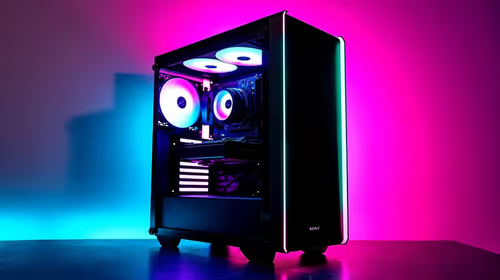
Ryzen 5 5600X + B550 + RTX 4060 Build Under. Full parts list, Rand pricing & expected performance. Build confidently with SA-available components.
Read more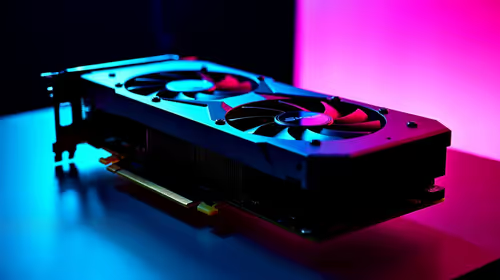
Top Intel GPU Under R10000 picks evaluated on performance, value & SA availability with current Rand pricing from Evetech.
Read more
Snapdragon X2 NPU Explained: How 80 TOPS Changes. Plain-English explanation of what it means, why it matters & how it affects your buying decisions in SA.

HBM? High Bandwidth Memory Used in GPUs and AI. Plain-English explanation of what it means, why it matters & how it affects your buying decisions in SA.

How much should you spend on sim racing accessories in South Africa for a realistic setup? We break down budgets by quality tiers, so you buy smart gear and avoid overspending 🎮💸

G-Sync and FreeSync? Variable Refresh Rate. Plain-English explanation of what it means, why it matters & how it affects your buying decisions in SA.

AMD Laptop: Value. SA-focused analysis with local pricing data, real-world insights & actionable buying advice.

How MacBook Neo Handles 30+ Chrome Tabs with Only. SA-focused analysis with local pricing data, real-world insights & actionable buying advice.

Why Apple Put 8GB RAM in MacBook Neo: The A18 Pro. SA-focused analysis with local pricing data, real-world insights & actionable buying advice.

Upgrade your work laptop with a New Motherboard. Step-by-step instructions with SA-specific tips, common pitfalls to avoid & expert recommendations.

Maintain wired headset — Checklist: • inspect cables • clean earpads • store properly 🔧🎧 Practical steps to preserve sound quality and avoid premature replacements.

Fix crackling headset fast: step-by-step checks for cables, connectors, drivers, and settings to remove static or distorted audio on wired headsets 🎧⚙️

Stereo vs mono headsets: learn which delivers clearer calls, better spatial music, or simpler mono voice performance — pick the right headset for meetings, music, or gaming 🎧💬

- Compare gaming headset vs studio headphones; - Assess comfort, mic and sound; - Recommend best daily picks. Gaming headset vs studio headphones: learn which suits work, music and casual gaming. 🎧⚖️