


Best AMD GPU Under R40000 in SA 2026
Top AMD GPU Under R40000 picks evaluated on performance, value & SA availability with current Rand pricing from Evetech.
Read moreDiscover top gaming pc cooling solutions to beat the heat in South Africa. 🥵 A hot climate can throttle your 4K gaming rig, but our expert guide covers everything from optimal airflow and case fans to advanced liquid cooling. Keep your frames high and temps low! ❄️
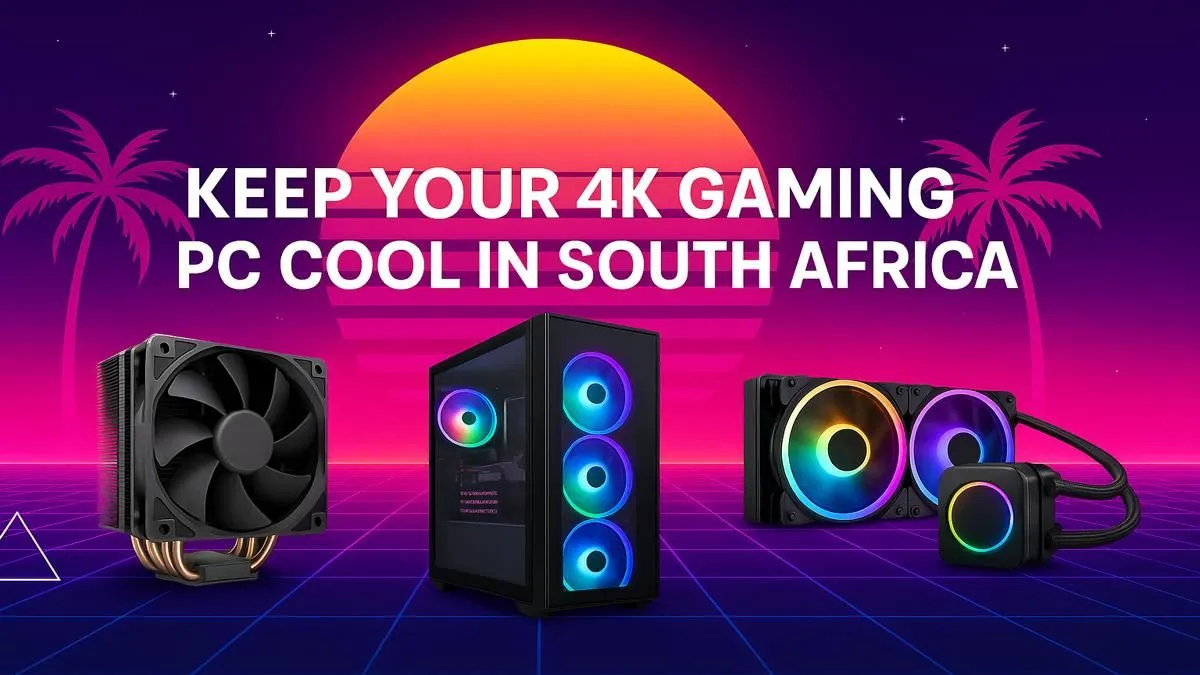
That summer heatwave hits, the power clicks off for load-shedding, and suddenly your gaming PC sounds like it’s preparing for takeoff. We’ve all been there, bru. In South Africa, keeping your rig from melting is a real challenge. High ambient temperatures don't just make you sweat; they throttle your performance and shorten your components' lifespan. But don't stress, because the right gaming PC cooling solutions can turn your thermal nightmare into a cool, quiet dream. 🚀
It's not just in your head… your PC really does run hotter here. The core of any cooling solution is the temperature difference between your components and the air around them. When it's 30°C in your room before you've even booted up, your cooler has a much harder job than it would in a chilly European winter. This is called ambient temperature, and it’s the biggest enemy of PC performance in hot climates.
Add in the fine dust from a Highveld thunderstorm or the humidity of the coast, and you have a recipe for clogged fans and inefficient heat sinks. This is why a one-size-fits-all approach to PC cooling for hot climates simply doesn’t cut it for South African gamers.
Before you even think about fancy liquid coolers, you need to master the basics. The most effective and affordable upgrade for better thermals is optimising your case's airflow. This means having a smart layout of intake fans (pulling cool air in) and exhaust fans (pushing hot air out).
The goal is to create a consistent and unobstructed path for air to travel through your case, flowing over critical components like your CPU, GPU, and VRMs. A well-built system with optimised airflow is the foundation for any serious setup, ensuring your components run smoothly while powering your favourite PC monitors. A simple setup with two intake fans at the front and one exhaust at the back can make a world of difference.
When standard air cooling isn't enough to tame your high-performance CPU, it's time to look at All-in-One (AIO) liquid coolers. An AIO uses a liquid loop to transfer heat from your CPU to a radiator, where fans then dissipate it. They are generally more efficient than air coolers, especially for powerful, overclocked processors.
These gaming PC cooling solutions are not just about raw performance; they also offer a cleaner, more minimalist look inside your case. Plus, their near-silent operation means you can get fully immersed in the action, especially when you're wrapped in the visuals of stunning curved monitors.
For the best CPU temperatures, mount your AIO radiator at the front of your case as an intake. This ensures it gets the coolest possible air from outside the case. If you're prioritising GPU temps, mounting the radiator at the top as an exhaust is a better option, as it prevents the GPU's hot air from being pulled through the radiator first.
Once your PC is running cool and stable, you can finally unlock its true visual potential. Your perfectly tuned cooling system ensures your GPU can consistently push maximum frames without thermal throttling. But what’s the point if your screen can’t display them?
This is where your choice of display becomes critical. Whether you're diving into competitive shooters across our range of all gaming monitors or admiring the breathtaking detail on crisp 4K monitors, a thermally stable PC is the engine behind it all. Some pro streamers even use dedicated portable monitors just to keep an eye on their system temps in real-time. Ultimately, finding the perfect balance between performance and visuals is the goal, so keep an eye on the best PC monitor deals to complete your setup.
Ready to Beat the Heat? A cool PC is a fast PC. Don't let South Africa's climate throttle your performance. Explore our massive range of PC cooling components and build a rig that stays frosty, no matter the weather.
Improve PC airflow by ensuring clear pathways for air. Use at least two case fans (intake and exhaust), manage cables to reduce obstruction, and regularly clean dust filters.
Liquid cooling often provides superior performance in hot climates by moving heat directly out of the case, making it an ideal solution for high-end 4K gaming PCs.
For intense 4K gaming, a safe CPU temperature is generally between 70-85°C. Anything consistently above 90°C can lead to thermal throttling and reduce component lifespan.
In a dusty environment, clean your PC's dust filters every 2-4 weeks. A deeper clean of internal components like fans and heatsinks is recommended every 3-6 months.
Yes, undervolting your GPU reduces its power consumption, which in turn lowers heat output without a significant loss in performance—a great trick for keeping temps down.
Signs of a 4k gaming pc overheating include sudden shutdowns, blue screens (BSOD), stuttering or frame drops during gaming, and case fans running at maximum speed constantly.
Top AMD GPU Under R40000 picks evaluated on performance, value & SA availability with current Rand pricing from Evetech.
Read more
Top RTX 4090 Under R12000 () picks evaluated on performance, value & SA availability with current Rand pricing from Evetech.
Read more
Ryzen 5 5600X + B550 + RTX 4060 Build Under. Full parts list, Rand pricing & expected performance. Build confidently with SA-available components.
Read more
Ryzen 5 5600X + B550 + RTX 4060 Build Under. Full parts list, Rand pricing & expected performance. Build confidently with SA-available components.
Read more
Top AMD GPU Under R25000 picks evaluated on performance, value & SA availability with current Rand pricing from Evetech.
Read more
Top Crucial GPU Under R15000 picks evaluated on performance, value & SA availability with current Rand pricing from Evetech.
Read more
Snapdragon X2 NPU Explained: How 80 TOPS Changes. Plain-English explanation of what it means, why it matters & how it affects your buying decisions in SA.

HBM? High Bandwidth Memory Used in GPUs and AI. Plain-English explanation of what it means, why it matters & how it affects your buying decisions in SA.

How much should you spend on sim racing accessories in South Africa for a realistic setup? We break down budgets by quality tiers, so you buy smart gear and avoid overspending 🎮💸

G-Sync and FreeSync? Variable Refresh Rate. Plain-English explanation of what it means, why it matters & how it affects your buying decisions in SA.

AMD Laptop: Value. SA-focused analysis with local pricing data, real-world insights & actionable buying advice.

How MacBook Neo Handles 30+ Chrome Tabs with Only. SA-focused analysis with local pricing data, real-world insights & actionable buying advice.

Why Apple Put 8GB RAM in MacBook Neo: The A18 Pro. SA-focused analysis with local pricing data, real-world insights & actionable buying advice.

Upgrade your work laptop with a New Motherboard. Step-by-step instructions with SA-specific tips, common pitfalls to avoid & expert recommendations.

Maintain wired headset — Checklist: • inspect cables • clean earpads • store properly 🔧🎧 Practical steps to preserve sound quality and avoid premature replacements.

Fix crackling headset fast: step-by-step checks for cables, connectors, drivers, and settings to remove static or distorted audio on wired headsets 🎧⚙️

Stereo vs mono headsets: learn which delivers clearer calls, better spatial music, or simpler mono voice performance — pick the right headset for meetings, music, or gaming 🎧💬

- Compare gaming headset vs studio headphones; - Assess comfort, mic and sound; - Recommend best daily picks. Gaming headset vs studio headphones: learn which suits work, music and casual gaming. 🎧⚖️