


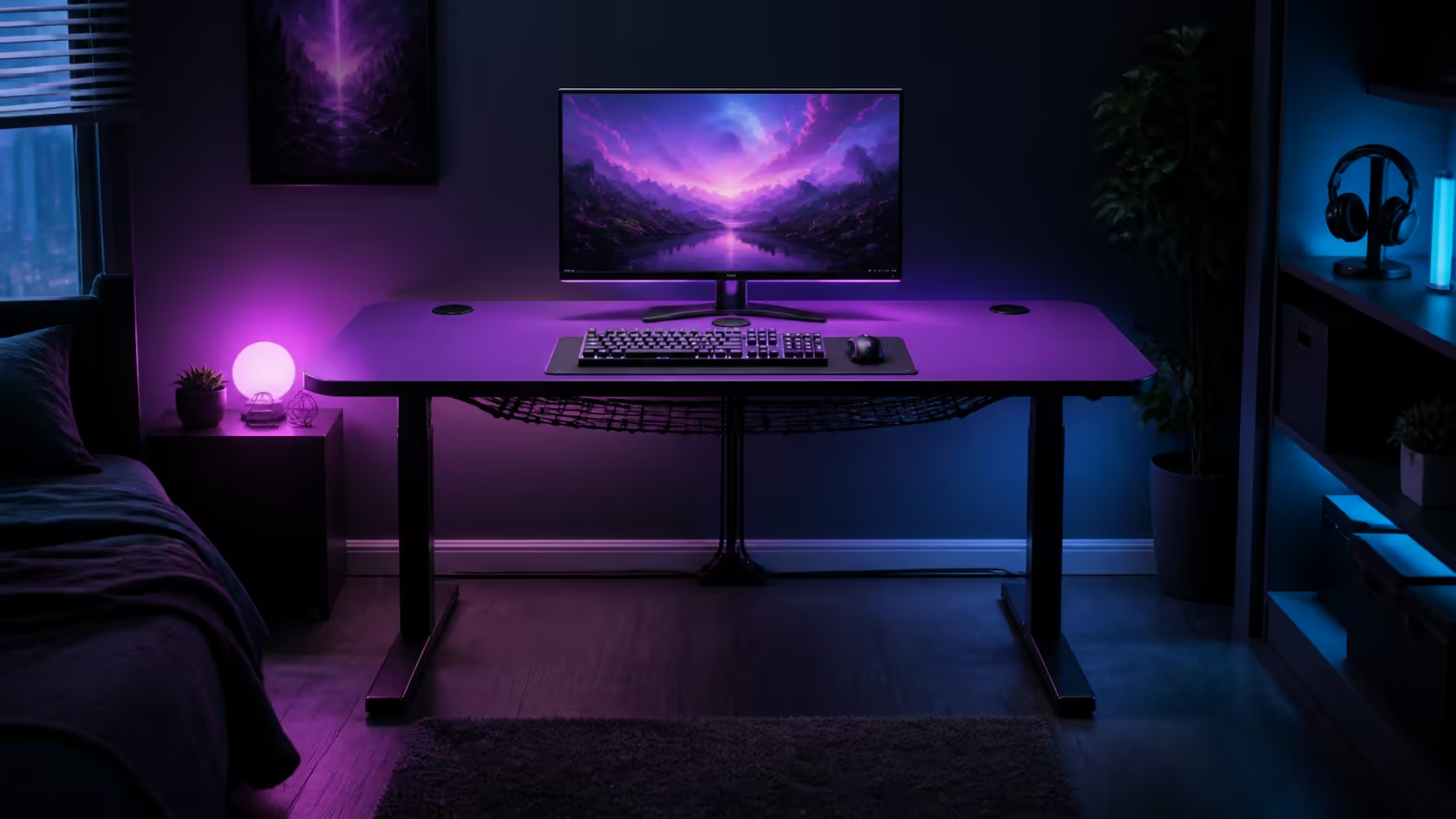
A tidy room starts with a desk plan that gives every device a home before the first cable is connected. Setting up a medium gaming desk for a bedroom or home office means protecting chair travel, a clear input zone and easy cleaning. At R3,599, the purple AROZZI Arena Medium anchors this plan.
Quick Answer
The R3,599 AROZZI Arena Medium suits a compact gaming or work area with its space-efficient design, sturdy steel legs and full-surface microfiber mousepad. Place the main monitor ahead of the chair, keep daily controls within relaxed reach, then divide cables among its three cutouts and integrated net so the surface stays usable.
📐 Map the room before assembly
Measure wall length, desk depth, doors, cupboards, sockets and the chair at full pull-back. Tape the outline and walk between the bed, doorway and working position. A medium desk saves space only when the room can still function around it.
Open Evetech's gaming desk category and apply one floor map to every option. Include skirting and curtains that may stop the desk sitting where the plan expects.
Protect the seated centre
Mark the keyboard and mouse position first. Put the primary display directly ahead at a comfortable distance. Speakers, controllers and chargers can occupy secondary zones rather than crowding the forearms.
The Arena Medium's full-surface microfiber layer lets the mouse use a broad part of the top. Keep stationery and drinks outside that measured sweep.
🖥️ Install equipment in layers
Start with the purple AROZZI Arena Medium assembled according to its instructions, then add the display, keyboard and mouse. Test posture and movement before adding the PC, laptop dock or decorative accessories.
Place heavier equipment where it remains stable and does not block the chair or cable access. Keep the PC ventilated and reachable for maintenance.
Share work and gaming zones
If one monitor serves both roles, give office notes a defined tray or side position. Store controllers and headset away during focused work, then reset the centre before gaming. A short changeover routine prevents clutter from becoming permanent.
🔌 Route cables by destination
Assign the nearest of the three cutouts to each device group. Send monitor and PC leads through the most direct openings, label both ends, and support suitable excess length in the integrated cable-management net.
Browse the Arozzi gaming setup selection for room-wide inspiration. Recreate only placements that fit the measured bedroom or office.
Do not overfill the net or pull connectors tight. Preserve service loops for display movement and keep temporary phone or laptop leads accessible.
🧼 Keep the setup easy to reset
The water-resistant, machine-washable microfiber surface makes routine care practical. Remove loose dust regularly, respond to spills promptly and follow its washing guidance when a deeper clean is needed. Clear electronics before removing the pad and return them only after it is fully dry.
Evetech's broader gaming setup category helps coordinate the chair, screen and accessories around the desk. Photograph the final positions so cleaning does not turn into a complete redesign.
Run a one-week review
After several work and gaming sessions, remove accessories that never earned a daily role. Bring frequently used tools closer and inspect the net for cable migration. The cleanest compact setup is the one that remains simple after ordinary use.
Plan lighting and camera direction
Check daylight at the times the room is used. A screen facing a bright window may show glare, while a camera pointed towards it can create an uneven call image. Add any lamp base and its cable to the desk plan before reserving accessory space.
Keep lighting controls within reach but outside the mouse sweep. Route their leads through the cutout nearest the destination and label them separately from the display branch.
Create a nightly reset
Return stationery to storage, park chargers at one edge and hang or store the headset without crossing a cable. Wipe loose dust before it settles into the microfiber. A two-minute reset keeps a bedroom calmer and gives the next work session a clear start.
Once a week, trace one cable through the net and check that every connector still has slack. This small routine prevents hidden clutter from accumulating beneath an otherwise tidy surface.
Decide what never belongs on the desktop
Packaging, spare leads and rarely used tools need a home away from the chair. Set a simple admission rule: an item stays on the desk only when it supports the current work block or gaming session. That keeps the broad microfiber area available without requiring a large room or another piece of furniture.
Use a small container for temporary objects that must leave before the room settles for the night. The distinction between temporary and permanent gear matters more than arranging clutter neatly. It also makes the washable surface practical to remove because fewer objects need to be relocated.
Audit the room from the doorway
Stand at the entrance after the setup is complete. The chair should not close the route to a cupboard, window or bed, and no cable should cross a walking line. Then sit down and confirm that the three cable branches disappear towards their actual destinations rather than merely looking tidy from one angle.
This final view catches the difference between a clean photograph and a room that works every day. If the desk controls the whole room, remove one secondary accessory before shifting the main input position.
Frequently Asked Questions
Where should the monitor sit?
Place the primary display directly ahead of the normal chair position at a comfortable viewing distance.
How should cables be divided?
Group them by nearby devices, use the three cutouts as short routes and support suitable slack in the net.
Can the whole surface work for the mouse?
Yes. The Arena Medium includes a full-surface microfiber mousepad.
How do you keep a bedroom setup uncluttered?
Give every regular item a parking point and remove anything that repeatedly enters the chair or input zone.
What does the purple Arena Medium cost?
It costs R3,599.
Ready to give a compact room one disciplined gaming-and-work centre? Choose the AROZZI Arena Medium at Evetech, map each device zone, and let the cutouts plus cable net keep the reset simple.











