


The dull ache in your lower back after a long day at the desk is rarely a mystery. It is the slow result of sitting in positions that load your spine unevenly hour after hour. Setting up a desk for good posture means putting your elbows, back, eyes, and feet in a few specific positions so your spine sits in its natural curve instead of being held there by tired muscles. The fixes are simple, mostly free, and you can feel the difference within a day.
Quick Answer
Aim for the 90-90-90 rule: elbows, hips, and knees each bent at roughly 90 degrees, with both feet planted flat and the upper edge of your monitor level with your eye line or a touch below. Add proper lumbar support so your lower back keeps its natural inward curve, and stand up to move every 60 to 90 minutes. That combination removes most desk-related back pain.
Start With the Chair and Your Hips
Everything else is built on how you sit, so set the chair first. Adjust the seat height until both feet land flat on the floor and your knees reach about 90 degrees, level with or just below your hips. If your feet hang off the ground, lower the seat or add a footrest, because unsupported feet pull your weight forward and round your lower back.
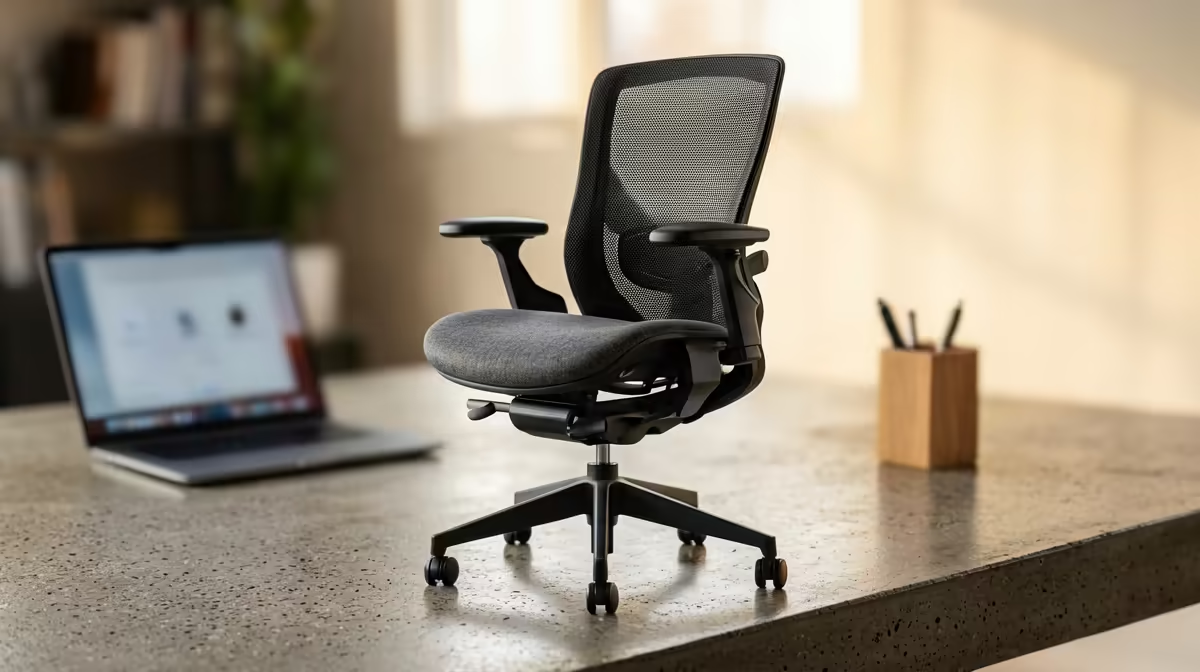
The single biggest fix for low-back pain is lumbar support. Your spine has a natural inward curve at the lower back, and without support the muscles work constantly to hold it, which is what aches by mid-afternoon. A chair with a firm lumbar contour, or even a rolled towel placed at the small of your back, keeps that curve effortless. A proper ergonomic or gaming chair with adjustable lumbar makes this far easier to get right and hold all day.
Set Your Elbows, Wrists, and Desk Height
With the chair sorted, look at your arms. Your elbows should sit close to your body and bend at roughly 90 degrees as your hands rest on the keyboard, so your shoulders stay relaxed rather than hunched up toward your ears. If you have to reach up to the keys, the desk is too high; if your shoulders slump, it is too low.
- Pull the keyboard close so you are not reaching forward, which drags your shoulders and upper back out of line.
- Keep your wrists straight and floating, not bent up or resting hard on the desk edge. A padded wrist rest helps hold a neutral wrist angle.
- Place the mouse right beside the keyboard at the same height so you are not stretching sideways for it all day.
If your desk is a fixed height that forces your shoulders up or down, raising or lowering the chair and adding a footrest is the cheapest path to elbows-at-90.
Position the Monitor for Your Neck
Your neck pays the price for a badly placed screen. Set the monitor about an arm's length away, and raise it until the upper edge aligns with your eye level or drops just below it. That keeps your gaze slightly downward and your head balanced over your shoulders instead of craning forward, which is what creates the tight, achy upper-back-and-neck combination. If you use a laptop, prop it on a stand or a stack of books and add an external keyboard, because a laptop screen and keyboard cannot both be in the right place at once.
A good gaming or office chair with proper adjustment does a lot of the heavy lifting here, and the Arozzi and ergonomic chair range at Evetech covers seats built for long sessions. It is also worth checking the best-selling chairs at Evetech to see which models local buyers rate for all-day comfort.
The Habit That Beats Any Gadget
No setup, however perfect, is healthy if you hold it motionless for eight hours. Your spine is built to move, and even the best posture becomes a strain when it never changes. Stand up, stretch, or take a short walk every 60 to 90 minutes. Set a reminder if you forget. Movement pumps fluid through the discs in your back and resets tired muscles, and it does more for chronic low-back pain over months than any single piece of equipment.
Frequently Asked Questions
What is the 90-90-90 rule for sitting?
It means your elbows, hips, and knees each form roughly a 90-degree angle when seated. Combined with feet planted flat on the floor and a supported lower back, this keeps your spine in a neutral, low-strain position throughout the day.
Where should my monitor be to avoid neck pain?
Set it about an arm's length away with the upper edge at your eye level or just below. That keeps your head balanced over your shoulders and your gaze slightly downward, instead of craning your neck toward a low screen.
Do I really need lumbar support?
For most people, yes. Without it your lower-back muscles work constantly to hold your spine's natural curve, which is a common cause of afternoon back ache. A lumbar-contoured chair or even a rolled towel makes a noticeable difference.
Can a gaming chair help with back pain?
A good gaming or ergonomic chair with adjustable height and lumbar support helps you hold a neutral position more easily for long sessions. The chair sets up correct posture, but you still need to take regular movement breaks.
How often should I get up from my desk?
Aim to stand, stretch, or walk every 60 to 90 minutes. Regular movement keeps your discs and muscles healthy and prevents the stiffness that builds up from sitting still, even in a well-set-up chair.
Tired of an aching back after work? Browse the ergonomic and gaming chair range at Evetech and build a desk setup that keeps your spine in its natural, pain-free position.











