


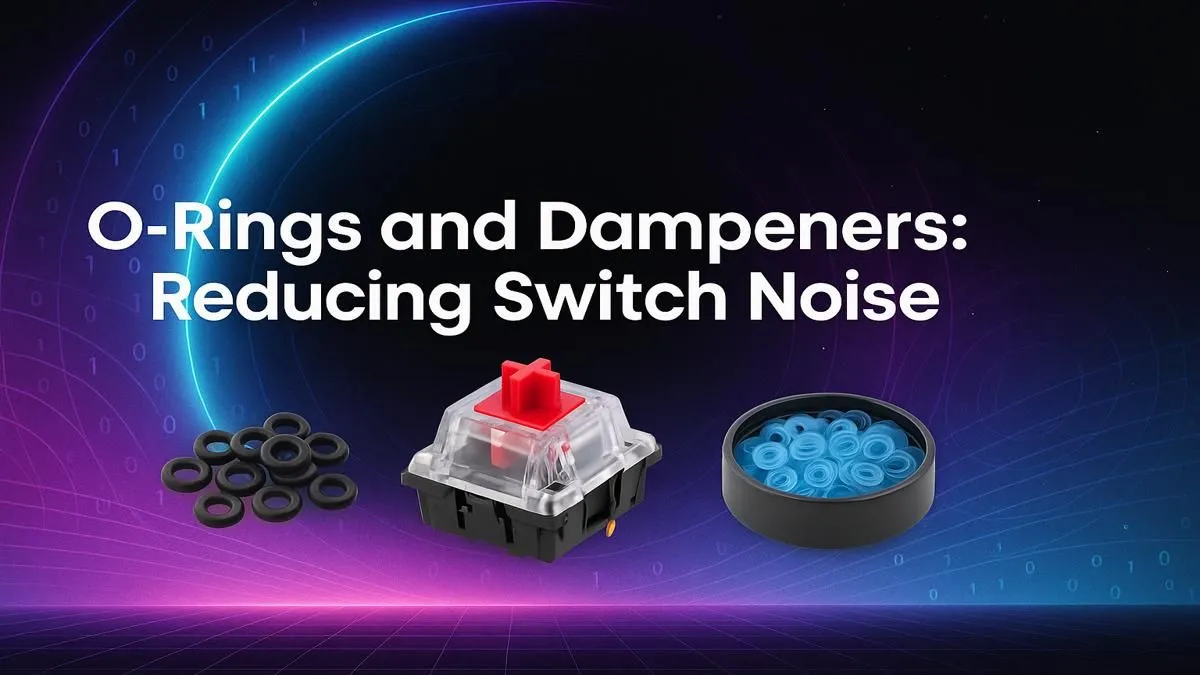
Love the satisfying clack of your mechanical keyboard, but your family... not so much? We get it. That late-night gaming session or frantic typing can sound like a hailstorm in a quiet house. Enter the simplest, most affordable upgrade for peaceful productivity and stealthy gaming: keyboard O-rings and dampeners. This small addition can transform your noisy keyboard into a quieter, more refined tool without breaking the bank. 🤫
What Exactly Are Keyboard O-Rings & Dampeners?
In short, they are tiny rings, usually made of silicone or rubber, that you place on the stem of your keycaps. Their job is simple but effective. When you press a key, the O-ring cushions the impact as the keycap hits the top of the switch housing. This action does two things: it reduces the loud "clack" sound from bottoming out, and it slightly shortens the key's travel distance.
Think of it as the first step into the awesome world of keyboard customisation. It's an easy modification that complements other aesthetic upgrades, like swapping out for a fresh set of custom keycaps to really make your desk setup pop.
The Big Benefits of Keyboard Sound Dampening
So, why bother with these little rings? The advantages go beyond just making less noise.
Quieter Typing and Gaming
This is the main reason people seek out keyboard O-rings. They significantly reduce the bottom-out sound, which is perfect for office environments, streaming without your mic picking up every keystroke, or just enjoying a quieter home atmosphere. Your teammates on Discord will thank you.
A Softer, Cushioned Feel
The dampening effect creates a softer landing for your fingers. Many users find this cushioned feel more comfortable for long typing sessions, potentially reducing finger fatigue. For maximum comfort, you can pair them with a comfortable wrist rest to create a truly ergonomic setup.
Minor Performance Tweak
By reducing the travel distance, O-rings can make your keyboard feel slightly more responsive. While the difference is minimal, some gamers prefer the shorter actuation point for faster key presses. ✨
Choosing the Right O-Rings for Your Keyboard
Not all keyboard dampeners are created equal. The right choice depends on your personal preference and your keyboard's hardware.
Material and Hardness
Most O-rings are silicone. Their hardness is measured in "durometers" (e.g., 40A, 70A).
- Softer (e.g., 40A): Offers more sound reduction and a more cushioned feel.
- Harder (e.g., 70A): Provides less cushioning, preserving more of the original switch feel while still reducing noise.
The best choice often depends on the type of keyboard switches you use; a heavy tactile switch might feel better with a harder O-ring, while a light linear switch pairs nicely with a softer one.
Pro Tip: Test Before You Commit ⚡
Before installing O-rings on your entire keyboard, try them on a few keys first—like your WASD and spacebar. Type and game on them for a bit to see if you like the change in feel and sound. This helps you decide if they're right for you without having to redo the whole board.
How to Install Keyboard O-Rings: A Quick Guide 🔧
The beauty of this mod is its simplicity. You can upgrade your entire keyboard in under 20 minutes.
- Arm Yourself: All you need is a keycap puller (many keyboards come with one) and your pack of O-rings.
- Pull the Keycap: Gently hook the keycap puller under the keycap and pull straight up.
- Place the O-Ring: Take one O-ring and slide it down over the stem on the underside of the keycap. Ensure it sits flat at the base.
- Press it Back: Align the keycap over the switch and press it down firmly until it clicks into place.
- Repeat: Do this for all the keys you want to silence.
That's it! This process is the same for any mechanical keyboard, from a high-end custom build to even an affordable gaming keyboard.
Are There Any Downsides?
While O-rings for keyboards are fantastic, they do change the feel slightly. Some purists dislike the softer bottom-out, describing it as "mushy." It's a trade-off: sound reduction versus a crisp bottom-out feel.
Also, it's important to note that O-rings primarily silence the "clack" of the keycap hitting the switch. They won't silence the "click" of a clicky switch (like a Cherry MX Blue), as that sound is generated internally by the switch mechanism itself.
If the change in feel isn't for you, or if you're chasing that perfect sound profile, it might be time to start exploring the best gaming keyboard deals for a model that's built to be quiet from the ground up.
Ultimately, keyboard O-rings and dampeners are a low-cost, reversible, and highly effective way to refine your typing experience. They put you in control of your sound profile, making your favourite keyboard more versatile than ever. Once your keyboard is perfected, you might even consider a matching mouse to complete your setup with a high-performance keyboard and mouse combo.
Ready to Perfect Your Setup? Keyboard O-rings and dampeners are just the beginning. From switches to keycaps, the perfect typing feel is waiting for you. Explore our massive range of keyboards and accessories and build the setup that’s uniquely yours.











