


Best AMD GPU Under R40000 in SA 2026
Top AMD GPU Under R40000 picks evaluated on performance, value & SA availability with current Rand pricing from Evetech.
Read moreLGA 1851 build guide - plan a future-proof PC with the right motherboards, DDR5, PCIe Gen5 storage, and cooling. Get parts lists, benchmarks, and upgrade tips. 🔧💡
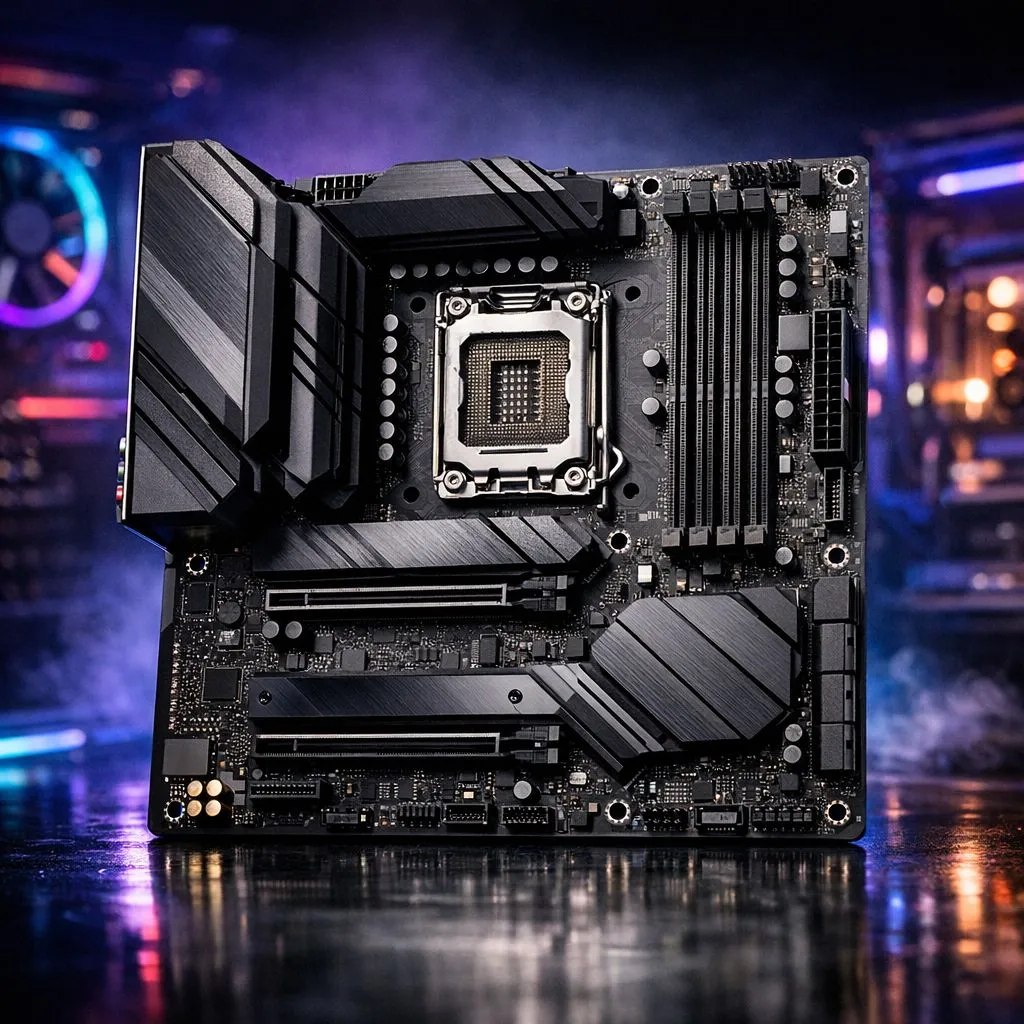
Building a PC in South Africa right now feels like a balancing act between current performance and future compatibility. With Intel’s transition to the new LGA 1851 socket, the stakes for your next upgrade just got higher. If you are looking to future-proof your next PC, understanding this shift is essential to ensure your rig stays relevant for years of local fragging. 🔧
The move to LGA 1851 marks the end of the road for the long-standing LGA 1700 socket. This isn't just a physical change... it represents a massive leap in how your system handles data. To get started on this journey, you can buy Intel CPUs that support the latest architectural improvements, ensuring you aren't left behind when the next generation of software arrives.
In the modern gaming landscape, simply having a fast clock speed isn't enough. Modern titles and creative suites are hungrier than ever for multi-threaded performance. Many South African builders are choosing to buy Intel CPUs with 14-cores or more to handle gaming while simultaneously running streaming software or intensive background tasks.
LGA 1851 motherboards, specifically the Z890 chipset, are designed to feed these power-hungry chips with more stable voltage. This stability is crucial when you are pushing your hardware during a heatwave in the middle of a Joburg summer. ⚡
While LGA 1851 has the same physical dimensions as LGA 1700, the mounting pressure requirements have changed slightly. Before you reuse your old liquid cooler, check if your manufacturer offers a dedicated LGA 1851 offset bracket. Using the correct bracket ensures better contact with the CPU die, which can lower your temperatures by up to 5 degrees Celsius under heavy load.
While this guide focuses on Intel's new socket, no savvy buyer makes a decision without looking at the full market. If you are still weighing your options for a high-end build, you might buy AMD CPUs to see how their efficiency metrics compare to the latest Intel offerings.
The competition is particularly stiff in the mid-to-high-end segment. For instance, the AMD Ryzen 7 series remains a formidable choice for gamers who prioritise power efficiency and a proven platform. However, for those who want the absolute latest in PCIe 5.0 connectivity and the newest instruction sets, the LGA 1851 platform is the definitive path forward. 🚀
When you follow an LGA 1851 Build Guide: Future-Proof Your Next PC strategy, you are investing in longevity. You are moving to a platform that prioritises DDR5 memory and ultra-fast NVMe storage speeds. This ensures that your ZAR investment today doesn't become obsolete by next Christmas.
Remember to balance your budget across all components... a top-tier CPU deserves a high-quality power supply and a case with excellent airflow to keep everything running at peak performance. ✨
Ready to Build Your Dream Rig? Navigating the world of new sockets and chipsets can be tricky, but we are here to make it easy. Whether you are going Intel or AMD, we have the latest hardware ready for your next upgrade. Explore our massive range of PC components and find the perfect parts to future-proof your setup today.
LGA 1851 is Intel's latest desktop socket; choose it for improved I/O, DDR5 support and PCIe Gen5 readiness to future-proof your PC.
LGA 1851 compatible CPUs include Intel's current-gen desktop processors designed for the socket; check motherboard CPU support lists before buying.
Pick LGA 1851 motherboard recommendations with robust VRMs, DDR5 support, PCIe Gen5 lanes, and upgrade-friendly BIOS features.
Select DDR5 kits that match motherboard QVL, target CAS and speed for your workload, and consider headroom for XMP tuning.
PCIe Gen5 storage for LGA 1851 offers higher bandwidth for heavy workloads; it's optional for most gamers but valuable for creators.
Yes—budget LGA 1851 build tips: prioritize a quality motherboard, midrange CPU, DDR5 with upgrade headroom, and stagger GPU/storage upgrades.
The upgrade path LGA 1851 offers includes CPU refreshes within the socket, faster DDR5 modules, and incremental PCIe Gen5 device upgrades.
Top AMD GPU Under R40000 picks evaluated on performance, value & SA availability with current Rand pricing from Evetech.
Read more
Top RTX 4090 Under R12000 () picks evaluated on performance, value & SA availability with current Rand pricing from Evetech.
Read more
Ryzen 5 5600X + B550 + RTX 4060 Build Under. Full parts list, Rand pricing & expected performance. Build confidently with SA-available components.
Read more
Ryzen 5 5600X + B550 + RTX 4060 Build Under. Full parts list, Rand pricing & expected performance. Build confidently with SA-available components.
Read more
Top AMD GPU Under R25000 picks evaluated on performance, value & SA availability with current Rand pricing from Evetech.
Read more
Top Crucial GPU Under R15000 picks evaluated on performance, value & SA availability with current Rand pricing from Evetech.
Read more
Snapdragon X2 NPU Explained: How 80 TOPS Changes. Plain-English explanation of what it means, why it matters & how it affects your buying decisions in SA.

HBM? High Bandwidth Memory Used in GPUs and AI. Plain-English explanation of what it means, why it matters & how it affects your buying decisions in SA.

How much should you spend on sim racing accessories in South Africa for a realistic setup? We break down budgets by quality tiers, so you buy smart gear and avoid overspending 🎮💸

G-Sync and FreeSync? Variable Refresh Rate. Plain-English explanation of what it means, why it matters & how it affects your buying decisions in SA.

AMD Laptop: Value. SA-focused analysis with local pricing data, real-world insights & actionable buying advice.

How MacBook Neo Handles 30+ Chrome Tabs with Only. SA-focused analysis with local pricing data, real-world insights & actionable buying advice.

Why Apple Put 8GB RAM in MacBook Neo: The A18 Pro. SA-focused analysis with local pricing data, real-world insights & actionable buying advice.

Upgrade your work laptop with a New Motherboard. Step-by-step instructions with SA-specific tips, common pitfalls to avoid & expert recommendations.

Maintain wired headset — Checklist: • inspect cables • clean earpads • store properly 🔧🎧 Practical steps to preserve sound quality and avoid premature replacements.

Fix crackling headset fast: step-by-step checks for cables, connectors, drivers, and settings to remove static or distorted audio on wired headsets 🎧⚙️

Stereo vs mono headsets: learn which delivers clearer calls, better spatial music, or simpler mono voice performance — pick the right headset for meetings, music, or gaming 🎧💬

- Compare gaming headset vs studio headphones; - Assess comfort, mic and sound; - Recommend best daily picks. Gaming headset vs studio headphones: learn which suits work, music and casual gaming. 🎧⚖️