


Best AMD GPU Under R40000 in SA 2026
Top AMD GPU Under R40000 picks evaluated on performance, value & SA availability with current Rand pricing from Evetech.
Read moreDiscover why mATX motherboards are the ultimate choice for South African gamers. Save space without sacrificing performance in your next custom PC build. ��️🇿🇦
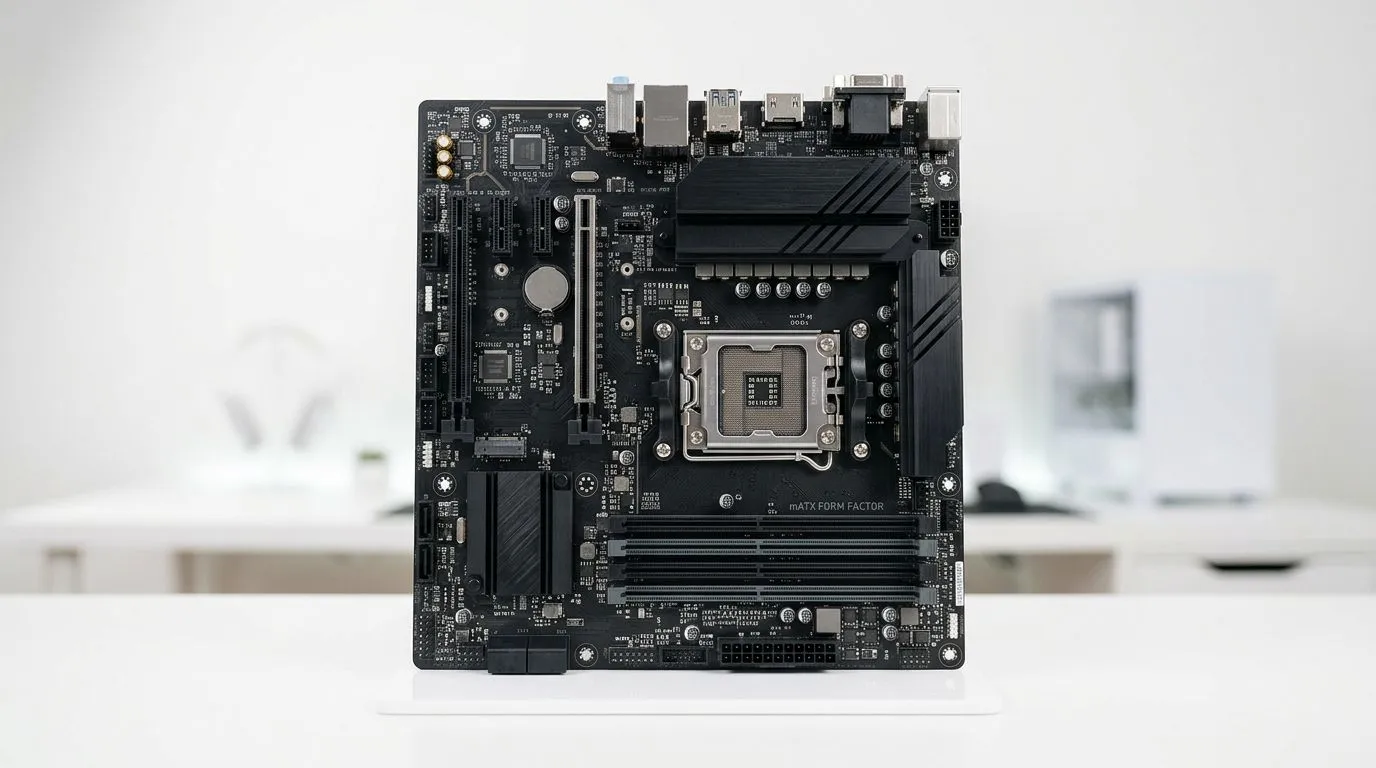
If you’re building a rig in South Africa, you already know the trade-offs… space, budget, and upgrade plans all matter. A micro‑ATX (mATX) motherboard is often the sweet spot: enough connectivity for gaming and everyday work, while fitting comfortably into the kind of deskside cases people actually buy locally.
In this Build Lab guide, we’ll break down why mATX motherboards are perfect for South African desk setups, what to look for before you click “add to cart”, and how to avoid common build regrets.
A South African desk setup usually has one thing in common: limited space around the case. mATX boards shine here because they’re smaller than ATX boards, yet they still support a full gaming PC build.
What that means in practice:
And for gamers who stream, edit, or run multiple monitors… the “desk vibe” matters. You want a system that looks good and stays serviceable when you add fans, storage, or RAM later.
A common worry is: “Will mATX feel too limiting?” Usually, no. Most mATX boards still give you the essentials:
Instead of chasing an “extra slots for the future” fantasy, plan upgrades realistically:
If you’re choosing your motherboard platform, start with either AMD or Intel options and narrow down from there:
Here’s a quick checklist that works whether you’re building for 1080p competitive play, 1440p single-player, or school and content work.
Your CPU socket decides everything. Don’t buy “based on size” first. Buy based on compatibility, then pick the mATX form factor.
If you’re aiming for value, it’s also worth looking at boards that balance specs and price. For example, these options can help you keep the build within your ZAR budget:
For gaming, stable RAM speeds and an easy upgrade path matter more than marketing numbers.
Modern builds feel faster when you’re on SSDs. Confirm:
This is where mATX boards can win. Make sure you have:
A smaller motherboard often lives in a smaller case, so fan placement matters. Prioritise:
On Windows, use the PowerToys FancyZones utility to create custom snap layouts for your windows. It's a lifesaver for managing multiple apps on an ultrawide monitor, letting you organise your timeline, preview window, and asset folders perfectly for video editing.
Picture this. You’ve built the PC, the games run great… but after two weeks you realise your setup is missing something. Maybe it’s a USB hub that you didn’t plan for. Or you’ve added a second storage drive and suddenly routing is tight.
That’s where mATX planning saves you. Because the board size usually matches your case design better, you end up with a build that’s easier to maintain. It also encourages smarter upgrades: add one component at a time, verify fit, then iterate. Less “panic building”, more controlled improvements.
mATX motherboards are perfect for South African desk setups when you want:
If you’re building for today but you still want sensible room to grow, mATX is usually the decision that makes life easier.
Ready to Find Your Perfect Match? The Mac vs Windows debate is complex, but for maximum power, choice, and value in South Africa, Windows is hard to beat. Explore our massive range of laptop specials and find the perfect machine to conquer your world.
An mATX (micro-ATX) motherboard is a compact form factor that is smaller than standard ATX boards but provides enough expansion slots for most gaming setups.
Yes, mATX motherboards are excellent for gaming. They support high-end CPUs and GPUs while fitting perfectly into smaller, space-saving PC cases.
Most mid-tower and full-tower cases support mATX motherboards, making them a versatile choice for your next custom PC build upgrade.
Generally, mATX motherboards are more affordable than full ATX boards, making them a budget-friendly option for South African gamers building high-performance rigs.
No, you do not lose gaming performance. mATX boards use the same chipsets as larger boards, ensuring your CPU and GPU run at full capacity.
A compact mid-tower or a dedicated mATX tower is ideal to maximize your desk space while maintaining optimal airflow for your components.
Top AMD GPU Under R40000 picks evaluated on performance, value & SA availability with current Rand pricing from Evetech.
Read more
Top RTX 4090 Under R12000 () picks evaluated on performance, value & SA availability with current Rand pricing from Evetech.
Read more
Ryzen 5 5600X + B550 + RTX 4060 Build Under. Full parts list, Rand pricing & expected performance. Build confidently with SA-available components.
Read more
Ryzen 5 5600X + B550 + RTX 4060 Build Under. Full parts list, Rand pricing & expected performance. Build confidently with SA-available components.
Read more
Top AMD GPU Under R25000 picks evaluated on performance, value & SA availability with current Rand pricing from Evetech.
Read more
Top Crucial GPU Under R15000 picks evaluated on performance, value & SA availability with current Rand pricing from Evetech.
Read more
Snapdragon X2 NPU Explained: How 80 TOPS Changes. Plain-English explanation of what it means, why it matters & how it affects your buying decisions in SA.

HBM? High Bandwidth Memory Used in GPUs and AI. Plain-English explanation of what it means, why it matters & how it affects your buying decisions in SA.

How much should you spend on sim racing accessories in South Africa for a realistic setup? We break down budgets by quality tiers, so you buy smart gear and avoid overspending 🎮💸

G-Sync and FreeSync? Variable Refresh Rate. Plain-English explanation of what it means, why it matters & how it affects your buying decisions in SA.

AMD Laptop: Value. SA-focused analysis with local pricing data, real-world insights & actionable buying advice.

How MacBook Neo Handles 30+ Chrome Tabs with Only. SA-focused analysis with local pricing data, real-world insights & actionable buying advice.

Why Apple Put 8GB RAM in MacBook Neo: The A18 Pro. SA-focused analysis with local pricing data, real-world insights & actionable buying advice.

Upgrade your work laptop with a New Motherboard. Step-by-step instructions with SA-specific tips, common pitfalls to avoid & expert recommendations.

Maintain wired headset — Checklist: • inspect cables • clean earpads • store properly 🔧🎧 Practical steps to preserve sound quality and avoid premature replacements.

Fix crackling headset fast: step-by-step checks for cables, connectors, drivers, and settings to remove static or distorted audio on wired headsets 🎧⚙️

Stereo vs mono headsets: learn which delivers clearer calls, better spatial music, or simpler mono voice performance — pick the right headset for meetings, music, or gaming 🎧💬

- Compare gaming headset vs studio headphones; - Assess comfort, mic and sound; - Recommend best daily picks. Gaming headset vs studio headphones: learn which suits work, music and casual gaming. 🎧⚖️