


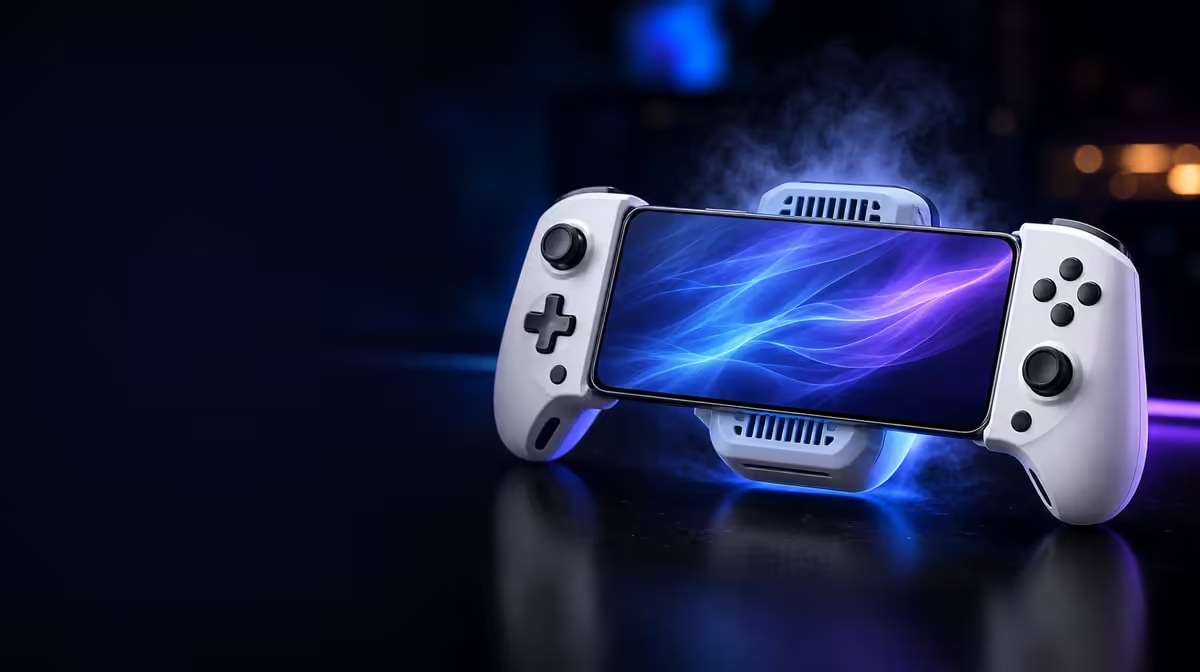
A cooler cannot help a phone through a trapped intake or a poor contact patch. Integrated phone cooler optimisation starts with physical seating and unobstructed air, then moves to power routing and a repeatable workload. The R1,199 GameSir X3 Pro combines cooling with its stretchable controls, so the useful test happens with the phone installed exactly as it will be played.
Quick Answer
Seat the phone evenly against the X3 Pro cooler, leave its airflow path open and route Charge Cool One Cable without pulling on either connector. The controller is R1,199; compare the same demanding game section before and after cooling, because room temperature and phone workload still influence the result.
📐 Create an even thermal contact
Remove the phone case for the first test and inspect the back of the handset. A camera island, raised trim or uneven surface can prevent the cooler area from meeting the phone properly. Place the device into the controller without twisting it, then look from each side for a gap.
Do not assume that tighter stretching creates better cooling. The frame should hold the phone securely without bending it or loading the USB-C plug. Pressing harder cannot compensate for contact in the wrong place. If the phone's hot area and cooler do not align, record that limitation rather than forcing the fit.
Let the handset reach a normal idle temperature before beginning. Starting one run immediately after charging and another after a long rest makes the comparison unreliable. The gaming controller category can help buyers compare integrated layouts, but physical alignment must still be checked for their own phone.
Inspect the setup during play
After ten minutes, pause and check whether the handset has shifted. Repeated trigger presses and hand pressure can move a phone that appeared stable on a table. Re-seat it before drawing conclusions from a later temperature change.
🌬️ Protect the cooler's air path
Identify where air enters and leaves the integrated cooler, then keep fingers, fabric and nearby objects away from those areas. A sofa cushion may be convenient support for the hands but can obstruct the hardware. On a desk, loose packaging or a coiled cable can cause the same problem.
Clean dust from accessible exterior openings with the controller disconnected. Do not push tools into the fan area or apply liquid. The goal is a clear external route, not invasive maintenance. Listen for a consistent operating sound; an unusual noise is a reason to stop the session and inspect the placement.
Ambient heat changes how much thermal headroom the phone has. Compare cooling under the same room conditions where possible. The X3 Pro cannot make a hot room irrelevant, and a temperature warning from the phone should always end the test.
Evetech's broader mobile gaming accessories selection is useful for planning a tidy station. Any added stand, hub or cable must leave the cooler's intake and outlet unobstructed.
🔋 Route power without strain
Charge Cool One Cable simplifies the route around charging and cooling, but the cable still needs gentle bends and enough slack. Run it away from the hands and support its weight so a movement does not lever the phone connector. Avoid wrapping excess cable around a warm part of the handset or blocking ventilation.
Observe battery percentage at the start and end of the same play interval. Incoming power may not always exceed the phone's demand during a heavy game, so a falling percentage does not by itself prove that cooling failed. Record battery change, perceived heat and game behaviour as separate results.
Charging can also add heat. For a useful comparison, run one controlled session with the intended power arrangement and do not swap chargers midway. Pause if the connector becomes hot, the phone raises an alert or the controller shifts under cable tension.
🧪 Measure a long session in stages
Choose a fixed game scene or training route that places a repeatable load on the phone. Record performance or responsiveness at five, fifteen and thirty minutes. Use the same graphics settings, brightness and background-app state for each run. The cooler's value is easier to judge from consistent behaviour over time than from a single cold start.
Run a matching test with cooling inactive only if it can be done safely and the phone remains within its normal limits. Stop at any warning. The goal is comparison, not pushing the handset until it protects itself.
Hand comfort belongs in the result. The X3 Pro also has Hall sticks, micro-switch triggers, gyro and dual rumble, and each affects how a long session feels. Reduce vibration if fatigue appears, and check whether the cooler's position changes the grip. Popular complementary choices can be viewed on the accessories best-seller page, although fewer well-routed pieces may create the better long-session arrangement.
Keep notes from two or three sessions rather than judging one evening. Different games and room conditions expose different limits. A useful cooling setup is the one that remains secure, clear and comfortable through the workload the owner actually repeats.
Add a cooldown note after each run. Record how long the phone takes to return to ordinary idle behaviour once the game closes and power is disconnected. This does not need laboratory equipment; a consistent waiting routine simply prevents the next trial from starting with hidden heat.
Recheck dust, cable bends and phone contact every few weeks. Long-session performance can change because the physical setup slowly moved, not because the cooler suddenly lost its purpose. A short maintenance inspection protects the quality of later comparisons.
Frequently Asked Questions
Why should the phone case be removed for the first cooler test?
A case adds a thermal and physical layer that may reduce contact or change alignment. Testing the bare handset establishes whether the integrated layout fits properly.
Can the cooler hold phone performance at one fixed level?
No. The game load, room temperature, charging behaviour and the phone's own controls still affect sustained operation.
What should be recorded during a thirty-minute run?
Note battery change, any performance shift, handset warnings, comfort and whether the phone remained seated. These observations describe more than a single temperature reading.
What is the local price of this integrated setup?
The white X3 Pro costs R1,199. Review Evetech's current category page when planning the purchase.
Ready to give mobile heat a controlled test? Compare Evetech's gaming controllers, then build a clear-airflow setup around the handset and games you use most.











