Why a portable media server makes sense on the road
Road trips in South Africa are better with a local cinema in the boot. Portable media server for road trips: build and pack lets you carry hundreds of films, playlists and boxsets without relying on slow mobile data. Lightweight, offline, and shareable with the whole car… here’s a practical, tested approach to building a small, resilient server that survives gravel roads and long drives. 🚗
What you actually need to build
Start simple: a compact enclosure, a small single-board computer or mini PC, and a drive. For truly portable builds I use aluminium enclosures for heat dissipation and durability — they’re light and tactile, and brands like Orico make compact options that suit road kits well. See Orico aluminium enclosures for compact options.
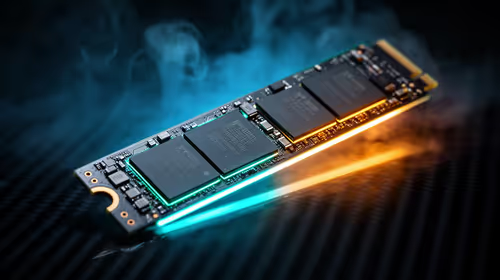
Decide SSD vs HDD by usage. SSDs resist vibration better and wake faster; HDDs give more capacity per rand. For durability and no-moving-parts convenience, many builders pick SSDs for the OS and a 2.5-inch HDD for bulk storage. For background on the differences, read about solid-state drives and hard disk drives.
Choosing enclosures and connectors 🔧
Pick an enclosure with USB-C or USB 3.x support; that preserves speed and compatibility with laptops and phones. If you want a true plug-and-play box, go for enclosures that support UASP mode and tool-free drive swaps. Browse the full enclosures catalogue to compare sizes, materials and compatibility.
If budget is the driver, there are solid options from about R499 that get you started without breaking the trip fund. Check budget-friendly enclosures from Evetech.
Power, safety and cabling on the road
Run the server from a small UPS or a high-capacity power bank with pass-through charging. If you’re using a mini PC, keep it off while driving; boot it at campsites. Use short, shielded SATA or USB-C cables and secure them with Velcro to stop rattling. For remote streaming inside a vehicle, a hotspot can work… but local Wi-Fi from the server beats mobile data every time.
Setup and software tips ✨
- Use lightweight, headless server OS (Ubuntu Server or OpenMediaVault) to reduce resource use.
- Enable SMB for Windows and Mac sharing, and DLNA/Emby/Plex for smart TVs and phones.
- Set up automated copying of new media from a primary laptop; rsync or Syncthing are reliable choices.
- Keep a small HTML index or a simple Plex library to help passengers pick content fast.
Road-Ready Tip ⚡
When packing drives, place silica gel packets near your enclosure and keep the unit in a padded, zippered pouch. Label drives by content and format one as a nightly backup target to avoid accidental deletions.
Micro-story: last-minute match night
On a Cape Town to Dullstroom drive, I swapped a scratched DVD for a 1TB drive in an Orico-style enclosure and streamed the game to the back seats via a phone hotspot. No buffering, no local shop hunt… everyone stayed happy. Small setups like this turn unpredictable travel evenings into quality time.
Packing checklist before you leave
- Enclosure + spare SATA/USB-C cable
- SSD for OS and backup HDD for media
- Small UPS or high-capacity power bank
- Short Ethernet cable and portable router (optional)
- Labels, Velcro, silica gel, and a padded pouch
Where to buy and compare
Compare form factors and materials on the main enclosures page before you commit. For brand-focused shopping, check Orico models. If you want budget starting points, look at enclosures from around R499.
Ready to Find Your Perfect Match? The Mac vs Windows debate is complex, but for maximum power, choice, and value in South Africa, Windows is hard to beat. Explore our massive range of laptop specials and find the perfect machine to conquer your world.