


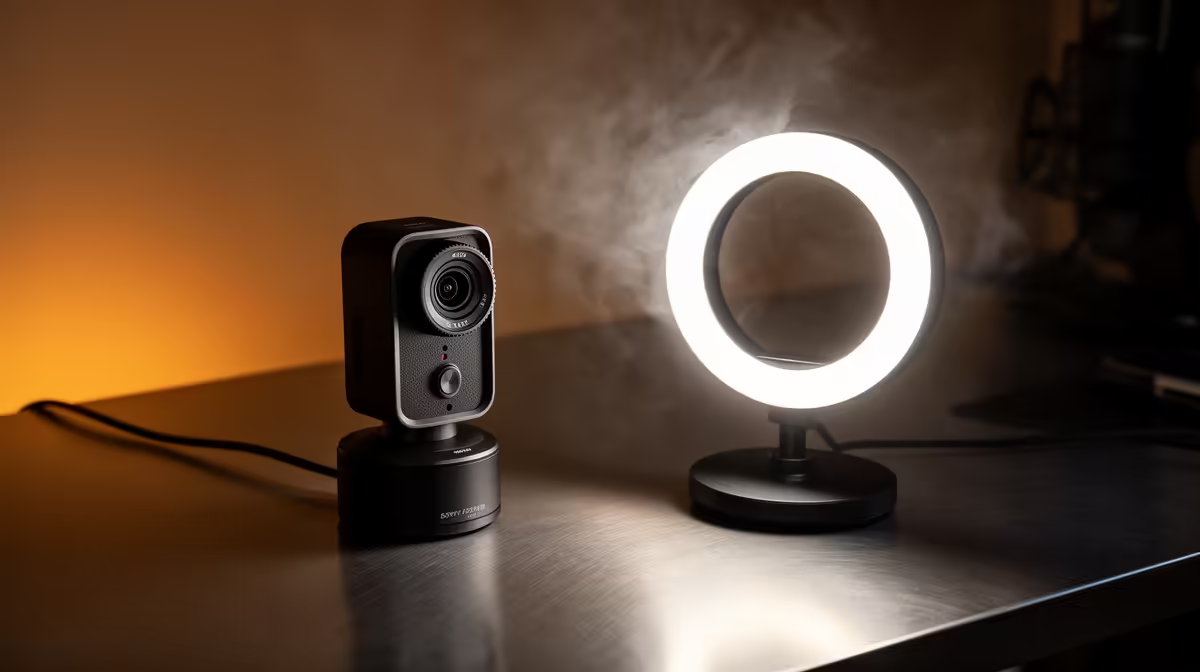
Most SA creators hit the same bottleneck when they try to build a home studio: the equipment list multiplies, every device needs its own setup process, and the whole thing stalls before a single frame gets recorded. Building an SA content studio with plug-and-play USB gear cuts that complexity down to three cables and a working setup that is live in minutes rather than days.
Quick Answer
A USB-only studio needs three pieces of gear: a driverless USB webcam, a USB condenser microphone, and a USB key light. No capture cards, no driver installation, no mixing hardware. A capable entry setup costs around R8,000 to R12,000 and is ready to stream or record immediately after plugging in.
🔌 The Case for Going Fully USB
The appeal of a capture card or XLR audio interface is real, especially as a creator starts watching professional studio setups online. But those extra devices introduce driver conflicts, latency settings, and gain staging that take time to learn and time to troubleshoot when something goes wrong mid-session.
USB gear runs on the UVC (USB Video Class) and USB Audio Class standards, which every modern operating system supports natively. Plug in a UVC webcam and it appears immediately as a video source in OBS, Streamlabs, or any recording app. Plug in a USB condenser microphone and it appears immediately as an audio input. No configuration screens, no firmware flashing, no IRQ conflicts from 2007 nightmares.
For a creator launching their first setup in Joburg or Cape Town, that simplicity is not a compromise. It is the correct architecture for this stage.
🎙️ Choosing Each Component
Webcam
A 1080p60 autofocus model handles the video side cleanly. Look for one in the R1,500 to R2,500 range that advertises a UVC-compliant driverless setup. The 60fps option matters if you plan to cover fast-moving content like gaming or hands-on product demonstrations. For talking-head content, 1080p30 is indistinguishable once compressed by the platform.
Wide-angle lenses, typically 78 to 90 degrees, suit a desk by keeping the background visible without requiring you to sit two metres back.
Microphone
A USB condenser microphone in the R800 to R1,500 range delivers considerably better voice quality than any webcam's built-in pickup. The cardioid polar pattern on most USB condensers focuses on sound arriving from directly in front while reducing room reflections and background noise from other angles.
Positioning matters more than the specific model at this tier. The microphone should sit about 15 to 20cm from your mouth, slightly off to the side rather than directly between you and the camera. That angle keeps it out of the shot and reduces the chance of plosive air reaching the capsule head-on.
Key Light
A USB-powered LED key light completes the trifecta. Models in the R600 to R1,200 range offer adjustable colour temperature, typically from around 3200K warm to 5600K daylight, and brightness control via either a physical dial or a companion app.
Position the light at roughly 45 degrees to your face and slightly above eye level. This angle creates natural-looking facial shadow rather than flat, washed-out illumination. The USB power draw for most key lights sits well under 10 watts, so it runs cleanly off any powered USB port on your monitor or a hub.
⚡ Powering It All Without a Drop
Three USB devices drawing power simultaneously requires a little planning. A laptop with two USB-A ports and one USB-C is often the failure point here: the bandwidth and power budget splits across the ports, and a bandwidth-hungry webcam sharing a port with the microphone can cause audio dropouts.
The solution is a powered USB 3.0 hub with its own mains adapter. These are available in SA for around R400 to R800 and supply a stable, dedicated power allocation to each port rather than drawing everything from the host machine's shared power budget. The webcam and microphone each get a clean, dedicated connection, and the key light can run off the monitor's USB port separately.
When shopping for a hub, confirm it is USB 3.0 rather than 2.0. Webcam bandwidth at 1080p60 exceeds what USB 2.0 can reliably carry, and an underpowered connection is often the cause of mysterious framerate drops that seem like a camera fault.
Pro Tip ⚡
Before streaming for the first time, open your camera's settings in your recording app and lock the white balance to 5600K if your key light is set to daylight. Auto white balance reads the room and shifts colour mid-stream when clouds move past a window or you turn on a second light. Locking it keeps skin tones consistent for the entire session.
Frequently Asked Questions
What three pieces of USB gear are the foundation of a content studio?
A driverless USB webcam for video, a USB condenser microphone for audio, and a USB key light for even illumination. Those three cover the video, sound, and lighting pillars of a studio setup without requiring any additional hardware. Everything plugs straight into the PC and is recognised immediately by streaming and recording software.
How much does a functional USB content studio cost in South Africa?
Around R8,000 to R12,000 covers a capable entry setup: a webcam at R1,500 to R2,500, a condenser mic at R800 to R1,500, a key light at R600 to R1,200, plus a powered USB hub and mounting accessories. The upper end of that range gets better low-light performance and finer lighting control.
Why is a powered USB hub better than the ports on the PC itself?
The ports on a laptop share their power and bandwidth from a single controller. Connecting multiple high-demand devices causes them to compete, producing audio dropouts or video stutters. A powered hub with its own mains adapter supplies each port independently, so the webcam and microphone run at full performance simultaneously.
Is USB audio quality good enough for professional content?
At the R800 to R1,500 tier, yes. A USB condenser at that price records voice with clarity that suits YouTube, podcast, and streaming output well. XLR with an audio interface offers more precise gain control for music or broadcast-grade audio, but for a video-focused content studio a USB condenser is entirely sufficient.
Can the whole USB studio run from a laptop?
Yes, with the powered hub. Route the webcam and microphone through it, connect the hub to a USB 3.0 or USB-C port on the laptop, and connect the key light to the hub as well. One cable runs from the hub to the laptop, and each device gets stable power and bandwidth independently.
Ready to build a studio that works the first time you plug it in? Browse the USB webcam, microphone, and lighting range at Evetech to put together a plug-and-play content setup sized for your space and budget.











