A wrist rest and a hair-trigger keyboard do not always get along. On a magnetic board set to its lightest actuation, the small shift of a palm rolling forward can press a key you never meant to touch. That is a real consideration if you pair the AULA F75 Wrist Rest with the AULA HERO 75 HE for shooters. The answer is not to throw the rest away, but to decide when to rest and when to hover your hands.
Quick Answer
Hover your hands while you play and use the F75 Wrist Rest, R39 at Evetech, between rounds. The HERO 75 HE's actuation adjusts from 0.1mm to 3.4mm, and at the light end a key can fire with almost no travel, so a palm leaning on a rest can trigger accidental presses. If you want to keep resting during play, set the keys under your resting hand deeper in the range.
🎯 Step 1: Understand why light actuation changes things
On a standard mechanical keyboard, every key fires at a fixed depth, usually well into the stroke. A resting hand rarely pushes a key that far by accident.
The HERO 75 HE works differently. Its magnetic switches let you choose where each key fires, from 0.1mm to 3.4mm, in steps as fine as 0.005mm. Competitive players often set movement keys near the shallow end so the character responds instantly. The trade-off is that very little finger movement is needed to trigger those keys. Rapid Trigger adds another layer: lifting a finger even slightly resets the key, and pushing back down fires it again straight away, which rewards precise control but also picks up small, unintended movements.
Put a palm on a rest in front of that board, let it drift forward a fraction during a tense moment, and a nearby key may register.
🖐️ Step 2: Adopt the hover-in-play habit
The simplest fix is to keep your hands lifted while you are actively playing.
- Rest your forearm on the desk or chair arm so your shoulders are not doing all the work.
- Keep your fingers lightly on the movement keys with the palm off the rest.
- Let the palm heel settle on the rest when the round ends, during a respawn, or while you wait in a menu.
- Lift again before play resumes.
This keeps every press deliberate during play and still gives your hands real support in the downtime, which is where a rest earns its place in long sessions.
⚙️ Step 3: Tune the keys near your resting hand
If you prefer to keep your palm on the rest during play, adjust the actuation for the keys closest to it. The HERO 75 HE's range allows you to set those keys deeper, towards the 3.4mm end, so they need a firmer, more intentional press.
A practical approach:
- Keep your main movement keys shallow, where you want the fastest response.
- Set rarely used keys near your palm deeper, especially the bottom row and keys your hand brushes when shifting position.
- Test in a quiet practice session, watching for inputs you did not intend.
AULA's HUB web driver handles actuation settings and live calibration for the board, so make changes there and test them before a competitive match.
📐 Step 4: Position the rest for a 75% board
With 84 keys on a 75% frame, the HERO 75 HE matches the layout size AULA designed the F75 Wrist Rest around. AULA made the rest for its own F75 keyboard rather than for the HERO, so check how the two line up on your desk rather than assuming they match edge to edge.
- Place the rest close to the keyboard's front edge, so your palm lands on it without stretching.
- Centre it under your left hand's usual area if you mostly use the rest during play breaks with your mouse hand elsewhere.
- Leave a small gap so a palm on the rest does not sit directly against the bottom row of keys.
That small gap is surprisingly useful: it gives your palm somewhere to go that is not a keycap.
The pieces in this setup
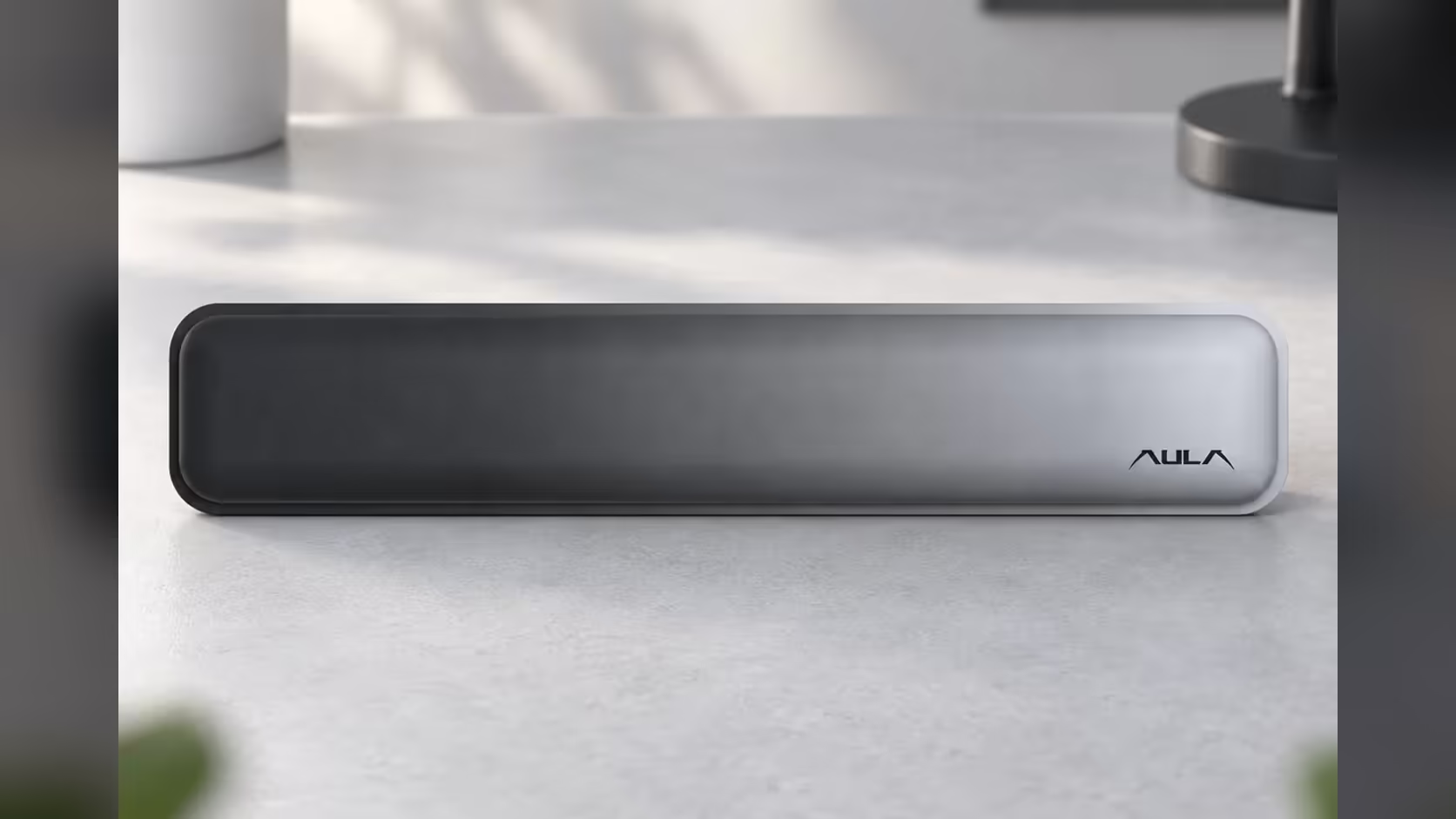
The HERO 75 HE comes in black with Stormrise magnetic switches, or orange and green with Spiritcloud switches, and carries a 36-LED light box along the top. It also supports SOCD and DKS alongside Rapid Trigger. The F75 Wrist Rest has a Gradient Grey top whose tone moves from dark at the left end to light at the right, with the AULA logo at the lighter end.
Warranty terms differ between the two: Evetech puts the HERO 75 HE on a 2 Years Local Warranty and the rest on a 1 Year Local Warranty. Find the rest in Evetech's keyboard accessories, and size up the HERO 75 HE beside other boards in Evetech's gaming keyboards range.
Frequently Asked Questions
Why might resting my palm cause stray inputs?
At a light actuation setting, a key can fire with very little travel, so a palm shifting forward can press one without you meaning to.
Should I stop using a wrist rest for shooters?
No. Use it between rounds and hover during play, or set keys near your palm deeper in the actuation range.
How deep can the HERO 75 HE's actuation go?
Up to 3.4mm, with the shallow end at 0.1mm, adjustable in 0.005mm steps.
Does Rapid Trigger make stray inputs more likely?
It can, because a key resets and re-fires with small movements. Hovering keeps each press intentional.
Is the F75 Wrist Rest made for the HERO 75 HE?
Not specifically. Its design target was AULA's own F75, though both are 75% layouts.
Dialling in a competitive setup?
Browse Evetech's gaming keyboards and keyboard accessories to build a desk that keeps your inputs clean and your hands supported.