


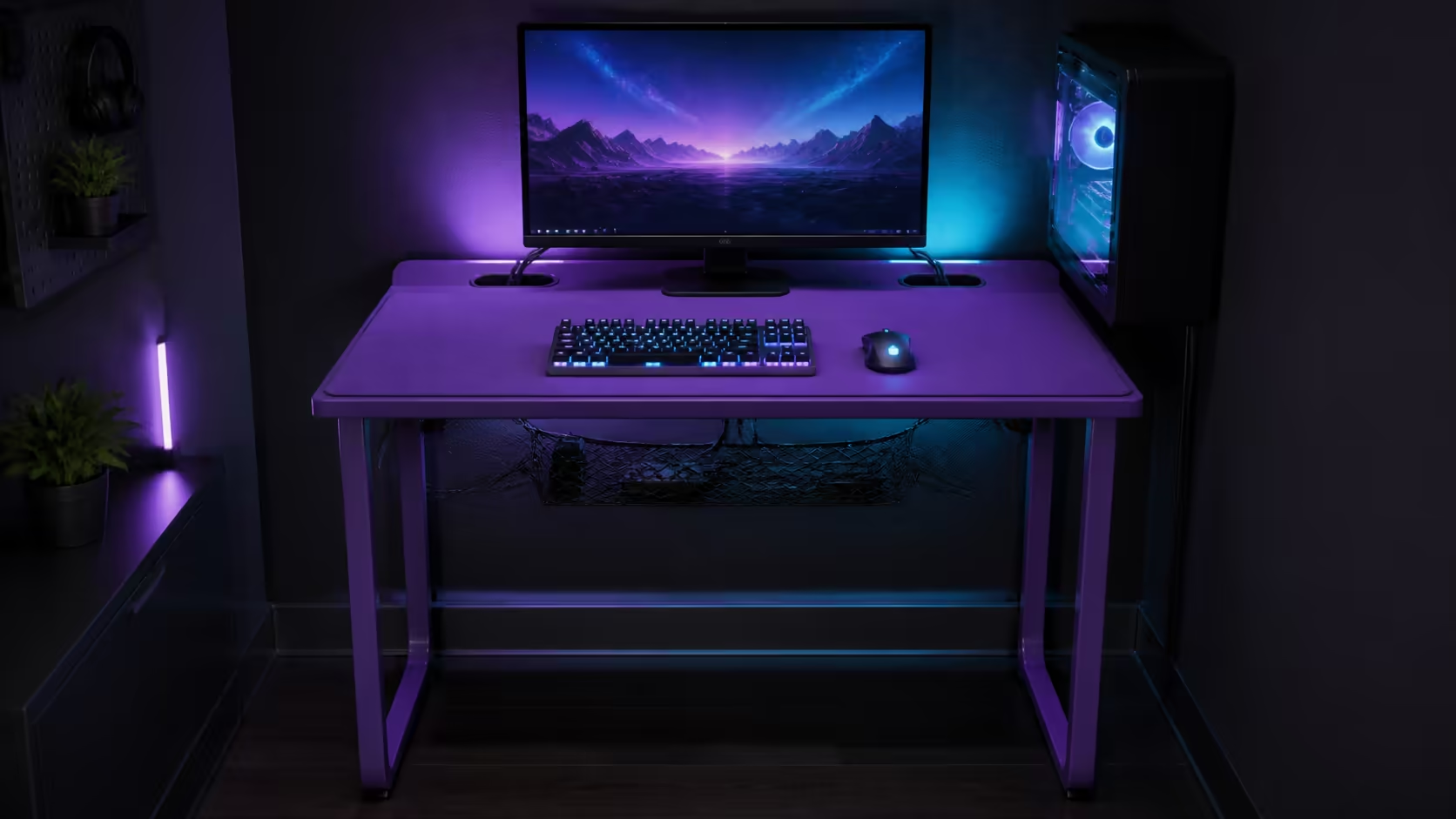
Limited desk space becomes manageable when the mouse sweep is protected before accessories claim the surface. Solving limited desk space without compromising mouse movement is a placement exercise. The R3,599 AROZZI Arena Medium combines a space-efficient design with full-surface microfiber.
Quick Answer
Use the R3,599 Arena Medium's full-surface microfiber as the primary input zone, centre the keyboard section used most and move stands, chargers and controllers beyond the measured mouse sweep. Route leads through its three cutouts and net so cable slack does not consume the compact top.
🖱️ Measure the widest sweep
Use the lowest sensitivity normally played and mark the furthest comfortable movements. Add forearm support and a small margin. Keep settings constant while testing changes.
The purple Arena Medium costs R3,599 with microfiber across the usable surface.
⌨️ Reposition the keyboard
Centre the keys used during play rather than the whole keyboard automatically. Check work tasks before adopting a compact input arrangement. Keep the primary screen aligned with the body.
Browse Evetech's gaming desk category and trace each candidate's monitor stands plus input zone.
Move secondary gear outwards
Give speakers, headset, controller and phone fixed parking points. Surface beyond relaxed reach can hold occasional items without interrupting active control.
🔌 Remove cable interference
Assign leads to the nearest of three cutouts and place appropriate slack in the integrated net. Preserve a mouse-cable loop that never catches a stand or keyboard.
The Arozzi gaming setup selection provides compact-layout ideas. Recreate them with actual device templates.
Test monitor footprint
A deep stand may consume more mouse room than the screen width suggests. Move it only when the display remains stable and comfortable.
🎯 Run full-session tests
Play, work and switch applications without rearranging the centre. Note every edge contact or device move. Change one item and repeat.
Evetech's gaming setup category helps coordinate the chair and peripherals. The user's posture should stay relaxed through the widest movement.
Protect the recovered space
After a week, remove objects that migrated into the sweep and label their parking points. Clean the washable microfiber so glide remains consistent.
Build the layout from paper templates
Trace the base of the monitor, keyboard, PC and speakers on spare paper. Place those templates on the empty desk before lifting any equipment. The exercise exposes collisions safely and lets the mouse zone remain visible while alternative positions are tested.
Mark the cable exit on each template. A position that fits on top may fail when its lead must cross the active surface to reach a cutout.
Protect movement at different sensitivities
Run one test at the usual setting and another at the lowest sensitivity genuinely used. Measure the difference in forearm travel, not only cursor distance. Keep a margin around the wider result for imperfect movements during a demanding session.
Do not reserve half the desk for a theoretical setting nobody uses. The aim is honest capacity: enough room for real play, with secondary gear allowed to occupy the remainder.
Reduce stand footprints before removing useful gear
Rotate speakers or reposition a stable monitor base only within their intended use. A few reclaimed centimetres beside the keyboard may protect the full sweep without moving the PC to a poor location. Test sightline, sound and ventilation again after every change.
If a device cannot move safely, treat its footprint as fixed. Store a decorative or occasional object elsewhere before compromising essential equipment.
Keep temporary work from becoming permanent clutter
Documents, a visiting laptop and charging leads can use the desk during work, but each needs an end-of-session destination. Park them beyond the marked gaming area or remove them before play. The central keyboard geometry should remain unchanged whenever possible.
Time the transition. A setup that takes too long to switch will tempt the user to play around the clutter, slowly shrinking mouse travel.
Inspect the underside for hidden restrictions
The surface may look clear while a tight mouse lead, knee contact or hanging loop restricts movement. Sit naturally and sweep through the full range as someone watches beneath. Adjust the relevant branch in the net and preserve an easy service loop.
Repeat the test after cleaning or moving the desk. A photographed baseline helps restore the successful arrangement without guessing where every object used to sit.
Use vertical space with restraint
Moving an item off the top can help, but it should not create an unstable stack or block the screen. Keep frequently handled controls at a comfortable height and maintain the monitor's direct position. The goal is a clear mouse lane, not a crowded wall above it.
Check camera framing and speaker direction after any change. A small-space solution fails when it solves tracking but makes calls, sound or daily reach worse.
Define the recovery rule
When an unexpected parcel, project or repair tool occupies the desk, set a time for it to leave. Restore the saved keyboard and mouse positions before the next session and route temporary leads back to their parking point. This simple rule prevents a one-day exception from becoming the new permanent layout.
Measure the recovered sweep once more before calling the reset complete.
Save that measurement for the next equipment change and compare it before moving any permanent device.
Frequently Asked Questions
What should be measured first?
Measure the user's real mouse sweep at normal sensitivity and chair height.
Does a full-surface pad add physical space?
No. It creates continuous tracking; equipment placement still determines clearance.
How can cutouts help?
They route leads away from the active top when matched to nearby devices.
Should the keyboard move?
It can be repositioned when both gaming and work remain comfortable.
What does this desk cost?
The purple Arena Medium costs R3,599.
Ready to recover mouse space through placement instead of chasing a bigger footprint? Get the Arena Medium from Evetech, mark the complete sweep, and keep every secondary item beyond that control boundary.











