




Build a Hollow Knight-Ready Gaming PC for R40,000
Hollow Knight R40,000 PC build planning starts with balanced parts. For SA gamers, compare CPU and GPU fit, RAM needs, SSD space, PSU headroom and cooling before buying.
Read moreFor home backups in SA, a streaming setup is only worth buying if the mini UPS role supports the backup device and space requirements already implied by the setup.
A streaming setup does not protect home files. Cameras, microphones and capture hardware create media, while backup storage preserves copies after a device fails or a folder gets deleted. Put the backup plan in place first unless the household also intends to broadcast or record content.
The Seagate Expansion 1TB external drive costs R999 in the verified facts. The 2TB model costs R1,399, the 4TB model costs R2,057 and the 8TB model costs R3,723. Check current stock, connector support and warranty. Choose capacity from the data you have now plus expected photos, school files and video projects.
Connect the drive, create a dated test folder and restore several files to another location. A backup you cannot restore is only a hopeful copy. Keep another copy away from the computer so theft, electrical damage or accidental deletion cannot remove both at once. Encrypt the drive when it contains identity documents or private family records, and store the recovery key apart from it.
Streaming hardware becomes worthwhile when the family has a separate need for lessons, gaming broadcasts or recorded presentations. It may increase the volume of data that needs protection. Budget for that new storage growth rather than treating the capture setup as the backup itself. Review the restore test each month and replace a drive that disconnects or reports errors.
Protecting household files? > Ask Evetech to compare external drives and storage options for your backup plan.
Yes, a mini UPS can fit home backups when it supports the backup device and physical setup.
Home backup value depends on keeping the backup hardware supported during the moments it needs to finish safely.
Check the mini UPS connections and supported devices against the backup equipment already in the home.
Occasional backup use may stay simple, while more frequent home backups need a steadier power support choice.
For backups, spend on the point that protects completion of the backup task, not visual extras.
A mini UPS helps only if the backup device itself is already suitable for the job.
Hollow Knight R40,000 PC build planning starts with balanced parts. For SA gamers, compare CPU and GPU fit, RAM needs, SSD space, PSU headroom and cooling before buying.
Read more
iRacing R80,000 builds should target smooth sim racing, not vanity specs. This recommended build for iRacing at R80 000 SA buyer's guide should weigh CPU strength, GPU headroom, triples or VR plans, cooling, and reliable peripherals.
Read more
A podcast recording setup is worth buying for a small SA online store when clear product audio will support listings, clips or customer explainers.
Read more
A USB-C dock is a practical first setup buy when one laptop must feed desk accessories cleanly. Start with Promate EZHUB-7 at R270 or TransHub-Lite at R305, while VersaHub-MST at R1,500 and Minisforum TB4-01 at R2,600 suit more demanding desks.
Read more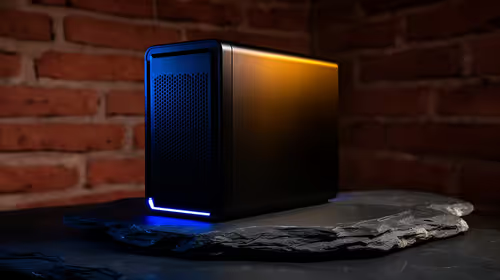
In a face-brick house in SA, a fanless mini PC setup should be planned around the room, cabling, and network spot where the machine will actually be used. The Minisforum NAB6 Lite is R4,150, while UM750L and AI-X1-255 sit around R4,600 for heavier work.
Read more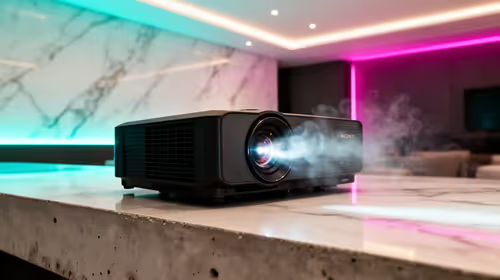
A townhouse short-throw setup works best when the projector can create a large picture from a close wall position without taking over the lounge. The Yaber T1 Pro Full HD HDR10 at R2,900, ViewSonic M1X portable LED at R5,996, and ViewSonic PA502X XGA short-throw at R7,493 suit different room setups.
Read more
Firefox private browsing separates a temporary session from normal browsing history. It does not make you anonymous online, and files or bookmarks you deliberately save can remain after the last private window closes.
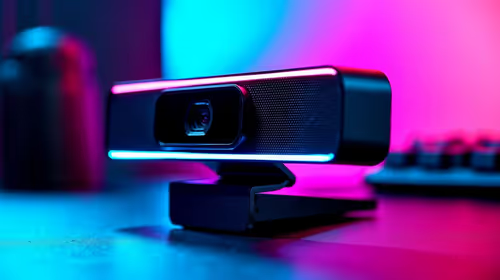
Where bryanston gamers buy a webcam that's needs careful context before choosing parts. Use this guide to compare options, trade-offs, platform fit, and upgrade timing for a South African gaming PC without relying on live stock, price, or benchmark promises.

RTX 5080 build low FPS after a GPU driver update needs a careful rollback path. Check drivers, firmware, cables, USB ports, overlays, and recent settings before replacing hardware in an SA gaming setup.
Cheapest 180Hz 1440p build for cinematic story games in SA helps SA readers plan hardware, settings, compatibility, and upgrade trade-offs. Check GPU, CPU, RAM, storage, monitor, and stability needs without risky performance claims.
Firefox can clear temporary page files without clearing cookies. Select the cached-files option carefully, then reload the affected page before changing unrelated browser settings.
Firefox PDF viewer opens documents in the browser and provides annotation and form tools. Check the PDF action, work on a saved copy and reopen the final file to confirm the information you entered survived before submitting an application or assignment.
Learn how to share WiFi password on iPhone using nearby Apple devices. Keep Wi-Fi and Bluetooth on, check contacts and the connected phone, then use Share Password; separate this process from sharing a mobile-data hotspot or changing a router password.
Firefox screenshot offers a selected region, visible-page capture and full-page capture. Choose the smallest useful area, copy or download the result, and inspect the saved image before sharing account details or assuming every part of a page was captured.
Firefox can mute one noisy tab using its speaker button or context menu. Check the tab control before changing Windows volume or replacing a working headset.
Firefox has a startup-cache control on its Troubleshooting Information page. Use it for a focused interface test and keep it separate from clearing website data or refreshing the profile.

Firefox Primary Password protects access to locally saved logins. It is separate from a website or Mozilla account password, and forgetting it can put saved credentials at risk during reset.
Firefox can add bookmarks from an HTML file through its Library import menu. Back up the current collection first and distinguish an additive import from restoring a Firefox backup.