


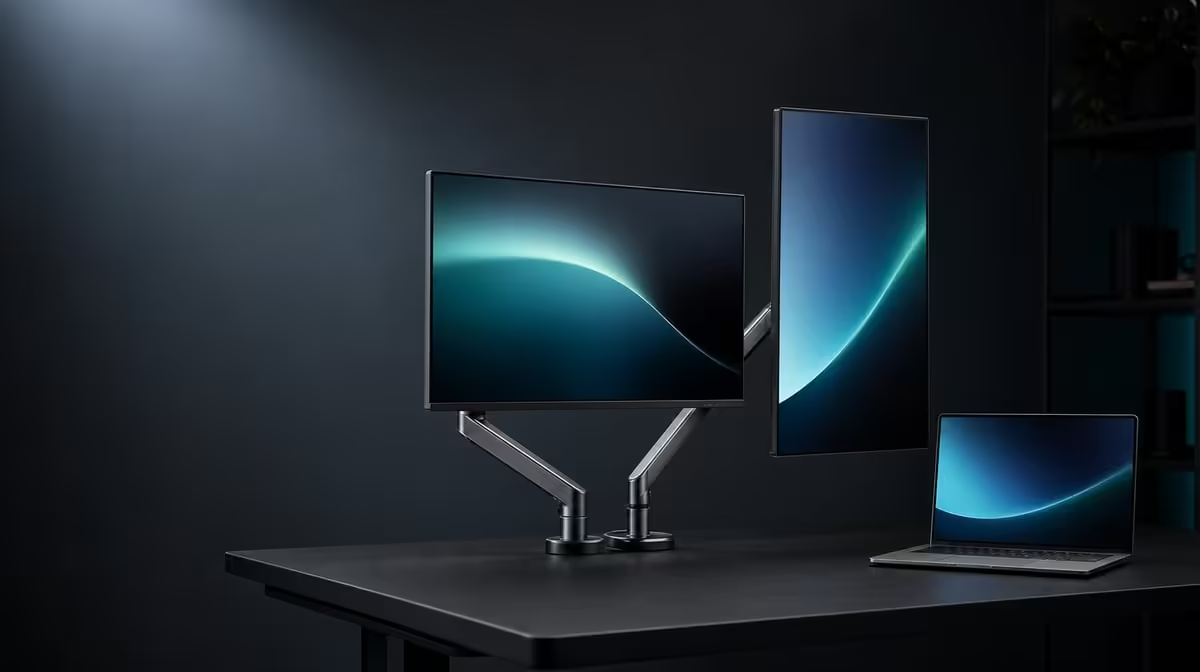
A folding mechanism creates options only when the displays remain supported and the laptop still understands where each screen sits. Using 360-degree folding for horizontal and vertical work means planning the next layout, moving both panels carefully and remapping the desktop after every major change.
Quick Answer
Use the R6,899 UPERFECT Delta Mega's 360-degree range to create horizontal, vertical-stack or sharing arrangements beside a Windows or Mac laptop. Support both 23.8-inch panels while folding, keep Type-C or HDMI slack clear of the mechanism, then update software positions and recheck stand balance before work resumes.
🔄 Plan the fold before moving
Close or move windows containing sensitive work and note the current screen order. A physical change can make the software map confusing, so preserve the known horizontal or vertical baseline.
Clear the desk around the Delta Mega. Move the laptop, keyboard, lamp and loose objects outside the panel sweep while keeping the stand on a firm surface.
Support both displays and use slow, controlled movement. The confirmed 360-degree range describes flexibility; it does not make every angle equally useful or safe on every desk.
Keep fingers away from moving joints and stop if resistance feels abnormal. Do not use a cable to pull a screen into position.
Choose the target arrangement by task: side-by-side zones for parallel work, a vertical stack for narrower desks, or one panel turned towards another person for sharing.
After measuring the room, compare suitable folds in Evetech's portable monitor category.
🧵 Protect laptop connections through the range
Before folding, inspect the Type-C or HDMI route from the companion laptop. Leave a service curve near the display and make sure the lead does not cross a hinge or wrap around the stand.
Move the panels through the intended path with video disconnected if necessary to understand cable clearance. Reconnect after the target angle is stable.
Confirm the source and cable support the chosen dual-screen operation. Windows and Mac compatibility does not mean every port exposes identical modes.
After connection, detect both screens and select native 1920 x 1080. Keep refresh at a stable baseline until the physical and software positions are correct.
If one panel disappears after folding, return to power, cable seating, selected input and laptop detection. Do not assume the mechanical angle changed the display specification.
Compare fixed layouts through Evetech's broader PC monitor selection when the screens will rarely move.
🗺️ Rebuild the display map
Use the laptop's identify command after every large fold. In horizontal mode, arrange left and right rectangles; in a stack, place one above the other; for sharing, decide whether duplicate or extended mode suits the conversation.
Drag a test window across each shared boundary. Correct any offset that makes the cursor enter another panel at the wrong height or edge.
Choose the primary screen around the user's role. A panel facing a visitor should not automatically receive system menus or private notifications.
Keep the laptop display in its physical place if active. A three-screen arrangement can change the easiest cursor route, especially when one Delta Mega panel turns away.
Enable 100Hz after both Full HD panels are detected and mapped through the selected route. Confirm each screen individually.
✅ Test sightlines, sound and recovery
Sit in the working chair and open the main applications. Make sure the chosen angles reduce unnecessary head movement and keep frequent text near a comfortable viewing height.
For sharing, enlarge important labels and turn one panel towards the other person. The IPS display helps side viewing, but the viewer still needs a clear, reflection-controlled sightline.
Test the built-in speakers after the new layout. The laptop may select another playback route when screens reconnect, so restore the Delta Mega audio device deliberately.
Try low blue light only as a separate comfort option. It should not be active while two panels are being compared for neutral colour.
Inspect the stand after a full session, then fold back to the saved baseline. Use a layout card to restore screen order, resolution, scaling, 100Hz and audio.
At R6,899, 360-degree folding is valuable when physical movement, laptop mapping and cable management can all be repeated without guesswork.
Review Evetech's current popular monitors through the layouts the desk genuinely needs.
Create a three-layout card with one photograph and one software-map image for horizontal, stack and sharing positions. Label the laptop display as well as the two Delta Mega panels.
Run a ten-minute application sample in each arrangement. The test should include moving a window, scrolling at the saved refresh and playing audio so reconnection problems appear before an important session.
For the sharing position, check what remains visible on the user's screen. Private notifications and unrelated work should not be sent to the panel facing another person.
After every fold, confirm that neither panel edge presses against the stand, laptop or wall. The range is useful only within a clear physical path.
Store the most frequent layout as the baseline and treat other arrangements as named profiles. This prevents a temporary presentation fold from becoming the next workday's unexplained screen order.
Frequently Asked Questions
What layouts can the folding range support?
It can support horizontal task zones, a vertical stack and screen-sharing positions.
How should the panels be moved safely?
Clear the movement path, support both displays and fold slowly without pulling on cables.
Why update software positions after folding?
The laptop's display map must match the new physical top, bottom, left or right arrangement.
Does a 360-degree range guarantee every sightline?
No. Desk space, reflections, viewing distance and stand balance still determine usefulness.
What should be checked before resuming work?
Confirm balance, cable slack, both detected panels, native resolution and the correct display order.
Can one panel face another person?
Yes. Turn it carefully, then choose duplicate or extended mode according to the sharing task.
Ready to make folding layouts as repeatable as the laptop workflow? Browse Evetech's portable monitor options and test the Delta Mega through horizontal, stacked and sharing positions with a saved display map.









