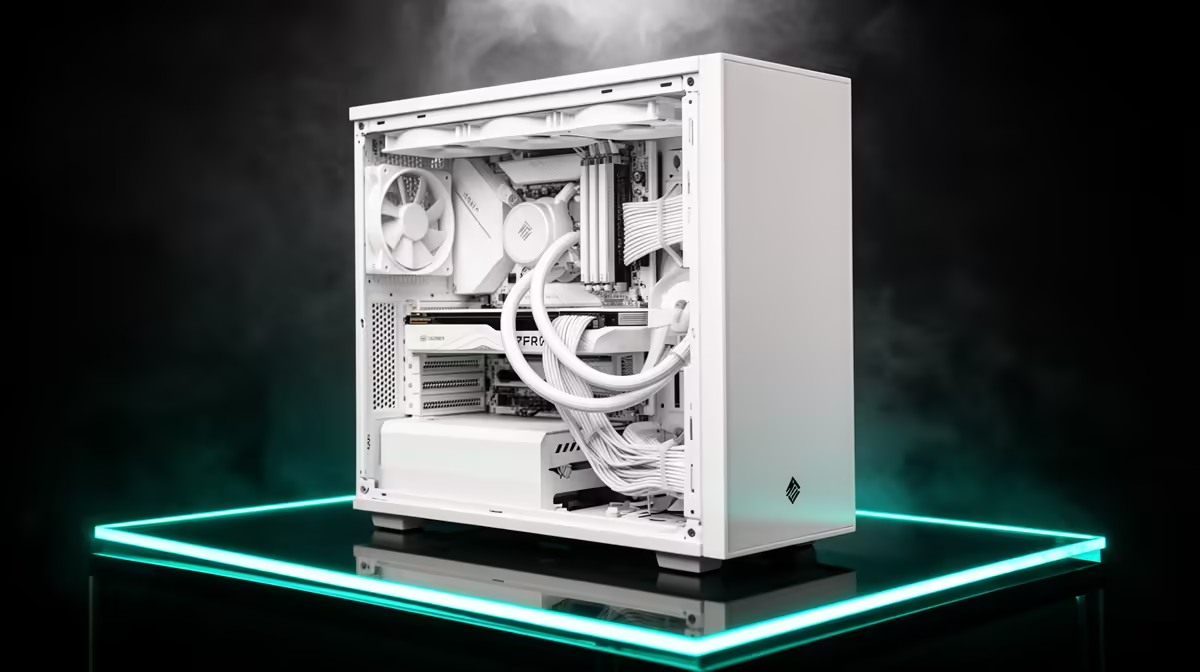
You’ve spent weeks picking the perfect white components... a crisp white case, a motherboard with silver accents, maybe even a white GPU. It’s a work of art. But then comes the final boss: a chaotic nest of black cables threatening to ruin your minimalist masterpiece. Don’t let a cable catastrophe spoil your vision. Mastering white PC cable management isn’t just about being tidy; it’s about honouring the clean aesthetic you worked so hard to create. ✨
Why White PC Cable Management is Crucial
In a standard black case, a few stray cables can blend into the shadows. In a white build? Every single dark wire stands out like a sore thumb. The contrast is unforgiving, and poor cable routing can instantly make an expensive setup look cheap. Effective white PC cable management is the final, essential step that separates a good-looking build from a breathtaking one.
Beyond just looks, a tidy case improves airflow. While the impact can be minimal in modern cases, removing obstructions ensures your components get the cool air they need to perform at their peak, which is especially important for premium gaming rigs over R20,000 that generate significant heat.
Your Toolkit for a Flawless Finish
You don't need a massive workshop to achieve pro-level results. The right tools make all the difference, and thankfully, they won't break the bank. Getting the fundamentals right is a key step towards clean cable management, even on our excellent budget gaming PCs.
Here’s your essential shopping list:
- White Zip Ties: The classic solution. Perfect for bundling cables tightly behind the motherboard tray.
- Velcro Straps: Reusable and gentler on your cables, making them ideal for areas you might need to adjust later.
- Cable Combs: These are non-negotiable for a white build. They clip onto your main power cables (like the 24-pin motherboard and GPU cables) to keep the individual wires perfectly parallel.
- White Sleeved Cable Extensions: If your power supply came with standard black "ketchup-and-mustard" cables, white extensions are the single biggest upgrade you can make to your build's aesthetic.
Cable Comb Pro Tip 🔧
For that ultra-clean, parallel look on your 24-pin motherboard and GPU cables, use cable combs. Slide them on before you plug the cables in. For white PC builds, clear or white combs are essential. They force unruly wires into neat, flat ribbons, transforming the look of your main power lines from messy to magnificent. It's a small detail with a huge impact!
The Strategy: A Step-by-Step Guide to Clean Cables
Patience is key. Rushing the process is a recipe for a tangled mess. Put on some music, grab a coffee, and follow these steps for pristine white PC cable management. This process is the same whether you're working on a high-end machine or one of the many powerful builds under R20,000.
1. Plan Your Route
Before a single cable is connected, look at your case. Identify the cable routing channels, cutouts, and tie-down points. The goal is to run as much as possible behind the motherboard tray, completely out of sight.
2. Start with Major Power Cables
Connect the big ones first: the 24-pin motherboard power and the 8-pin CPU power. Route the CPU cable behind the motherboard tray and through the cutout at the top-left corner of the board. This is one of the most visible cables, so getting it right is crucial.
3. GPU and Front Panel Connectors
Route your GPU power cables from below if possible, using the PSU shroud to hide any excess. The tiny, fiddly front panel connectors (power switch, USB, audio) should be bundled together and routed through the nearest available cutout at the bottom of the motherboard.
4. Secure Everything
Once everything is connected and your PC posts successfully, it's time to secure your work. Go back to the rear of the case and use your zip ties or Velcro straps to anchor the cables to the tie-down points. Create clean, 90-degree bends where possible. This organised approach is what defines great cable management.
When to Call in the Pros 🚀
Let's be honest: meticulous cable management takes time and a steady hand. If the thought of spending hours routing tiny wires fills you with dread, there's no shame in letting an expert handle it. Our team lives and breathes this stuff. Opting for one of our expertly assembled pre-built PC deals means you get that perfect, clean aesthetic right out of the box, stress-free. You get a system where every component is perfectly matched and every cable is flawlessly managed, just like you'll find in some of the best gaming PC deals in SA.
Ready for a Flawlessly Clean Build? Mastering white PC cable management is rewarding, but it takes time and patience. If you'd rather jump straight into gaming on a stunning, professionally built rig, we've got you covered. Explore our best gaming PC deals and find the perfect machine, built with the clean aesthetic you deserve.