


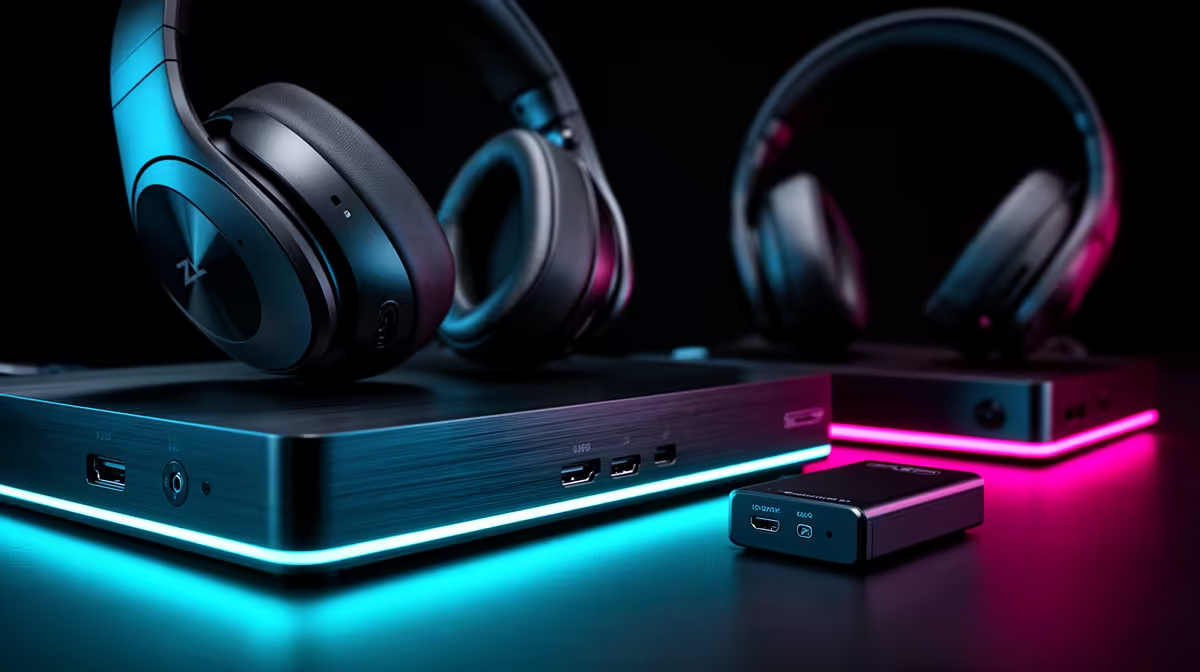
A professional console streaming setup is not one purchase, it is six or seven working together. Most budget guides either skip key components or lump wildly different options under the same line item. This breakdown puts actual ZAR figures on a professional console streaming setup and explains what each component contributes to the broadcast, so the Rand lands where it produces the most visible improvement.
Quick Answer
A professional console streaming setup runs roughly R30,000 to R45,000 in total. The encoding PC and console take the largest share, followed by the capture card, microphone, lighting, and accessories. The card and PC together decide whether the stream looks and runs smoothly.
💰 The Full Budget Breakdown
The table below gives realistic Rand bands for each component category. These are 2026 market estimates based on widely available hardware tiers, not invented exact prices.
Console: R9,000 to R14,000 (PS5 or Xbox Series X at current SA pricing).
4K60 capture card: R4,500 to R6,500. This is the core piece of dedicated streaming hardware. Cards in this range include hardware H.265 encoding, HDMI 2.0 pass-through, and a Gen 2 USB-C connection. Cheaper cards at R2,000 to R2,500 capture at 1080p60 and suit a tighter budget, but the professional tier starts at 4K60.
Encoding PC: R15,000 to R20,000. The single largest cost in the build. The PC runs OBS, manages encoding, handles overlays and alerts simultaneously. A CPU with at least eight cores and a discrete GPU handles this reliably without thermal throttling during long sessions.
USB condenser microphone: R2,000 to R3,500. Viewers tolerate a lot of visual imperfection but abandon streams with bad audio quickly. A quality USB condenser in this range lifts voice clarity from acceptable to genuinely good, which affects viewer retention more directly than a small bump in video resolution.
Key lighting: R1,500 to R4,000. A single adjustable key light removes the flat, washed-out look from overhead room lighting. Streamers spending more in this range add a softbox for diffused light or an LED panel with colour temperature control, both of which significantly improve on-camera appearance.
Storage: R1,500 to R2,500 for a 2TB NVMe drive. 4K60 footage at 100 Mbps fills around 45 GB per hour. A dedicated drive for recordings prevents the system drive from filling up and keeps write performance stable across long sessions.
Accessories: R1,000 to R2,500 for cables, a second monitor, and optional overlays or alert services.
Total realistic range: R34,500 to R53,000. The R30,000 to R45,000 figure quoted commonly achieves a professional result by optimising each category, skipping the second monitor and choosing mid-range lighting.
🔧 Where to Spend More and Where to Trim
The encoding PC and the console are the two items where quality directly determines broadcast capability. Buying a console that cannot output 4K60 cleanly, or a PC too slow to encode alongside OBS overlays, produces visible problems that no amount of good lighting recovers.
The capture card is the next tier. A R5,500 to R6,500 card with hardware H.265 encoding reduces the load on the PC, which matters significantly if the encoding PC is on the lower end of the budget range. On a stronger PC, the card's hardware encoder can be supplemented or replaced by the software encoder in OBS for additional quality control.
Lighting is the easiest category to trim without a significant quality hit. A single key light at R1,500, positioned well, produces a cleaner stream image than a pair of budget LED strips. Spending R4,000 on three-point lighting before the audio is sorted is a common mistake that produces a bright but tinny-sounding result.
The microphone is worth protecting in the budget. The R2,500 tier delivers noticeably better noise rejection and frequency response than entry-level headset mics, which is audible to viewers even at modest streaming bitrates.
🎙️ The Most Common Budget Mistakes
Prioritising the console over the PC is the mistake that limits the setup most often. A top-tier console outputting 4K60 to a PC that struggles to encode it produces dropped frames and buffering, which is a worse viewer experience than a slightly older console on a capable encoding PC.
Skipping dedicated storage is the second common gap. Recording 4K60 footage directly to the same NVMe the OS runs on works initially but degrades as the drive fills. A dedicated recording drive, even at the lower R1,500 range, keeps write performance consistent and avoids the mid-session performance drops that occur when the system drive is nearly full.
Running on Wi-Fi when fibre is available in the building is the third issue. OBS stream output is sensitive to upload jitter, and a wired connection to the router adds roughly R200 in cable cost while eliminating the packet loss spikes that freeze a stream mid-broadcast.
Frequently Asked Questions
How much does a professional console streaming setup cost in ZAR?
Realistically between R30,000 and R45,000 for a well-specified build covering console, encoding PC, 4K60 capture card, microphone, lighting, and storage. A leaner version prioritising PC and capture card quality at the expense of lighting can come in nearer R30,000. A fully featured three-light studio with a high-end mic is closer to R50,000.
Which component in the build costs the most?
The encoding PC, typically R15,000 to R20,000, takes the largest single share. It needs enough CPU and RAM to run OBS with overlays, manage encoding, and handle background tasks simultaneously without dropping frames. The console is the second-largest cost at R9,000 to R14,000.
Does a professional setup need a 4K60 capture card?
For broadcast quality and future-proofing, yes. A 4K60 card at around R5,500 ensures the channel remains competitive as viewers increasingly watch on 4K displays. A 1080p60 card at R2,500 suits a tighter build where the budget is better spent on the encoding PC, with a card upgrade planned for a second phase.
What storage capacity does a streaming PC need?
A 2TB NVMe drive dedicated to recordings handles roughly 44 hours of 4K60 footage at 100 Mbps before filling. Two terabytes in this range costs around R1,500 to R2,500. Offloading completed recordings to external storage or cloud backup after each session keeps the drive clear for the next.
Is a dedicated microphone worth the Rand in a streaming build?
Strongly yes. Voice quality is the element viewers most consistently cite as a reason to leave a stream. A R2,500 USB condenser produces notably cleaner audio than a gaming headset mic, with better frequency response and lower background noise, which translates directly into longer average view times and a more professional broadcast impression.
Ready to build a console streaming setup that performs at a professional level? Browse the capture card, microphone, and lighting range to spec each component of your build and get the broadcast quality your audience notices.










