


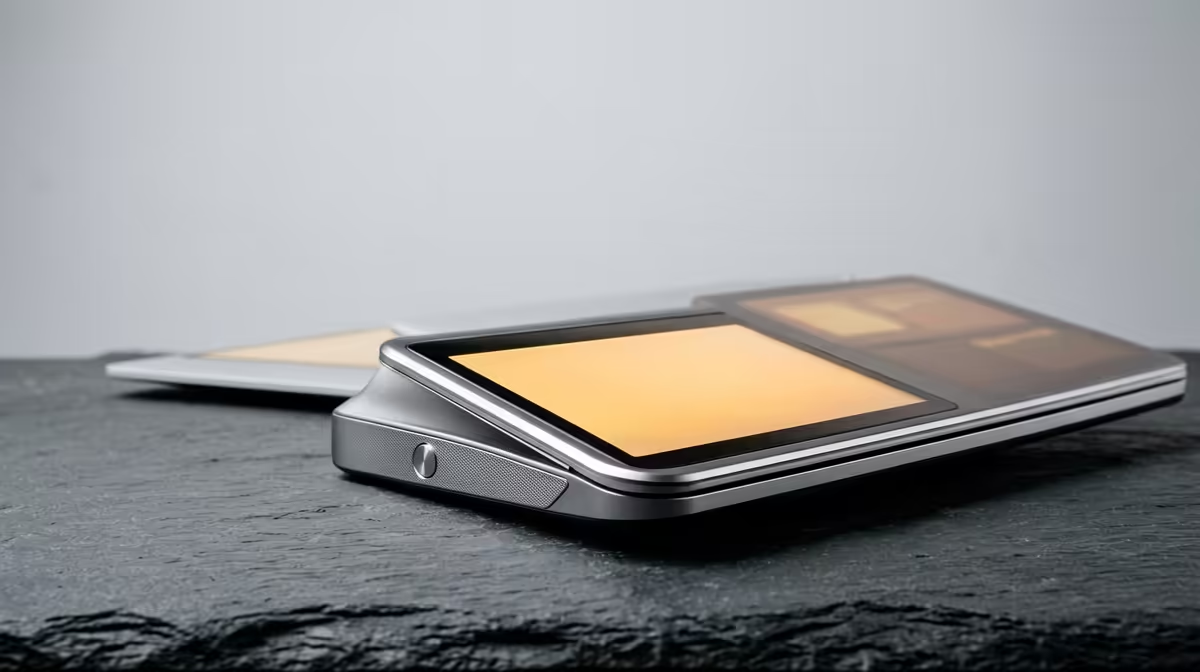
Adding a second screen to a laptop used to mean a stand, a cable, and a chunk of desk you did not have. The 2026 wave of clip-on laptop lid monitors throws all of that out. Panels like the Mobile Pixels Duex Plus DS magnetically grab onto the back of your laptop lid and slide out beside your main screen, drawing everything they need from a single USB-C cable. No dock, no stand, no permanent change to the machine.
Quick Answer
A clip-on lid monitor is a slim portable panel, typically 13 to 14 inches, that attaches to the back of your laptop screen with a magnetic mounting plate and runs off one USB-C cable carrying both video and power. It slides or rotates out to sit alongside your built-in display, giving you a genuine dual-screen setup that folds away when you close the laptop.
How the Magnetic Mount Works
The clever part is the attachment. The kit includes a thin metal plate with adhesive backing that you stick once to the back of your laptop lid. The monitor itself has magnets that grip that plate, so it clamps on and pulls off in seconds with nothing screwed or clipped permanently to the machine.
Once mounted, the panel sits on a sliding rail. You pull it sideways so it extends past the edge of your laptop screen, and on models like the Duex Plus DS it can also rotate, letting you flip the display toward a colleague or stand it in portrait. Close the laptop and the panel folds flat against the lid, adding only a few millimetres of thickness to carry.
If you want to see how these compare with stand-based portable screens, the portable monitor selection at Evetech covers both the clip-on and traditional kickstand styles side by side.
One Cable Does Everything
The reason these panels work without a power brick is USB-C. A single cable from the laptop's USB-C port carries the video signal and the power the panel needs, as long as that port supports DisplayPort output over USB-C, which most modern laptops do.
That matters for two reasons. First, it keeps your desk and bag clear of a second adapter. Second, it means the whole setup is genuinely mobile: plug in at a coffee shop, slide the panel out, and you have two screens with one extra cable. If your laptop's USB-C port does not carry a video signal, the panel will not work over that single connection, so it is worth checking your port specification before buying.
Who Clip-On Lid Monitors Suit
This format is aimed squarely at people who work on the move and miss their second screen. A spreadsheet on one panel and email on the other, a video call beside your notes, or reference material next to the document you are writing. For anyone who travels with a laptop and wants desktop-style multitasking in a cafe or hotel room, the convenience is hard to beat.
They are less suited to people who stay at one desk all day, where a full-size standing monitor gives more screen area for the money and better ergonomics. The lid monitor's strength is portability, not raw size. If you split your time between a fixed desk and the road, many users keep a large monitor at home and a clip-on panel for travel.
For a sense of what most buyers are pairing with their laptops, the best-selling monitors at Evetech show where portable and desktop screens sit against each other on price.
Frequently Asked Questions
Do clip-on lid monitors damage the laptop?
No. They attach using a thin magnetic plate that sticks to the back of the lid, and the panel clips on and off magnetically. There is no permanent modification, and the plate can usually be removed later if you wish.
What does a clip-on lid monitor need to work?
A laptop with a USB-C port that supports video output, often labelled DisplayPort Alt Mode. That single cable carries both the picture and the power, so no separate adapter is needed. Check your port specification before buying.
Can I use a clip-on monitor with any laptop?
Most modern laptops with a video-capable USB-C port will run one. Older machines whose USB-C ports only handle data, not display output, will not drive the panel over one cable, so confirm the port supports DisplayPort over USB-C.
How heavy is a clip-on lid monitor to carry?
Light and slim. Most 13 to 14 inch panels fold flat against the lid and add only a few millimetres of thickness and a modest amount of weight, which is the whole appeal over carrying a separate portable monitor and stand.
Want two screens that travel with your laptop? Explore the portable monitor range at Evetech to compare clip-on and stand-based models, with local pricing and fast SA delivery.







