



If friends hear doubled audio only after you start sharing a screen, Sonar Discord echo may be a routing problem rather than a broken headset. The same sound can reach the audience through the configured stream mix and a second sharing path. A controlled call with one listener is a better first test than buying another microphone and recreating the same software setup around it.
Quick Answer
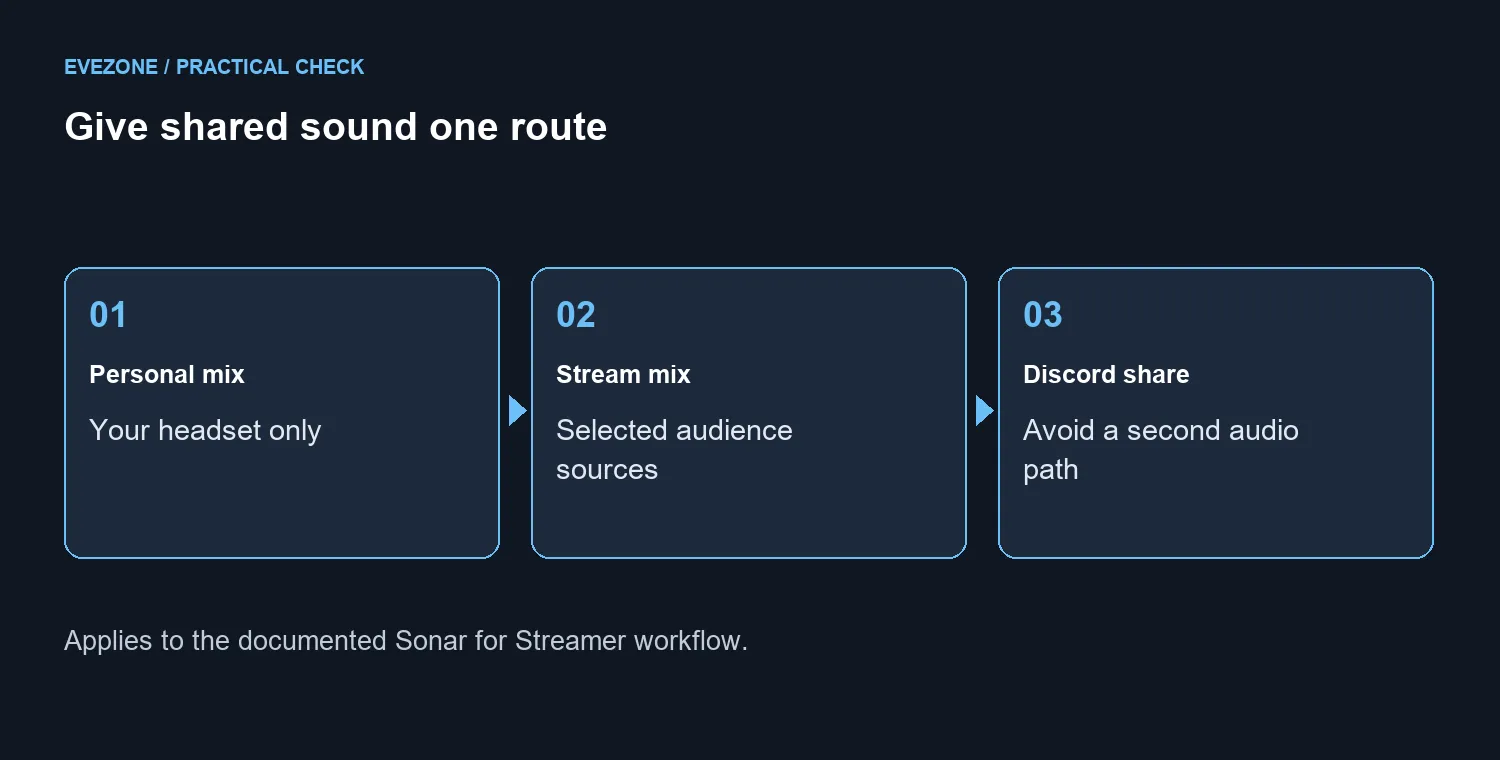
For the documented Sonar for Streamer workflow, use the intended stream mix and avoid a second copy through Share Stream Audio. Keep microphone monitoring out of Personal Mix as instructed, then have a listener confirm the result. This R0 test comes before hardware spending; a replacement device cannot remove a duplicate route you leave enabled.
🎛️ Use the matching Sonar mode
SteelSeries documents this workflow for Sonar for Streamer and explicitly distinguishes it from Sonar Classic. Enable the Streamer feature in the mixer, choose the correct physical microphone and listening device, and separate the personal and stream destinations. Do not copy individual settings without first checking which mode is active.
In that specific configuration, the documented Discord input is SteelSeries Sonar - Stream and the output is SteelSeries Sonar - Chat. The guide also tells you to leave the microphone out of Personal Mix and disable Share Stream Audio when screen sharing. Treat those as parts of one configuration, not universal settings for every Discord user.
🎧 Listen from the audience side
Arrange a private test and ask one person to listen. First talk without sharing, then start the share, then play one short sound. Note the exact point where duplication begins. That sequence gives you something concrete to compare after a change, and avoids the confusion of several people talking over the symptom.
Discord's own troubleshooting tools let you check the selected devices and test the microphone. Use them to confirm that the intended source is present. For the Sonar streaming arrangement, also inspect what you have included in the stream mix: an audio source routed there should have a deliberate purpose for the audience.
Compare headsets only after the route is behaving correctly. The 20 September catalogue read found current local headset listings, but there is no requirement to purchase one to perform this test. Borrowing headphones you already own can help distinguish speaker pickup from duplicated software audio.
🔊 Separate feedback from duplication
Speaker sound reaching an open microphone is a different problem from one digital source being sent twice. If the issue disappears when speakers are replaced with headphones, investigate that acoustic path. If it starts only with screen sharing, concentrate on the sharing and mix configuration. Avoid changing both at once because the result becomes harder to interpret.
Save or note the working settings once your listener confirms that voice and shared sound arrive once. Then test another session before declaring the problem gone. A restart or application update may expose an unintended default device, so a short repeat check is useful.
The microphone category is relevant when a fault follows the microphone into other applications or another suitable computer. Until then, keep the existing hardware in place and finish the routing test. A clear diagnosis gives any later purchase a purpose beyond hoping that something different will work.
Frequently Asked Questions
Which Sonar mode does this guide use?
It uses Sonar for Streamer. SteelSeries says the same workflow cannot be achieved in Sonar Classic.
What input does the documented Discord setup use?
SteelSeries specifies SteelSeries Sonar - Stream as Discord input and SteelSeries Sonar - Chat as output for this workflow.
Why disable Share Stream Audio?
When the intended audio is already routed through the stream mix, the extra sharing path can duplicate it.
Should I send my microphone to Personal Mix?
The documented setup leaves the microphone out of Personal Mix so you do not hear your own voice through that route.
Want a cleaner call next session? Finish the private routing test, then explore Evetech audio gear only for the hardware gap you found.









