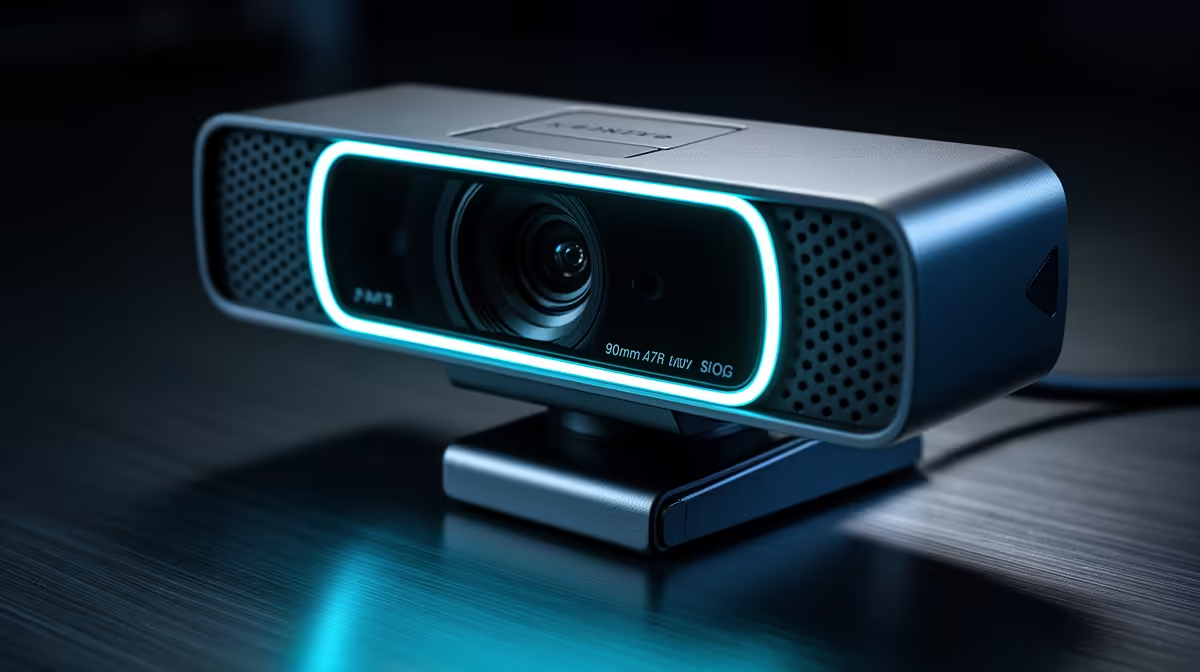
Fast games punish cameras that cannot keep up. Your facecam is a small overlay in the corner of the stream, but viewers notice the moment your head blurs during a quick reaction, and the cause almost always comes down to one decision: whether you chose 1080p at 60fps or 4K at 30fps. For a gaming broadcast, those are not equivalent options dressed up in different numbers. They produce measurably different results on the feed.
Quick Answer
For gaming streams, 1080p at 60fps is the better choice over 4K at 30fps. The doubled frame rate keeps fast head movements sharp, while 4K at 30fps blurs in quick motion. A facecam overlay also displays too small for 4K detail to matter, so the frame rate advantage wins every time.
⚡ Why Frame Rate Beats Pixel Count on a Facecam
The logic starts with how motion blur actually works. A camera captures each frame during a short exposure window. At 30fps, each frame stays open roughly 33 milliseconds before the next one begins. Any movement during those 33 milliseconds smears across the frame as blur. At 60fps the window halves to around 16 milliseconds, and that smear halves with it.
On a gaming stream, your facecam catches rapid head turns, sudden leans toward the screen, and the kind of exaggerated reactions that keep a stream engaging. All of that happens inside fractions of a second. A 30fps camera is showing you a ghost of where your head was, trailing across where it now is. A 60fps camera snaps the action in half that time, keeping your face crisp through the movement.
4K resolution adds pixel count, not time resolution. Putting 8.3 million pixels into a frame does not help you if those pixels are smearing across each other during motion. The resolution is a property of the static image. The frame rate is a property of movement. For gaming, movement is the thing.
🔍 The Facecam Overlay Problem With 4K
Stream layouts shrink the facecam. A typical gaming stream positions the camera feed in a corner box, often at 320 by 240 pixels or a similarly compact size relative to the total broadcast canvas. The game footage fills the frame. The face is secondary.
At that rendered size, 4K resolution produces no visible benefit whatsoever. The platform and the stream layout are both discarding the vast majority of the pixels your camera captured. You are encoding and transmitting millions of pixels that get thrown away before the viewer sees them, adding CPU and upload load for nothing the viewer can appreciate.
1080p at 60fps, by contrast, fits the overlay comfortably and brings the smoothness advantage that is actually visible at small sizes. A viewer watching a facecam at 320 by 240 cannot see 4K detail, but they can clearly see whether your movements are clean or blurry. The 60fps advantage translates to the overlay. The 4K resolution does not.
Pro Tip ⚡
If you stream on SA fibre with a typical 20 to 50 Mbps upload, running 1080p60 at 6000kbps is both feasible and a clean encode. 4K30 needs closer to 20 to 25 Mbps just for the webcam stream before you account for the game capture and audio. Keep your upload budget for game quality.
🔧 Encoding Load and What It Costs Your Game
Your PC is doing two things at once during a live stream: running the game and encoding the broadcast. Encoding is compression work, and higher resolution means more compression work per frame, regardless of frame rate.
4K at 30fps asks the encoder to compress frames that are four times the pixel area of 1080p. Even with hardware encoding on a modern GPU, that load is not trivial. On a mid-range build where the GPU is primarily occupied keeping the game running, 4K webcam encoding competes for resources. The result is often encoding artefacts on the camera feed, or a subtle drop in frame rate across the whole broadcast as the system struggles with the combined load.
1080p at 60fps is a much more manageable task. The frames are smaller, the encoder processes them efficiently, and the game gets the headroom it needs. For a solo streamer running one gaming PC, that efficiency matters. Studios with dedicated capture PCs can absorb 4K encoding more comfortably because the encoding load moves to a separate machine, but that is not a typical South African home setup.
🎯 When 4K Actually Makes Sense on a Webcam
There are scenarios where the 4K argument holds. A talking-head stream, a tutorial, or a long interview where the presenter is static and the frame is wide benefits from 4K's resolution. At full-frame or half-screen size, with minimal movement, the extra pixels land on the viewer's screen and contribute to perceived sharpness.
For product demos or unboxing content where you want viewers to see fine detail on hardware, 4K at 30fps can be genuinely useful. The camera is mostly still, the motion is slow, and the detail payoff is visible at the display sizes used for that content.
Gaming, by contrast, is defined by movement. Even when your hands are on a controller, your face is reacting, your head is moving, and the energy of the stream is kinetic. That is exactly where 60fps earns its worth and 4K's pixel surplus goes unnoticed. Match the resolution and frame rate to what the content actually demands.
Frequently Asked Questions
Which choice gives a smoother-looking stream, 1080p at 60fps or 4K at 30fps?
1080p at 60fps looks noticeably smoother during motion. Sixty frames a second captures and displays twice as many moments per second as 30fps, so quick movements resolve cleanly rather than smearing. For a gaming stream where expressions and reactions are fast, the 60fps output is consistently sharper in motion even though the resolution is lower.
Does the platform I stream on affect this decision?
Yes, indirectly. Most streaming platforms cap their ingest at 1080p for the broadcast layer, meaning 4K you send gets transcoded down anyway. Your viewers typically see 1080p regardless of your source resolution. If the platform is discarding your 4K anyway, the argument for shooting in 4K weakens further, and 1080p60 aligns cleanly with the ingest resolution.
How much upload bandwidth does each option actually consume?
A quality 1080p60 encode for a facecam sits around 3,000 to 6,000 kbps depending on compression settings. 4K30 needs substantially more, around 15,000 to 25,000 kbps for clean detail, before you have added the game footage stream. For SA upload connections, which typically run 10 to 50 Mbps on fibre, the 1080p60 approach leaves practical headroom for everything else in the broadcast.
Can my gaming PC handle 4K webcam encoding alongside a demanding game?
Most mid-range builds struggle. The GPU handles both the game render and hardware encoding, and 4K is a meaningfully heavier encoding task than 1080p. The practical symptom is not usually a crash, but rather dropped frames on the encode, blurry artefacts on the camera feed, or a slight hit to game frame rate at crucial moments. A dedicated streaming machine changes this, but that is a separate budget discussion.
Is there any benefit to capturing 4K even if I stream at 1080p?
One practical use exists: you can crop the 4K source in your stream software without losing 1080p resolution, effectively giving you a software zoom. If your camera is mounted slightly further from your face than ideal, a 4K source lets you crop in to a tighter framing while still outputting clean 1080p. That is a legitimate use case, though it still means running 4K locally while streaming 1080p.
Ready to pick the right webcam resolution for your gaming setup?
Browse the streaming webcams at Evetech and compare 1080p60 and 4K options side by side to match your resolution, frame rate, and PC budget in one decision.