



PCIe 5.0 vs PCIe 4.0 for Strategy and Sim Games in SA
PCIe 5.0 and PCIe 4.0 differ most in lane support, compatibility, and upgrade value for strategy and sim games. SA buyers should match the choice to their actual hardware and games.
Read moreA 165Hz monitor can suit gaming and home office work in SA if the screen is comfortable enough for daily tasks. The refresh rate helps games, but the better buy is the model that also handles reading, video calls, family browsing and desk space without wasted specification spend.

The MSI MAG 274F 200Hz at R3,006 suits a South African home desk where one gaming monitor must handle fast evening play and clear weekday office work. A 165Hz-class screen makes sense because it is already smoother than basic office displays, but the listed options show that 200Hz and 240Hz models are now close enough in price to be worth considering.
For a balanced desk, the MSI MAG 274F 200Hz at R3,006 is the clean middle ground. Its 200Hz refresh rate gives gaming extra headroom above 165Hz, while still making sense for spreadsheets, browser tabs, video calls, and general home office work without feeling like a specialist-only screen.
The Dell SE2726H 144Hz at R1,797 is the budget-friendly choice if work comes first and gaming is casual. Its 144Hz spec is still a noticeable step up from a plain office panel, and the lower price leaves more room in the desk budget for essentials around the setup.
A 27-inch style upgrade works well where the same desk handles emails by day and games at night. The ViewSonic VX2779A 240Hz at R2,350 is strong value for a faster-feeling setup, while the AOC 27in QHD 200Hz at R3,200 adds the appeal of QHD with 200Hz for sharper workspace comfort and smoother play.
The Dahua LM25 200Hz at R1,850 is worth noting when price matters most but you still want a high-refresh screen. Its 200Hz spec keeps the experience responsive, making it a practical pick for a secondary desk or a tighter home setup.
Ready to choose the right gaming monitor? For the gaming room decision, Dell SE2726H 144Hz at R1,797 gives you its listed spec to measure against the brief.
Look at 165Hz beside panel quality, stand comfort and available ports so the same screen works for office tasks and gaming.
For home office use, readable image quality and viewing comfort matter as much as the smoother 165Hz gaming feel.
Pick a screen size that fits the work surface cleanly, then use 165Hz as a bonus for after-hours play.
Choose 165Hz first only when gaming time is meaningful; for heavier workdays, comfort and clean text should carry more weight.
A home office desk needs enough space for the monitor base, laptop or PC setup, documents and neat cable routing.
Better panel quality matters more when emails, documents, calls and games all share the same screen every week.
PCIe 5.0 and PCIe 4.0 differ most in lane support, compatibility, and upgrade value for strategy and sim games. SA buyers should match the choice to their actual hardware and games.
Read more
AM5 vs AM4 for video editing in 4K Difference explained is mostly about compatibility, budget, upgrade path, and setup fit. SA buyers should check device support and real needs before expecting a clear win from either option.
Read more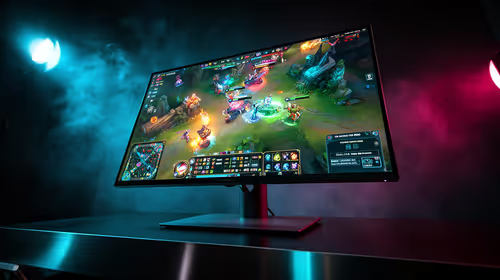
OLED vs QD-OLED for strategy and sim games buyers - what changes is mostly about compatibility, budget, upgrade path, and setup fit. SA buyers should check device support and real needs before expecting a clear win from either option.
Read more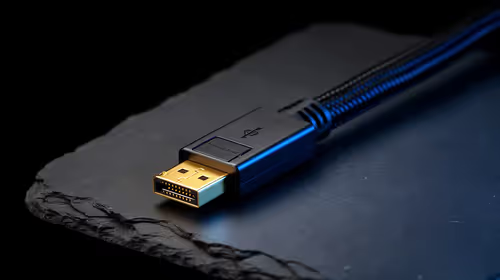
DisplayPort 2.1 and 1.4 differences matter when SA PC builders match GPUs, monitors, and refresh targets. Use this difference between displayport 2 1 and displayport 1 4 explained pc builders guide to avoid mismatched parts.
Read more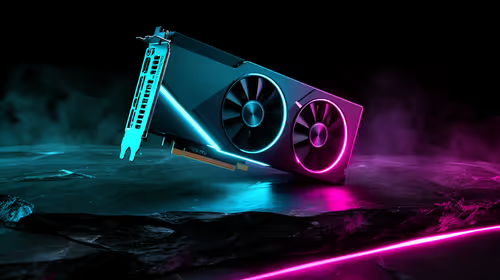
Ray tracing vs Path tracing depends on Strategy and sim games needs, platform limits, and budget fit. Compare compatibility, latency, upgrade path, and real setup constraints before choosing for an SA build.
Read more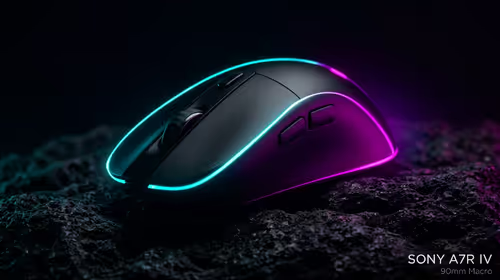
wireless mouse guide for Gqeberha gamers should be shortlisted around the job it must do. South African buyers should compare sensor, shape, weight, and wireless latency, warranty path, and upgrade room before treating any pick as best.
Read more
Windows 11 update KB5121003 is linked to crashes in several multiplayer games on versions 24H2 and 25H2. Check the build, report the fault and avoid risky file or update changes unless the problem is confirmed on your PC.

Sennheiser's Momentum True Wireless 5 adds user-replaceable batteries, 12-hour playback and a $299.95 launch price. There is no confirmed South African date, so compare longevity with live earbuds from R199 to R2,999.

AVerMedia's GC531 and GC535 are professional HDMI capture devices for continuous streaming, with RGB24 capture up to 2K30 and 4K30. South African creators should compare them with live 4K capture cards from R2,099.

From 1 October 2026, WhatsApp Business Platform service replies in South Africa are expected to cost about $0.0076, or 12 cents, per delivered message.
Windows 11 update KB5121003 is linked to crashes in several multiplayer games on versions 24H2 and 25H2. Check the build, report the fault and avoid risky file or update changes unless the problem is confirmed on your PC.

Comsol's standalone 5G network covers about one million Gauteng homes and starts commercial ISP service in September. Early packages range from R275 to R875 a month, but coverage and fair-use rules still decide the real value.
Sennheiser's Momentum True Wireless 5 adds user-replaceable batteries, 12-hour playback and a $299.95 launch price. There is no confirmed South African date, so compare longevity with live earbuds from R199 to R2,999.
AVerMedia's GC531 and GC535 are professional HDMI capture devices for continuous streaming, with RGB24 capture up to 2K30 and 4K30. South African creators should compare them with live 4K capture cards from R2,099.
Windows 11 update KB5121003 is linked to crashes in several multiplayer games on versions 24H2 and 25H2. Check the build, report the fault and avoid risky file or update changes unless the problem is confirmed on your PC.
Comsol's standalone 5G network covers about one million Gauteng homes and starts commercial ISP service in September. Early packages range from R275 to R875 a month, but coverage and fair-use rules still decide the real value.
Sennheiser's Momentum True Wireless 5 adds user-replaceable batteries, 12-hour playback and a $299.95 launch price. There is no confirmed South African date, so compare longevity with live earbuds from R199 to R2,999.
AVerMedia's GC531 and GC535 are professional HDMI capture devices for continuous streaming, with RGB24 capture up to 2K30 and 4K30. South African creators should compare them with live 4K capture cards from R2,099.