



PCIe 5.0 vs PCIe 4.0 for Strategy and Sim Games in SA
PCIe 5.0 and PCIe 4.0 differ most in lane support, compatibility, and upgrade value for strategy and sim games. SA buyers should match the choice to their actual hardware and games.
Read moreDisplayPort 2.1 and 1.4 differences matter when SA PC builders match GPUs, monitors, and refresh targets. Use this difference between displayport 2 1 and displayport 1 4 explained pc builders guide to avoid mismatched parts.
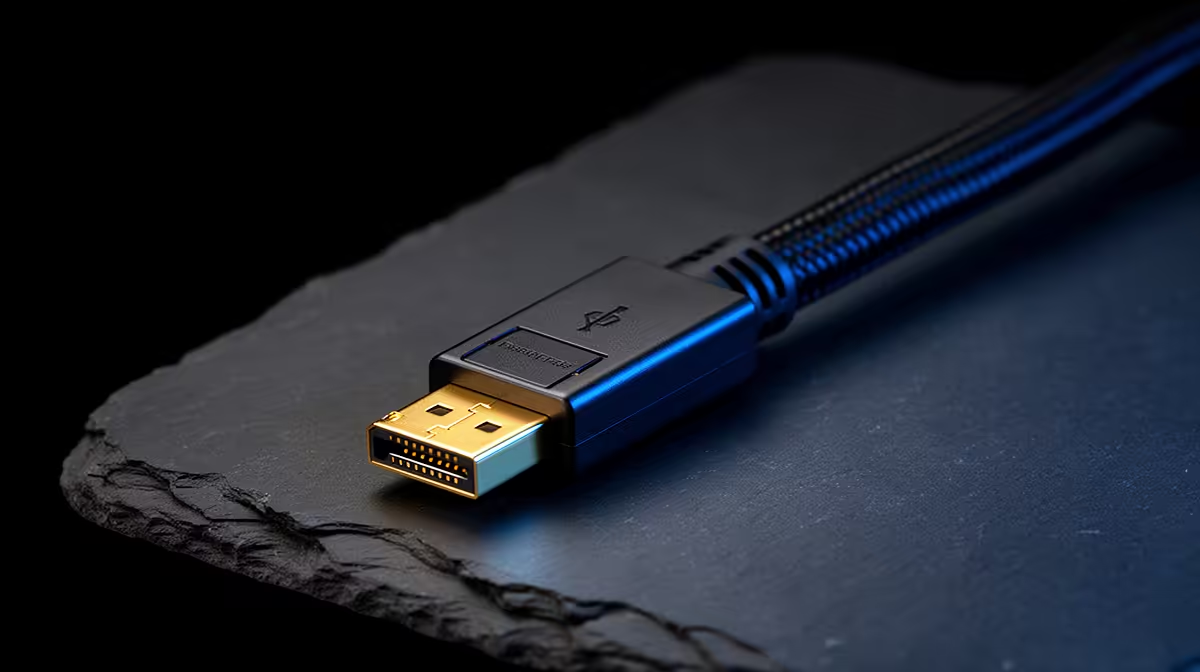
DisplayPort 1.4 still handles most 1440p 240Hz and 4K 144Hz setups with DSC; DisplayPort 2.1 is for higher bandwidth headroom. The visible difference appears only when the GPU, monitor and cable support the same mode. For SA PC building, use 1440p 144-180fps or 4K 60-120fps as the target before paying for the more expensive option.
Prioritise motherboard, GPU outputs, desk space and cable path. DisplayPort 2.1 fits 4K 240Hz and future screens. DisplayPort 1.4 fits mainstream high refresh. Moving from a basic 75Hz screen to a good 144Hz setup is usually a bigger win than a small label change inside the same class. For ports, the result appears only when the monitor and GPU, cable and display support the same mode.
Compare real model names: Radeon RX 7900 XTX, GeForce RTX 5080, Samsung Neo G8. Broad SA shelf ranges often sit around R250-R900 cables; R12,000-R40,000+ GPUs. For gaming, RTX 4060 is a lighter 1080p baseline, RTX 4070 SUPER is a strong 1440p anchor, and higher cards make more sense for 4K 120fps. For SA builders, verified compatibility before delivery avoids wasted spend.
Confirm resolution, refresh rate, HDR or VRR mode, warranty and cable requirement. For panels, check text clarity, brightness and reflections. For ports, check 40Gbps, DSC, charging wattage, PCIe support or dual-display wording. If two options cost similar money, pick the one that removes blur, dim HDR, weak contrast, cramped ports or unreliable docking.
DisplayPort 2.1 is better when its strengths match the main bottleneck; DisplayPort 1.4 is better when it solves your room, refresh or workflow problem. The safer choice is the one that reaches 1440p 144-180fps or 4K 60-120fps with your current PC, console or laptop.
Not always. If your current screen or port already handles the target mode, spend first on the weaker part: GPU, cable, dock, RAM or storage. Broad budgets can start near R250-R900 cables; R12,000-R40,000+ GPUs, so the premium option should show a visible benefit.
Check exact resolution, refresh rate, warranty term, cable requirement and supported display mode. For DisplayPort 2.1 versus DisplayPort 1.4, the important line is the mode you will use every day, not the highest number in the headline.
Match the connection, cable and PC output to 1440p 144-180fps or 4K 60-120fps before choosing between DisplayPort 2.1 and DisplayPort 1.4.
PCIe 5.0 and PCIe 4.0 differ most in lane support, compatibility, and upgrade value for strategy and sim games. SA buyers should match the choice to their actual hardware and games.
Read more
AM5 vs AM4 for video editing in 4K Difference explained is mostly about compatibility, budget, upgrade path, and setup fit. SA buyers should check device support and real needs before expecting a clear win from either option.
Read more
OLED vs QD-OLED for strategy and sim games buyers - what changes is mostly about compatibility, budget, upgrade path, and setup fit. SA buyers should check device support and real needs before expecting a clear win from either option.
Read more
Ray tracing vs Path tracing depends on Strategy and sim games needs, platform limits, and budget fit. Compare compatibility, latency, upgrade path, and real setup constraints before choosing for an SA build.
Read more
wireless mouse guide for Gqeberha gamers should be shortlisted around the job it must do. South African buyers should compare sensor, shape, weight, and wireless latency, warranty path, and upgrade room before treating any pick as best.
Read more
Where Gqeberha gamers buy a ATX case should be shortlisted around the job it must do. South African buyers should compare airflow, clearance, noise, and upgrade room, warranty path, and upgrade room before treating any pick as best.
Read more
From 1 October 2026, WhatsApp Business Platform service replies in South Africa are expected to cost about $0.0076, or 12 cents, per delivered message.

DDR5-8000 RAM Kits pros and cons depend on the build, budget, and workload. Weigh gaming needs, platform fit, power, cooling, warranty support, and South African pricing context before shortlisting it.

Wi-Fi 6E vs Wi-Fi 6 depends on AAA single-player gaming needs, platform limits, and budget fit. Compare compatibility, latency, upgrade path, and real setup constraints before choosing for an SA build.

Ryzen 9 9950X3D dead pixel checks should isolate the panel first. Run colour fills, inspect the monitor menu, test another cable or input, and capture proof before linking it to the SA CPU upgrade.

YouTube will count public views from the first frame across video formats from 24 August, while earnings and eligibility remain tied to engaged viewing.

Canonical expects Ubuntu on WSL users to outnumber native Ubuntu desktop users before the end of 2026. The software is open source and runs inside supported Windows PCs.

Telkom's daily bundles pair WhatsApp access with 10 all-network voice minutes. The R15 option includes 300MB, while the R17 option uses a fair-use threshold.

A 10,000-hour test found similar image retention across older and newer OLED TVs, while newer panels were brighter and more efficient. Local OLED monitors started at R9,999.
From 1 October 2026, WhatsApp Business Platform service replies in South Africa are expected to cost about $0.0076, or 12 cents, per delivered message.

Framework has refreshed Laptop 12 with Intel Core Series 3 processors, Thunderbolt 4, a backlit keyboard and a claimed battery-life increase.

A Windows 11 Experimental Insider build adds per-app camera, microphone and location controls for Win32 programs, plus permission prompts.

Thermal Grizzly is selling a tested, delidded Ryzen 9 9950X3D2 with its own 24-month warranty for experienced direct-die cooling builds.