

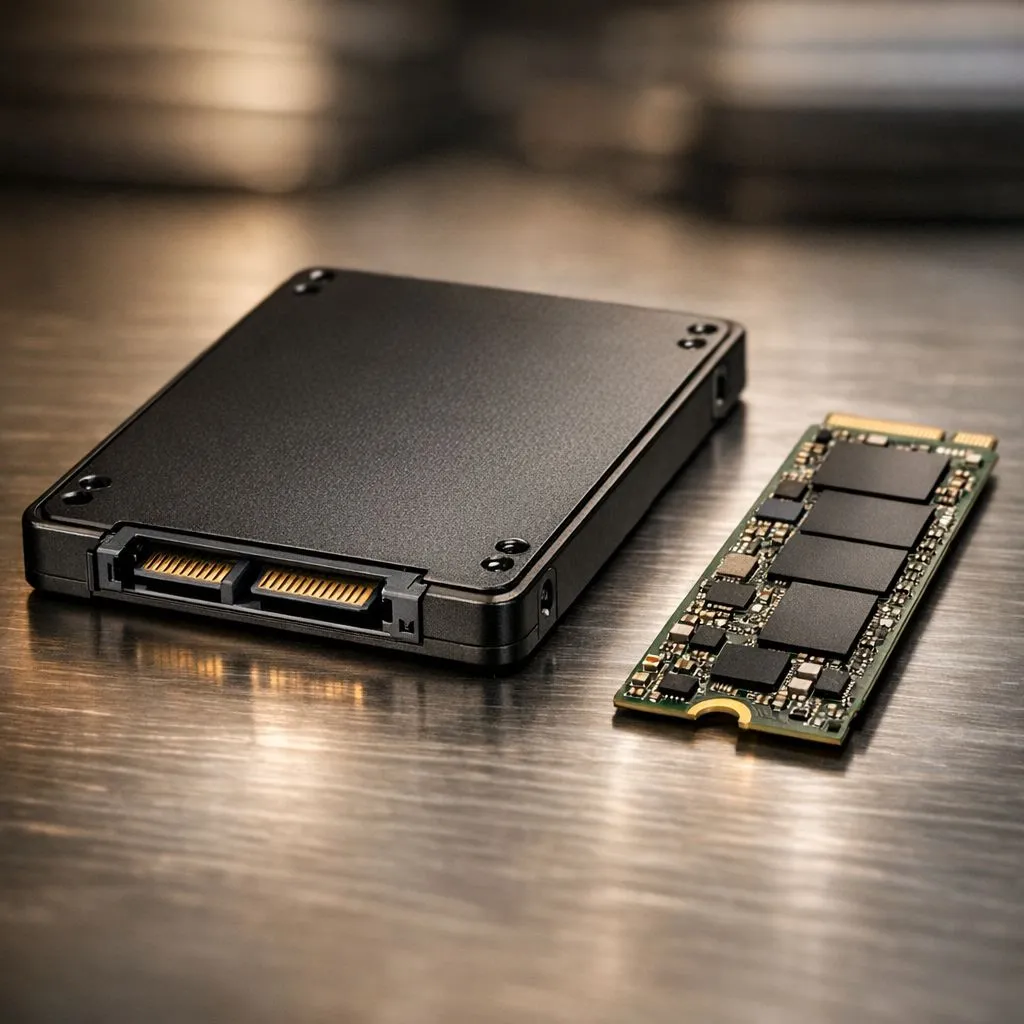
Understanding 2.5-inch vs M.2 SSD: Form Factors Explained
Staring at a loading screen while your mates are already dropping into the match is a total vibe killer. Upgrading your storage is the fastest way to revitalise a sluggish PC or laptop. When looking at upgrades, the 2.5-inch vs M.2 SSD: Form Factors Explained debate is the first hurdle you will face. Are you looking for raw speed or massive capacity for your Rands? Let's settle the score. ⚡
The Classic 2.5-inch SATA SSD
The 2.5-inch drive is the "old faithful" of the storage world. It looks like a small, slim brick and connects to your motherboard via SATA cables. If you are upgrading an older laptop or a desktop with plenty of drive bays, these are fantastic options. You can find a massive variety of solid state drives in this format that offer a perfect balance of price and space.
Reliability is key when storing your precious game library or work files. Brands like Kingston offer robust 2.5-inch drives that have become staples in South African builds. They might not be the fastest on the market, but they are significantly quicker than any mechanical hard drive.
The M.2 NVMe Revolution
M.2 drives are the modern standard for high performance. They look like a stick of chewing gum and plug directly into a dedicated slot on your motherboard. This design eliminates messy cables and saves space in compact builds. Most modern M.2 drives utilise the PCI Express (NVME) interface, which allows for data transfer speeds that SATA simply cannot match.
Storage Pro Tip ⚡
When installing an M.2 NVMe drive, always check if your motherboard comes with a dedicated heatsink. These high-speed drives can get quite warm during heavy gaming sessions. Using a heatsink prevents thermal throttling, ensuring your read and write speeds stay consistent when the action heats up.
For those who demand the absolute best, the latest Gen 5 (NVME) drives are entering the market. These offer blistering speeds that make standard boot times feel almost instantaneous. Whether you are editing 4K video or playing the latest AAA titles, the difference is noticeable from the first click.
Choosing the Right Fit for Your Build
Your choice often comes down to what your hardware supports. If you are using a modern gaming motherboard, you likely have at least two M.2 slots. Industry leaders like Western Digital and ADATA provide excellent options across both form factors, catering to budget-conscious builders and hardcore enthusiasts alike. 🚀
Sometimes, the best storage isn't inside your PC at all. If you need to take your games to a friend's house or expand your console storage, an external SSD is the way to go. Choosing the correct external form factor ensures you get the portability you need without sacrificing the speed you crave. 🔧
Ready to Find Your Perfect Match? The 2.5-inch vs M.2 SSD debate is all about your specific needs, but for maximum speed and a cleaner build, M.2 is the clear winner. Explore our massive range of SSD specials and find the perfect drive to supercharge your system today.











