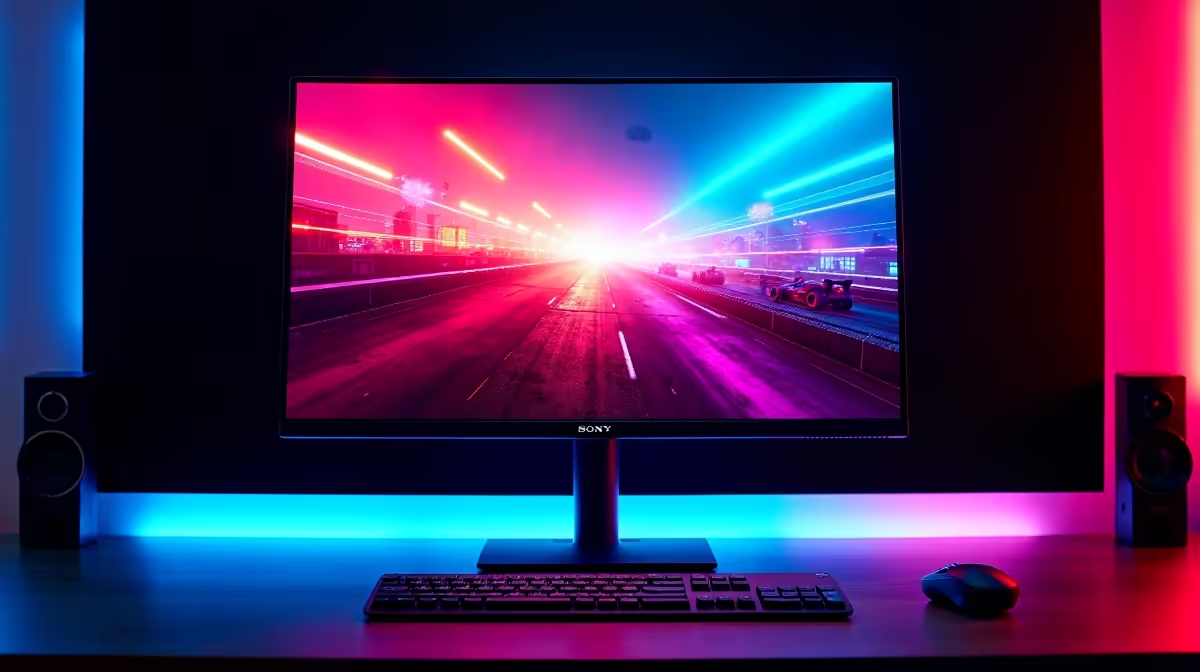
The difference between a 27-inch QHD monitor and a standard 1080p screen is not a marketing abstraction. It is 1.6 million extra pixels spread across the same physical canvas, and in a competitive game those pixels render the details that decide engagements. Whether that translates into a real on-screen advantage depends on what type of game you play, which GPU you have, and whether your existing setup is already leaving performance on the table.
Quick Answer
Yes, a 27-inch QHD monitor gives a genuine competitive edge over 1080p. The 77 percent increase in pixel count sharpens distant targets and HUD elements, while the larger 27-inch canvas shows more playfield. A capable GPU is required to sustain 144Hz at 1440p.
🔍 The Pixel Count Difference and What It Shows
A 1080p display carries 1,920 by 1,080 pixels, totalling roughly 2.07 million. QHD, at 2,560 by 1,440, reaches 3.69 million. That 77 percent uplift does not merely make the image look crisper; it changes what the image can show you at range.
In a shooter, an enemy standing 200 metres away occupies a certain number of pixels on screen. On a 1080p display that figure might be six or eight pixels wide. At 1440p on the same panel size, the same target occupies proportionally more pixels, meaning the silhouette edge is defined more precisely rather than resolving into a smudge. The improvement is most visible during long-range encounters and while scanning terrain for movement. A player who can read distant detail more clearly has a genuine informational advantage before either player fires.
HUD elements also benefit. Health bars, ammo counters, and minimap markings all render with finer edges at QHD, reducing the effort of reading peripheral information during a tense engagement.
How Pixel Density Behaves at 27 Inches
At 27 inches, QHD produces roughly 109 pixels per inch. That density is sharp enough that text and fine UI elements are fully legible without display scaling, so you retain the full real-estate advantage rather than scaling back up to approximate 1080p again. A 24-inch 1440p panel hits 122 PPI, slightly sharper but with a smaller canvas, and many players find the smaller playfield offsets the density gain. The 27-inch format is widely regarded as the point where 1440p delivers both density and canvas area in a practical balance.
⚡ GPU Demands at 1440p and the Frame-Rate Trade-Off
Rendering more pixels costs GPU resources, and the cost is not trivial. Moving from 1080p to 1440p typically adds somewhere between 30 and 40 percent to GPU workload in modern titles. A graphics card that pushes 200 FPS in a tactical shooter at 1080p might deliver 130 to 150 FPS at the same settings in 1440p. For players competing at the highest FPS brackets, that reduction is relevant.
The GPU recommendation for maintaining 144Hz or better at 1440p in competitive titles starts around the RTX 4060 Ti or RX 7700 XT bracket. Both cards handle esports titles comfortably at 1440p high settings with headroom above 144 FPS. More demanding games and titles with higher graphical complexity need a tier above that to hold the same ceiling. In South Africa, cards in this performance class sit at price points that represent meaningful investment alongside a QHD monitor, so planning both purchases together makes sense rather than upgrading the display and discovering the existing GPU struggles to feed it.
Pro Tip ⚡
If you are upgrading to a 27-inch QHD panel, consider whether your GPU can actually hold 144Hz at 1440p in your main titles before buying. Run GPU benchmark comparisons for 1440p in those specific games. Pairing a QHD monitor with an underpowered card gives you a sharper image at low FPS, which negates the competitive benefit entirely.
🏆 The 27-Inch Canvas vs a Smaller Standard Display
A 24-inch 1080p panel is the historical standard for competitive PC gaming, and the competitive scene built its settings, sensitivity, and expectations around it. Moving to 27 inches increases the physical area the mouse must cover for the same on-screen motion at a given sensitivity. Most players adjust sensitivity to compensate and find the larger canvas becomes natural within a session or two.
The 27-inch display shows more content in games that support a wide field of view. In an open-world title or a real-time strategy game, additional terrain and interface elements become visible at once, reducing how often you need to reposition the camera. In a confined tactical shooter with fixed FOV settings, the benefit is subtler, limited mainly to peripheral visibility and the comfort of reading more detail without leaning toward the screen.
For streaming or content creation alongside competitive play, the 27-inch QHD canvas is significantly more practical. Secondary windows, OBS panels, and browser tabs sit alongside the game without constant alt-tabbing, and the sharper resolution makes post-capture footage look substantially better.
🎯 When 1080p Is Still the Competitive Choice
Not every player should prioritise QHD. A 1080p 240Hz panel feeds maximum frame rates with a modest GPU, and in titles where the highest FPS bracket provides a measurable edge, that trade-off is rational. Some professional CS players run 1080p specifically because their chosen card achieves 500-plus FPS at that resolution, with the belief that ultra-high frame rates outweigh sharpness gains.
For South African players competing at national club or LAN tournament level, the raw frame-rate argument has merit. For the vast majority of players competing at a regional or club level, the GPU headroom needed for 1440p is achievable, and the sharpness benefit outweighs the FPS difference in practice. Recreational competitive players benefit clearly from QHD. Top-flight dedicated FPS competitors sometimes do not.
Frequently Asked Questions
How many more pixels does QHD display compared to 1080p?
QHD holds 3.69 million pixels versus 2.07 million at 1080p, an increase of approximately 77 percent. That additional pixel count distributes across the same 27-inch canvas, increasing the density of every rendered object including distant targets, HUD elements, and terrain detail.
Does a 27-inch QHD panel genuinely help with spotting distant opponents?
Yes. Farther targets occupy more pixels at 1440p than at 1080p on the same panel, so a small movement at range resolves as a more defined shape rather than a few pixels shifting. The improvement is clearest in open-world and long-range shooter contexts where spotting at distance is a core skill.
How much does QHD reduce frame rate versus 1080p?
Expect roughly 30 to 40 percent fewer frames per second at the same settings compared to 1080p. A card running 200 FPS at 1080p will likely deliver 130 to 150 FPS at 1440p. Pairing the monitor with a GPU that can still clear 144 FPS at 1440p in your main title preserves the high-refresh-rate benefit alongside the resolution gain.
Is a 27-inch panel size itself an advantage beyond resolution?
Yes, independently. The larger physical canvas shows more playfield in games with variable FOV and makes it easier to track motion at the screen edges without moving your head. It also reduces eye strain during long sessions because detail does not require leaning close to read. The resolution and size together compound the advantage.
Do professional players ever choose 1080p over QHD?
Some do, particularly those competing in titles where maximum frame rates above 300 FPS are considered critical. At that performance tier, staying at 1080p lets a powerful GPU reach frame rates that 1440p cannot match. For the majority of competitive players, the GPU performance available today makes 1440p practical, and the sharpness benefit outweighs the FPS reduction in most real-world matchups.
Which GPU tier suits competitive QHD gaming at 144Hz?
An RTX 4060 Ti or RX 7700 XT handles most competitive esports titles at QHD with frame rates comfortably above 144 FPS. More graphically demanding titles may need the next tier up, such as an RTX 4070 or RX 7800 XT, to hold the same ceiling at higher detail settings.
Ready to step up to sharper, wider competitive play?
Browse the 27-inch QHD gaming monitor range at Evetech and pair your new display with a GPU capable of pushing 144 FPS at 1440p.