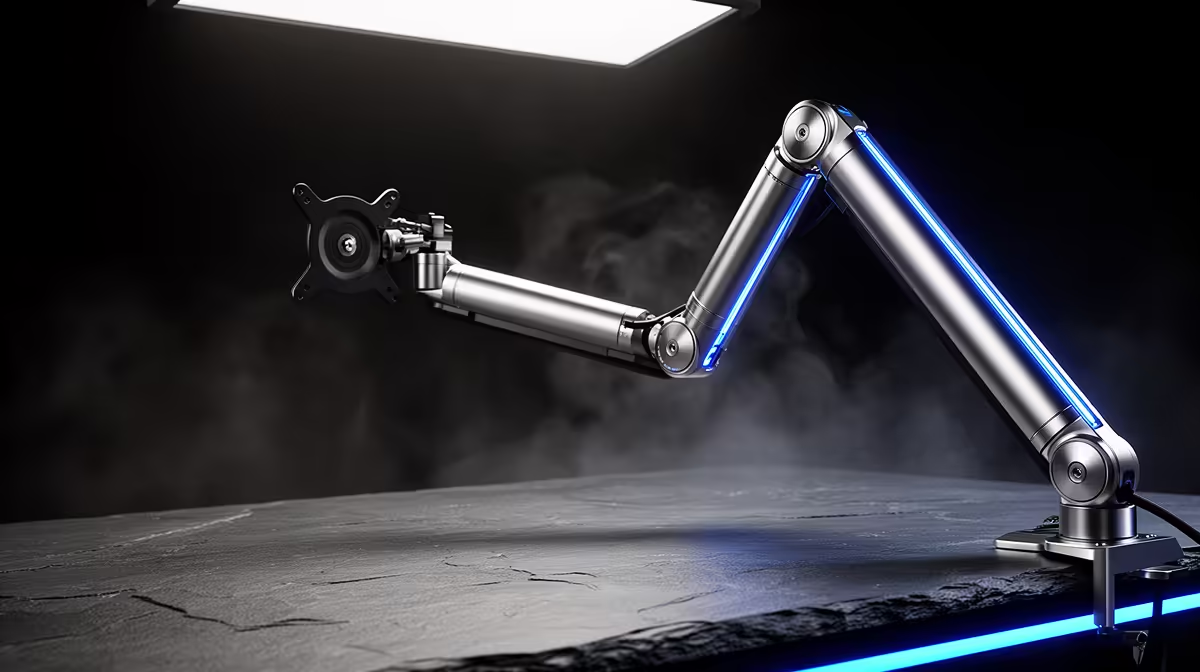
Desk space is a finite resource, and a microphone sitting on a standard tripod stand eats more of it than it deserves. The base spreads across 20 to 25cm of your work surface, the cable snakes across the desk in full view, and every keyboard tap or coffee mug vibrates straight up the stand into the capsule. A 360-degree rotating metal boom arm solves all three problems at once. It moves the mic off the surface entirely, routes the cable internally, and suspends the whole assembly on a spring that absorbs the desk shocks a tripod faithfully transmits.
Quick Answer
A metal boom arm clamps to your desk edge, lifts the microphone completely off the surface, and swings 360 degrees to position the capsule at exactly the right angle. It absorbs desk vibration, hides cables in an internal channel, and frees the full surface underneath for mouse movement and work.
🔧 Why Metal Over Plastic, and Why It Matters in Practice
Walk into any South African electronics retailer and you will see boom arms at a wide range of prices. The cheapest are plastic, sometimes steel-painted, and they share a set of problems that become obvious within a few weeks. The joint friction fades, the arm begins to droop mid-session, and correcting it interrupts your recording.
A proper steel arm behaves differently. The joints hold tension because they are machined to close tolerances rather than moulded to approximate ones. A steel arm rated for around 1.5 kg of load holds a heavy dynamic microphone, a shock mount, and a pop filter without any measurable sag over months of daily use. The extra weight of the arm itself actually helps: it damps micro-vibrations that a lightweight plastic frame transmits.
Check the finish on the springs too. Better arms use sealed internal springs rather than exposed coil assemblies. An exposed spring can creak during a live recording if the arm shifts, while a sealed mechanism is acoustically silent. For any content where the mic stays live while you reposition, silent movement is non-negotiable.
📐 Reach, Rotation, and Real-World Positioning
The 360-degree rotation figure on most arms refers to the horizontal sweep from the clamp point. A two-section arm typically extends to around 75 to 80 cm horizontally, enough to reach from a rear corner of an 80 cm deep desk to directly in front of your mouth without straining the joints.
Vertical adjustment is equally important. A mic at mouth height, roughly 8 to 15 cm from the lips depending on capsule type, captures a fuller, warmer signal than one sitting 10 cm above or below that plane. The arm needs enough vertical travel to hit that sweet spot whether you sit at a fixed height or use a height-adjustable desk.
Full 360-degree rotation becomes useful in shared spaces. A home office shared between two people might need the mic pushed flat against the wall during work hours and swung out for an afternoon recording session. The full rotation means neither position requires dismounting the arm.
Measure from your planned clamp point to your mouth position while seated at normal posture and add 10 cm for the shock mount and capsule body. If the total exceeds 90 cm, look at three-section arms. Arms with an internal cable channel run the XLR or USB lead from the clamp body along the arm to the mic mount without any external loop, so the cable follows inside when the arm rotates rather than snagging on the rotation point.
🖥️ Desk Compatibility and Clamp Sizing
South African gaming desks vary considerably in thickness. Budget particle-board desks run around 15 mm. Mid-range MDF and veneered tables typically measure 25 to 30 mm. Some reinforced corner desks and solid wood options push past 40 mm. A boom arm clamp with a range of 10 to 60 mm covers all of these.
Check that the clamp jaw opens wide enough before purchasing. A clamp that maxes at 40 mm will not fit a 45 mm desk edge without a mounting plate adapter. The rubber or foam pads inside the jaw protect the desk finish and prevent the clamp from walking outward under the weight of a heavy mic. Verify those pads are present; a bare metal jaw on a high-gloss gaming desk leaves permanent marks.
Grommet mounts are an alternative to the C-clamp for desks with pre-drilled cable management holes. The arm post slots into the hole and locks from underneath with a nut, giving a permanent and extremely stable mounting point. The trade-off is that you cannot reposition without tools, so it suits a dedicated streaming desk that will not be moved.
Pro Tip ⚡
Before tightening the clamp fully, position the arm and mic where you will actually use them and check that the cable path runs cleanly back to the PC. A well-routed cable that follows the desk edge to the rear and drops to a cable management strip is invisible from your stream and takes two minutes to set up correctly before it becomes permanent.
⚡ Vibration Isolation and the Desk Shock Problem
A mic on a tripod is acoustically coupled to your desk. Every keypress, every trackpad tap, and every time you set a glass down sends a mechanical shock up the stand and into the capsule. It records as a low-frequency thud. Some editing tools can remove isolated thumps, but a recording full of desk noise is far harder to clean up.
A boom arm breaks that coupling at the clamp. The arm itself flexes slightly under impact, absorbing some energy, and the distance between the clamp point and the capsule further isolates the mic from the source. Add a shock mount at the arm tip and the isolation is close to complete. A shock mount suspends the mic in elastic bands or rubber grommets, filtering any residual vibration before it reaches the capsule.
For mechanical keyboard users, this combination is essential. A high-actuation-force keyboard produces enough desk vibration to appear as low rumble in a recording. Spring arm plus shock mount pushes that rumble down to a level a gentle high-pass filter clears in seconds.
Frequently Asked Questions
How much weight can a metal boom arm hold?
Quality steel arms carry around 1.5 kg, which covers a heavy dynamic microphone, a metal shock mount, and a pop filter. Add the shock mount weight to your microphone body weight and verify it sits within the manufacturer's stated limit before buying. An overloaded arm sags and loses its set position.
What desk thickness fits the clamp?
Most boom arm clamps adjust from around 10 mm to 60 mm, covering virtually every desk in a South African home or office. If your desk exceeds 60 mm, look for an extended-jaw model or use a grommet mount. Check that the rubber pads inside the clamp are intact before tightening to avoid marking the surface.
Does a 360-degree arm route cables internally?
Better models route the XLR or USB cable through an internal channel along the arm from the clamp body to the mic mount. When the arm rotates, the cable follows inside without snagging. Budget arms use external cable clips or loose velcro ties, which are less tidy and can pull taut at the extremes of the rotation range.
Can the arm reach across a wide desk?
A standard two-section arm extends to roughly 75 to 80 cm horizontally, enough to cover an 80 cm deep gaming desk from a rear-corner clamp to directly in front of your mouth. For deeper desks or longer side reaches, three-section arms extend to around 110 cm. Measure your intended reach before buying.
Will the clamp scratch my desk finish?
Rubber or foam pads inside the clamp jaw protect the desk surface and prevent the assembly from sliding sideways. Most quality arms include these pads from the factory. If yours does not, adhesive rubber pads from any hardware supplier serve the same purpose at minimal cost.
Ready to clear your desk and upgrade your mic positioning?
Browse the metal boom arm range at Evetech and find the model that matches your desk setup, cable type, and microphone weight for a clean, professional recording position.