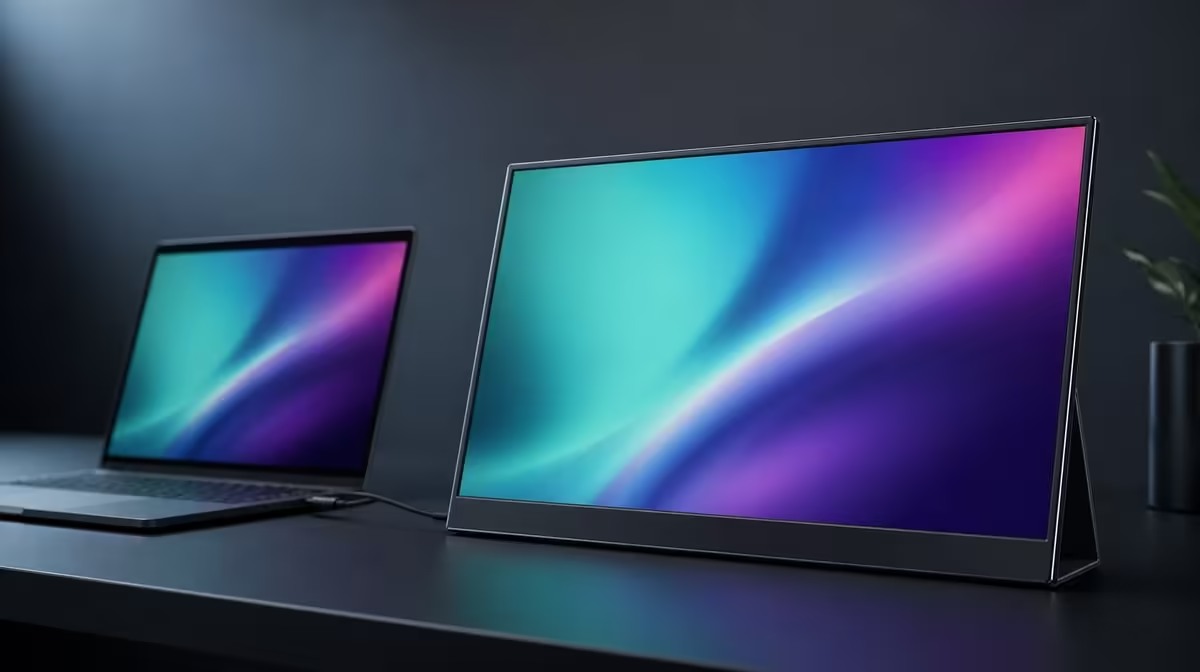
Extra brightness deserves extra Rands only when ambient light repeatedly asks for it. Whether a 400cd/m2 IPS portable monitor is worth more depends on the rooms where it works, the reflections it faces, and whether screen size, native detail, or connections solve a bigger limitation.
Quick Answer
A 400cd/m2 IPS portable monitor can be worth more in bright indoor spaces where a dimmer panel struggles to remain comfortably visible. At R5,999, the UPERFECT UColor J5 pairs that brightness headroom with a 17.3-inch 3840 x 2160 panel. HDMI and USB-C cover video inputs, VESA supports a compatible fixed arrangement, and the remaining stated package includes FreeSync, Low Blue Light, 1000:1 contrast, and a 10ms response. A dim-room user may value other features more.
☀️ Identify the room-light problem first
Work in the brightest indoor location the monitor will face. Open a white document, detailed image, and dark scene. If a lower-output display becomes washed out while reflections are already controlled, additional luminance can provide a visible benefit.
The J5's 400cd/m2 rating describes available output. It does not make the screen immune to direct sunlight. A window or lamp reflected across the panel can remain disruptive at maximum brightness.
Reposition the display or light source before assigning a Rand value to more output. Shade and angle can solve a problem the panel cannot overpower.
Evetech's portable monitor category provides current brightness and size combinations for comparison.
🌙 Check whether the headroom stays unused
Repeat the test in the dim room where the screen spends most of its time. Lower brightness until white content is comfortable. If the useful setting remains far below the maximum every day, 400cd/m2 may be optional headroom rather than a core need.
Low Blue Light can create a warmer reading profile, but it does not replace sensible luminance. A warmer screen can still be too bright. Scaling, viewing distance, glare control, posture, and breaks remain part of comfort.
The 1000:1 contrast figure describes measured bright-dark separation. Raising output does not automatically improve contrast perception, especially when ambient light lifts dark areas.
Evetech's PC monitor selection helps compare portable brightness with fixed displays used in controlled rooms.
🖥️ Compare brightness with the rest of the panel
The J5's 17.3-inch size creates a roomier canvas, while native 3840 x 2160 supplies fine detail. A buyer may receive more daily value from those traits than from maximum output. The same screen can justify R5,999 through several different tasks.
HDMI and video-capable USB-C give two source paths. Compatibility comes before brightness because the panel must receive the intended signal. VESA can provide a stable arm position after mechanical details are checked.
IPS does not automatically prove colour accuracy. A bright panel can be useful for visibility without being assigned an unsupported professional claim.
💰 Make the premium pass a repeated test
Compare candidate screens in the same room, angle, content, and comfortable output range. Note when additional brightness changes readability and when reflection control produces the larger improvement.
Give the feature a weekly-use score. Mobile workers moving through varied bright rooms can value the headroom highly. Someone using one dim home desk may prioritise a smaller footprint or preferred connection instead.
FreeSync targets tearing on a compatible gaming path, and the 10ms response figure describes panel transitions. These entertainment details should not be counted as proof that 400cd/m2 is worth more.
Review Evetech's monitor best sellers for a live comparison. Check the J5's R5,999 amount again and look at current availability when ready to order.
The premium is justified when the brighter panel repeatedly preserves a usable image after sensible glare control. If that condition does not occur, spend according to the feature that solves the actual limitation.
Run the brightness comparison with the same content and source. Use one white document, one detailed image, and one dark scene. This keeps room visibility separate from changes in the material.
Record the panel angle and ambient conditions. If moving the screen solves the problem, credit positioning rather than maximum luminance. If the upper output remains necessary after glare is controlled, 400cd/m2 has demonstrated its role.
Test comfort thirty minutes later. Brightness that looks impressive immediately may become harsh during reading. The correct premium feature should remain useful across a normal session.
Compare the result with the J5's other benefits. A buyer may accept modest brightness use because the 17.3-inch 4K canvas, two inputs, or VESA role already justifies R5,999. Another may need the luminance above everything else.
Do not assign colour accuracy, outdoor certainty, or motion behaviour to the brightness figure. Those claims belong to other evidence. Keeping the rating narrow makes the worth assessment more credible.
Save a day and night profile after purchase. Reusing tested settings turns the available headroom into convenience and avoids repeated maximum-output starts.
Begin the premium test with the room at its most difficult normal hour. Position the screen where it will actually be used, reduce avoidable reflections, and open familiar mixed content. Raise brightness only until text, shadow detail, and highlights are comfortable. If a dimmer comparison reaches its limit while the 400cd/m2-capable J5 retains useful headroom, the higher output is addressing a visible problem.
Repeat the assessment after sunset or in the darkest regular condition. If both displays run comfortably far below their maximum, extra brightness may contribute little to everyday value. Lower output can be preferable in a dim room, and the saved money might be better directed towards a size, connection, or mounting need. The result depends on the environment, not on treating the larger number as universally superior.
Keep IPS and contrast in their proper roles. IPS names the panel technology, while the stated 1000:1 ratio helps describe light-to-dark separation under test conditions. Neither proves colour accuracy, eliminates glare, or determines whether 4K suits the workload. Examine the full 17.3-inch picture at readable scaling and with the source that will drive it.
The J5's R5,999 case is therefore broader than brightness. HDMI and USB-C offer connection choices, VESA can support a fixed workstation, FreeSync addresses tearing on a compatible path, and Low Blue Light provides another viewing mode. A brightness premium is worthwhile when the indoor-light advantage repeats often and the rest of that package fits. Otherwise, compare current PC monitors around the needs that matter more.
Record the selected setting for each regular room instead of rediscovering it every session. A simple note such as "morning desk," "afternoon window light," and "evening study" turns the 400cd/m2 range into repeatable control. Revisit the notes when furniture or seasons change the reflections. The useful premium lies in having enough adjustment for those environments while remaining comfortable, not in displaying the maximum figure continuously.
Frequently Asked Questions
When does 400cd/m2 earn its cost?
It earns value in bright indoor conditions where lower output remains a real limitation after reflections are managed.
When can the brightness be wasted?
In a consistently dim room, comfortable use may require far less than the maximum rating.
Does IPS prove colour accuracy?
No. IPS identifies panel technology, while colour-critical claims require separate evidence.
Will the J5 defeat direct SA sun?
No such guarantee follows from the rating. Shade, angle, and reflection control remain necessary.
What else comes with the brightness?
The J5 also includes 17.3-inch 4K detail, dual inputs, VESA, FreeSync, Low Blue Light, 1000:1 contrast, and a 10ms response figure.
Ready to pay for brightness only where the room proves its value?
Compare Evetech's portable monitors in the intended light and weigh luminance against size, detail, connections, and mounting.