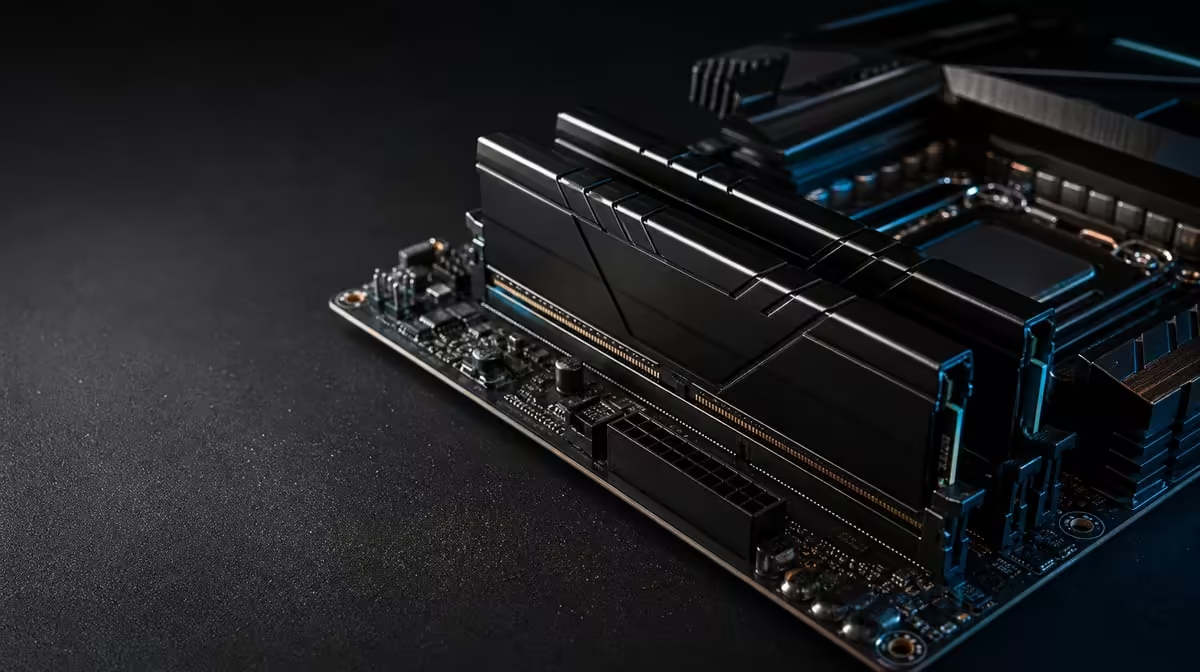
Memory is worth buying when the active workload needs the space, not when capacity is treated as a score by itself. Is 48GB DDR5 worth it for gaming and creative work has a measurable answer: observe the real working set, task switching and storage pressure. The R38,999 AMD kit pairs that capacity with a 7200MHz KLEVV target.
Quick Answer
The kit's 48GB KLEVV CRAS V RGB DDR5 is worth it when games, creative software and background tools approach a smaller memory pool or need to remain open together. Its 7200MHz rating adds a speed target, but capacity and frequency solve different problems. At R38,999, the memory must be judged alongside the 9950X3D, Dark Hero and LQ360 and tested for stable operation.
📊 Measure the working set
Open the normal game or project with the browser, communication and supporting tools used in a real session. Observe memory use after the workload has settled, not only at launch.
Watch behaviour as well as the number. Application reloads, heavy storage activity during switching and the need to close tools can indicate capacity pressure. A chart showing free memory without any workflow problem is weaker evidence.
Repeat the observation with the largest ordinary project. Do not use an extreme file that appears once a year unless it has meaningful consequence.
Forty-eight gigabytes offers headroom above a 32GB pool, but the value varies. Some gaming sessions remain comfortably below 32GB; creation and mixed use can demand more.
🎮 Separate gaming from creative value
In gaming, capacity can help when the title and background applications collectively pressure memory. It does not automatically increase average frame rate when capacity was already sufficient.
The 9950X3D's 144MB GameCache is a different resource. It keeps selected data close to CPU cores, while DDR5 holds the much larger active system pool. Cache cannot replace RAM, and RAM capacity cannot imitate on-chip cache.
Creative applications may hold project assets, previews and intermediate data in memory. Test the exact software and project sizes. Video, 3D, compilation and image work can have different bottlenecks.
Task switching may reveal the strongest benefit. Move between a project and game without closing the usual tools, then note responsiveness and storage activity. This resembles mixed daily use better than an empty-desktop benchmark.
Compare CPUs within Evetech's AMD processor range, keeping the memory need separate.
⚙️ Validate the 7200MHz configuration
Confirm that the Dark Hero recognises all 48GB at baseline. Apply only documented memory settings and retain a known stable configuration.
The KLEVV kit is rated at 7200MHz, but the stable result depends on the 9950X3D memory controller, firmware and complete configuration. A booted desktop is not a sufficient stability test.
Use appropriate memory tools and representative games or creation tasks. Watch for errors, crashes, corrupted output or inconsistent performance. If trouble begins after a change, return to the baseline before adjusting unrelated CPU or cooler controls.
Measure frequency gains separately from capacity. Where possible, use the same 48GB configuration at different stable speeds so the comparison does not mix pool size with transfer rate.
Keep a record of firmware, settings and tests. This protects valuable work and provides a path back after future platform changes.
💵 Decide whether it strengthens the package
At R38,999, the memory arrives with a cache-focused processor, ROG Crosshair X870E Dark Hero and DeepCool LQ360. Give each part an independent job. The memory should not justify unused board features or an unsuitable cooler layout.
Price a smaller-capacity alternative with the same graphics and storage. If it maintains every required workflow, 48GB may be mainly optional headroom. If it causes recurring pressure, the larger pool has direct value.
Compare packages in Evetech's AMD upgrade kit selection and boards through Evetech's AMD motherboard category.
Keep the missing GPU, storage, PSU and case in the complete cost. Memory headroom is not useful if the final graphics card misses the intended resolution or project requirement.
Review use after several weeks. Record peak demand and whether the transitions that motivated 48GB improved. That evidence can validate the purchase without promising that every user or application needs the same capacity. Check current availability after the full balance is clear.
Break the workload into memory states. The starting state contains the operating system and normal background tools. The game state adds the title and launch software. The creation state adds the active project, while the crossover state keeps both groups available. Recording all four shows where capacity demand actually grows.
Do not read high memory use automatically as a problem. Operating systems can use available memory productively. Look for the accompanying behaviour: applications closing, data reloading, storage activity or responsiveness changing. The combination of demand and user-visible effect provides stronger evidence.
Project type matters. A modest image edit may remain light, while a complex timeline or development environment can keep far more data active. Use a representative project rather than attaching 48GB to every creative label.
Add a reliability requirement to the scorecard. The chosen configuration must complete a long game, a creation task and the transition between them without errors. The KLEVV kit's transfer target has little value if it interrupts valuable work.
Compare memory use after the build with the original audit. If capacity pressure disappeared but performance remains limited, test the next suspected component instead of assuming more memory speed is always the answer. Graphics, storage or application configuration may now set the pace.
Keep the 48GB decision reversible in the documentation. Record why it was chosen, which tasks use it and what stable setting passed. Later changes to software or firmware can then be evaluated against an evidence-based platform rather than a forgotten configuration.
Repeat the heaviest normal crossover task after a restart to confirm the working memory state is dependable beyond one session.
Create a smaller-capacity simulation by measuring rather than removing hardware. Observe how close the workload comes to 32GB and which applications contribute. If the total stays far below it, 48GB is mostly headroom today. If it approaches or exceeds that point with user-visible pressure, the larger pool has an immediate role.
Separate project archives from active memory needs. More RAM cannot replace sufficient storage, and fast storage cannot provide the same active working pool. Both rows need funding in the complete build.
Keep an error-free requirement for the full workflow. No frame-rate or export-time improvement compensates for instability that risks a stream or project.
Frequently Asked Questions
Who benefits most from 48GB?
Users whose games, creative applications and background tools create pressure on smaller memory pools.
Which memory comes with the kit?
It includes KLEVV CRAS V RGB DDR5 with 48GB capacity and a 7200MHz rating.
Will 48GB raise every game's frame rate?
No. Extra capacity helps only when memory pressure or workload behaviour makes it relevant.
How is 7200MHz different from 48GB?
The first is a transfer-rate target; the second is the size of the active memory pool.
Can creative applications use more memory?
Yes, depending on project size and software, but the exact workload should be measured.
Why test the configuration?
Stable memory protects games and valuable project work from errors caused by an unreliable setting.
When can less memory be sufficient?
A smaller pool can be enough when peak use stays comfortably within it and task switching remains smooth.
Ready to measure whether 48GB changes real gaming and creation work?
Explore Evetech AMD platforms and give the KLEVV memory a workload-based role in the R38,999 kit.