

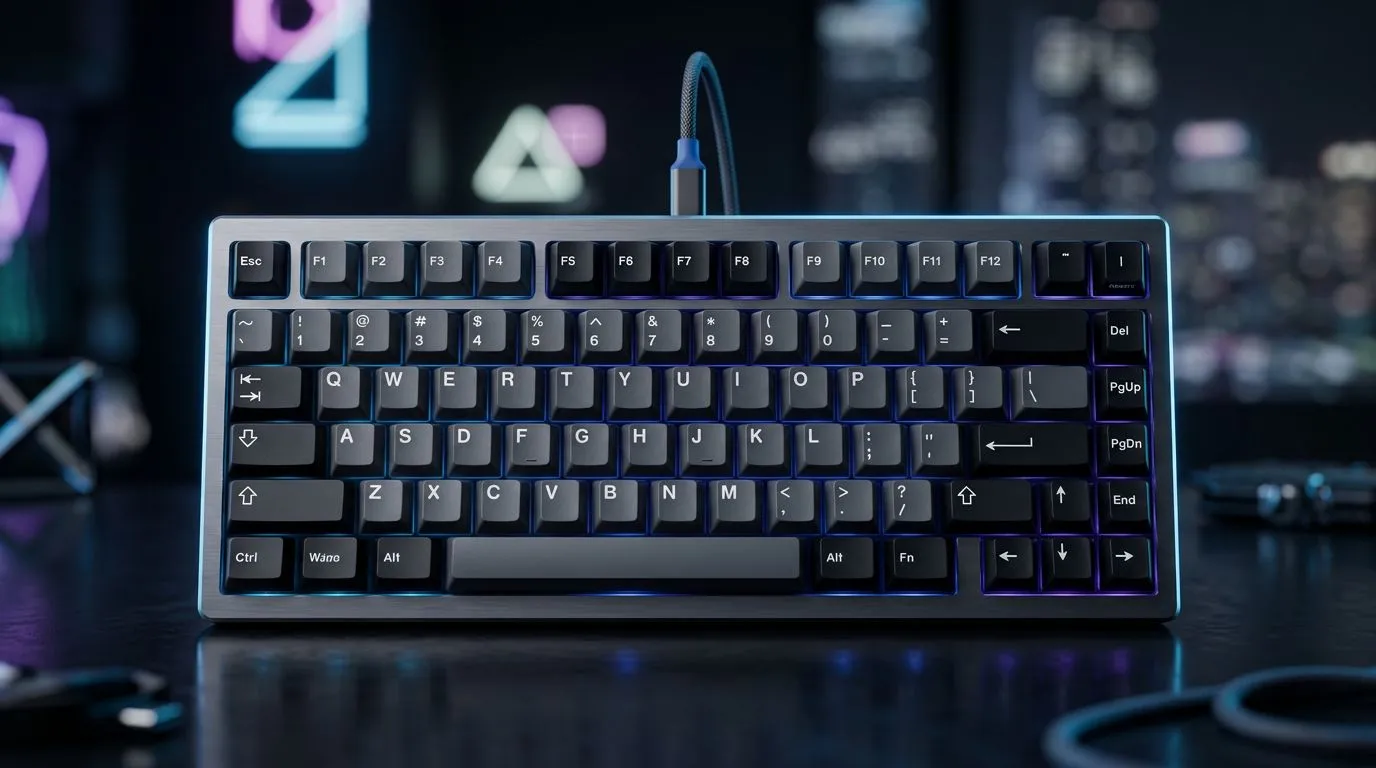
75% Keyboard Layout Essentials for South African Gamers 🔧
If you’ve ever gamed on a full-size keyboard and thought, “I want less… but not worse”, a 75% layout is usually the sweet spot. You keep the keys you use all the time, lose the ones you don’t, and still get a compact desk footprint. In South Africa, that matters because space and cable clutter are real… especially in tight setups at home or LAN nights.
In this Deep Dive, we’ll explain the 75% keyboard layout: keys you keep and lose explained, and how to choose one that matches your games, your shortcuts, and your comfort.
What a 75% Keyboard Layout Keeps (and Why) ✨
A 75% keyboard typically includes:
- Alphanumeric keys (the main typing area)
- Function row (F1–F12)
- Arrow keys (usually via a layer)
- Common navigation keys like Insert/Delete/Home/End/Page Up/Page Down often accessible via layers
- A numpad is usually not present (you get speed without the bulk)
Here’s the practical part. In most games, you don’t need a full numpad. You need consistent movement keys, reliable modifiers (Shift, Ctrl, Alt), and keys you can bind for abilities or comms.
If you’re doing productivity too (school, work, content creation), the function row and layer access keep workflows smooth.
The “You’ll Actually Use This” Key Set 🎮
Most players stick to binds like:
- Movement: WASD (or your preferred setup)
- Abilities: 1–5 / QERF (often placed on home cluster keys)
- Weapon switches: number row or adjacent keys
- Push-to-talk and utility: modifier + a letter key
With 75%, you still get the letter keys and the layer access to navigation. That’s why it feels fast. Your fingers remember where things are, and your muscle memory does the rest.
75% Keyboard Layout Keys You Lose (and How You Work Around It) ⚡
The trade-off is clear: you typically lose the dedicated numpad and you compress the right-side section. Some layouts also reduce dedicated columns for media or navigation.
That sounds scary, but it’s manageable because modern 75% boards lean on layers.
Common “Lost” Keys, Explained
- Item
- Item
- Item
The real question is: what do you do every day? If you use a numpad for spreadsheets, CAD, or heavy numeric entry, a 75% may feel limiting. If you’re mostly gaming and general typing, it’s usually an easy win.
Productivity Pro Tip ⚡
On Windows, map your most-used game and editing actions to a small set of reachable keys using the keyboard’s software (or keyboard mapping tools if needed). Then create consistent binds across games. When your keys stay predictable, you stop “hunting” during matches and your aim time improves.
Wired vs Wireless for 75% Keyboards: What South Africans Should Expect 🔋
For gaming, both wired and wireless can work well today. The practical difference is reliability habits.
- Wired: stable latency, no battery anxiety, usually simpler “it just works” setup.
- Wireless: freedom of movement, but you’ll want good charging habits and battery health awareness.
If you’re building a clean setup for daily play, consider starting with wired for zero-latency stress. If you love desk freedom, wireless can be worth it.
Get the Right Keyboard for Your Setup (Evetech Picks) 🚀
If you want to compare options quickly, start here:
- Browse competitive gaming keyboard deals for a compact upgrade at Evetech: best gaming keyboard deals
- Shopping for budget-friendly compact builds? Check: buy cheapest gaming keyboard in South Africa
If you already know you want wired connectivity, go straight to that filter:
And if wireless is your vibe, compare that way too:
You might also want to pair it properly so your desk feels intentional:
Choosing the Right 75% Board: A Simple Checklist ✅
Before you buy, answer these in order:
- Do you need a dedicated numpad?
If yes, go bigger. If no, 75% keeps your desk clean. - Can your board handle layers smoothly?
You should be able to reach navigation keys without guessing. - Do you prefer wired stability or wireless freedom?
Match it to your habits, not just the marketing. - Do the keys feel comfortable at speed?
Your gaming binds only matter if you can press them instantly.
One more thing… watch for “thin” claims. The key layout matters, but so does switch feel, stabilisers, and build quality. If the board feels inconsistent, your muscle memory suffers.
CALLTOACTION
Ready to Find Your Perfect Match? The Mac vs Windows debate is complex, but for maximum power, choice, and value in South Africa, Windows is hard to beat. Explore our massive range of laptop specials and find the perfect machine to conquer your world.











