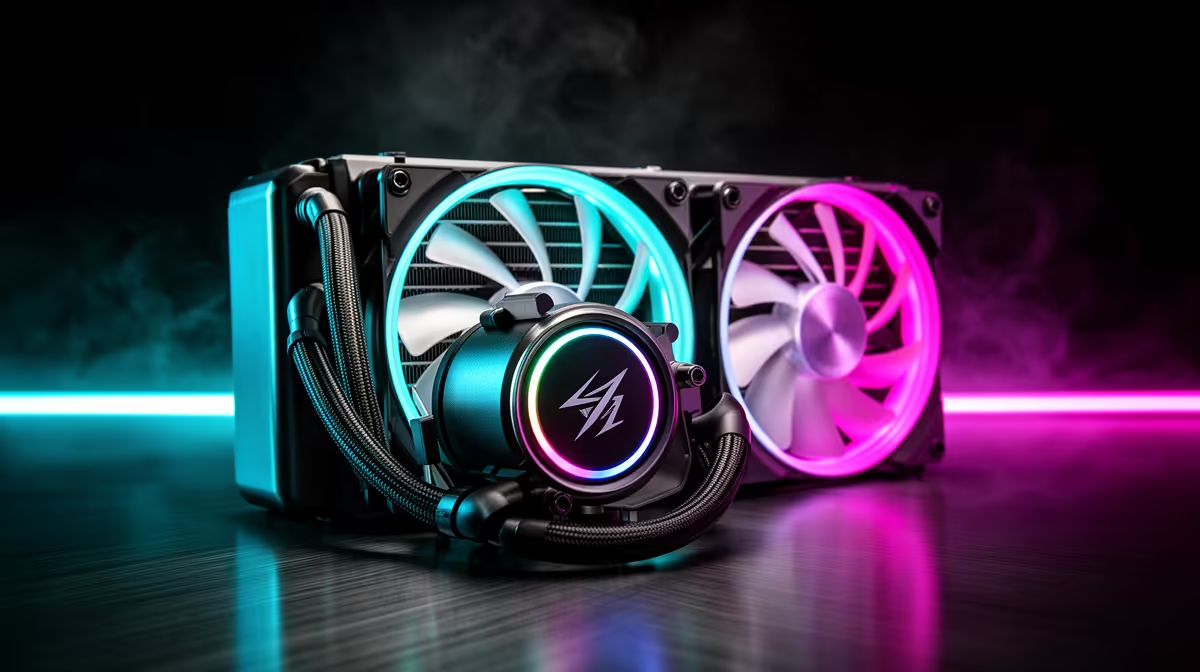
Every liquid cooler is really three separate systems working as one, and treating them as a single spec on a box misses most of what actually decides whether a build runs cool or warm under load. Radiator, pump and fans each contribute differently to the final result, and a weakness in any one of them limits what the other two can achieve together. A 240mm liquid cooler built with all three components properly matched to each other performs very differently from one where a single strong part is paired with two mediocre ones.
Quick Answer
Radiator size, pump design and fan setup together decide how much heat a liquid cooler removes from the CPU, and none of these three components can fully compensate for weakness in another. The MasterLiquid 240 Atmos combines a 240mm radiator, a customisable pump cap and two PWM fans for R1,399, with each part contributing to the final result.
🧊 The Radiator: Surface Area and Heat Dissipation
How Radiator Size Sets the Ceiling
A radiator's surface area, combined with its fin density, largely sets the upper limit on how much heat the entire system can dissipate regardless of how strong the pump or fans are. A 240mm radiator, built around two 120mm fan mounts, provides considerably more surface area than a single-fan 120mm unit, while remaining smaller and typically cheaper than 360mm or 420mm radiators aimed at higher-TDP chips.
This makes radiator size the first thing to get right for a given CPU, since even the best pump and fans cannot push more heat out than the radiator has surface area to release. For most current mainstream and enthusiast CPUs, a 240mm radiator provides enough dissipation capacity without the added case space and cost of going larger.
Fin Density and Airflow Resistance
Denser radiator fins increase total surface area but also increase resistance to airflow, meaning fans need sufficient static pressure to push air through effectively. A radiator with excellent surface area paired with fans that cannot move air through it efficiently underperforms compared to a slightly smaller radiator matched to genuinely capable fans.
💧 The Pump: Circulating Coolant Through the Loop
Flow Rate and Its Effect on Cooling
The pump's job is pushing coolant out of the CPU block, through the tubing, into the radiator and back again, shifting heat off the chip on every cycle. A pump with an inadequate flow rate leaves coolant sitting at the CPU block longer than ideal, reducing how efficiently heat transfers into the loop in the first place, regardless of how good the radiator or fans are downstream.
On the MasterLiquid 240 Atmos, the pump sits beneath a customisable cap that can be swapped for different visual inserts without touching the internal mechanism at all. This is worth understanding clearly, since the cap's appearance has no bearing on flow rate or cooling capacity, both of which are determined entirely by the pump housing underneath it.
Why Pump Reliability Matters Long Term
Because a sealed AIO loop is not user-serviceable in the way a custom loop is, pump reliability over years of operation matters more than peak performance on day one. A pump that maintains consistent flow rate over a long service life delivers more real-world value than one that performs marginally better when new but degrades faster.
🌀 The Fans: Turning Radiator Capacity Into Actual Cooling
Matching Fans to Radiator Resistance
Fans complete the system by pushing air through the radiator's fin array, and this is where a mismatch between components shows up most clearly. Cooler Master builds the two 120mm fans fitted here with airflow characteristics suited to overcoming a radiator's static pressure resistance, rather than relying on generic case fans repurposed for the job.
PWM Control as the Final Piece
PWM control lets these fans adjust speed continuously based on thermal load, spinning down for quiet operation during light use and ramping up during sustained gaming or rendering sessions. This responsiveness means the radiator's full dissipation capacity is only called upon when actually needed, rather than running fans at a constant high speed regardless of load.
🔧 Why All Three Need to Be Matched Together
A liquid cooler is genuinely a system rather than a collection of independent parts, and the MasterLiquid 240 Atmos illustrates this by pairing its 240mm radiator, pump and PWM fans as a coherent unit rather than mixing mismatched components. That coverage runs from AMD's AM5 and AM4 boards through Intel's LGA 1851, 1700 and 1200, so this matched combination carries over across a wide range of current and recent builds rather than being tied to one specific platform.
Anyone comparing coolers should look past the headline radiator size and check whether the pump and fans are genuinely built to complement it. Evetech's CPU liquid cooler range lists these details for direct comparison, which is a more reliable way to judge a cooler than radiator size alone. Because the loop is factory-sealed, there is no coolant to top up over the years, and the closest thing to routine maintenance is keeping the radiator fins clear of dust so airflow, and by extension the whole matched system, keeps performing the way it did on day one.
Frequently Asked Questions
Which matters most: radiator size, pump flow rate or fan speed?
None on its own; all three need to be adequate together, since a weakness in any one limits what the other two can achieve as a system.
Does a bigger radiator always mean better cooling?
Only if paired with fans capable of pushing sufficient airflow through it and a pump maintaining adequate flow rate, otherwise the extra surface area goes underused.
Can I upgrade just the fans on an AIO cooler for better performance?
In some cases yes, provided replacement fans match the mounting pattern and offer genuinely better static pressure, though pump and radiator remain the other limiting factors.
Does the customisable pump cap affect cooling in any way?
No, it is a cosmetic cover over the pump housing and has no effect on flow rate or overall thermal performance.
How do I know if my cooler's components are well matched?
Consistent, sustained temperatures under load without persistent throttling or fans pinned at maximum speed generally indicate the radiator, pump and fans are working well together.
For full specifications on this specific model, see the MasterLiquid 240 Atmos listing, and browse Evetech's wider CPU coolers category for other matched radiator, pump and fan combinations.
Ready to understand how radiator, pump and fans work together?
Look at Cooler Master's MasterLiquid 240 Atmos AIO for R1,399 from Evetech's cooling range, a single unit that covers all three components in one package.