Quick Answer
Independent CPU and GPU cooling zones use physical or airflow barriers inside a mid-tower case to ensure each cooler draws from separate, unshared air supplies. This prevents the GPU's hot exhaust from raising the CPU's intake temperature, resulting in more consistent clock speeds and cooler temps under simultaneous load.
How Zone Separation Works Inside a Case 🔧
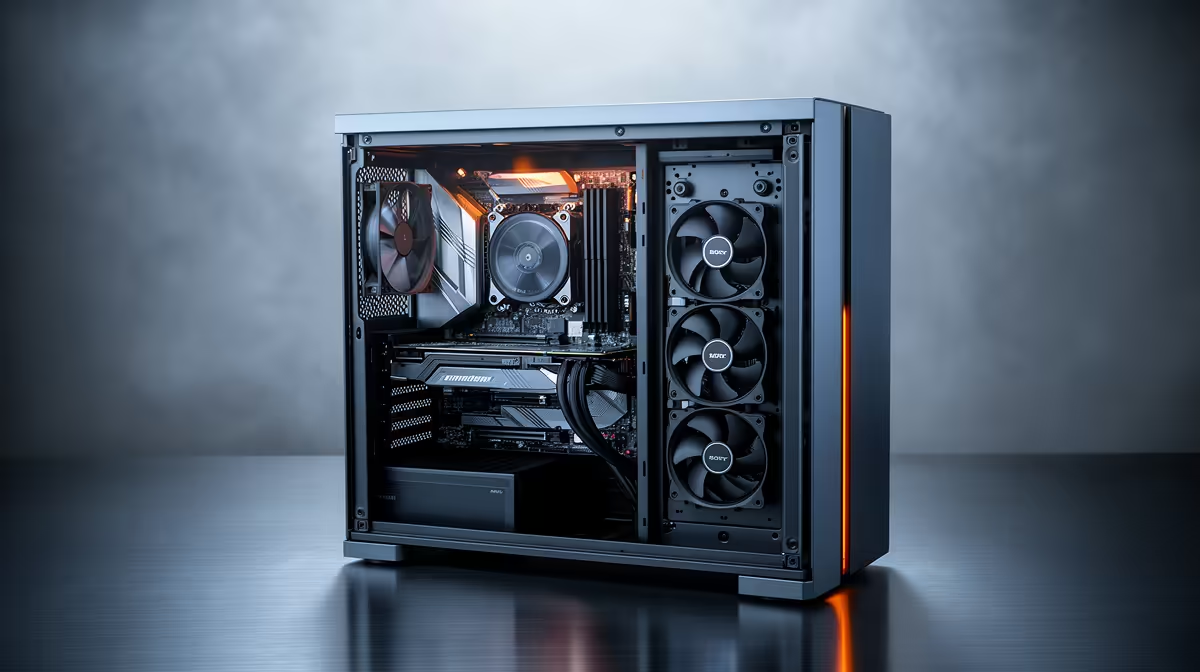
In a standard mid-tower, the CPU cooler draws air from the front intake fans while the GPU pulls air from below the card and exhausts it toward the rear. Without physical separation, GPU heat warms the air in the lower half of the case, and convection pushes that warm air toward the CPU cooler's intake. Independent zones address this with a horizontal shelf or shroud that channels lower-half airflow (GPU intake and exhaust) through a separate path out of the case. Cases using this design see CPU temps remain stable within 1 to 2 degrees Celsius even when the GPU is at 83 degrees Celsius under sustained load, compared to a 5 to 9 degree Celsius CPU rise in traditional layouts.
The Role of Fan Placement in Zone Design 🌬️
For a CPU-zone-dominant build, two or three 120mm or 140mm fans at the front pull fresh air across the CPU area and exhaust through the top or rear. The GPU's axial fans operate semi-independently in the lower case volume, expelling heat through the rear exhaust slot adjacent to the PCIe bracket area. Adding a bottom-mounted 120mm fan blowing up toward the GPU introduces cooler ambient air directly at the GPU's intake. For builders running an RTX 5080 or RX 9070 XT with a 65 to 105W CPU, this arrangement can drop GPU junction temps by 6 to 10 degrees Celsius at peak load.
Choosing the Right Mid-Tower for Split Zone Cooling 🖥️
Look for designs with a PSU shroud that extends horizontally across most of the lower interior. Full-length PSU shrouds are more effective than half-length versions because they restrict the thermal exchange between the lower zone (GPU, PSU) and the upper zone (CPU, RAM, board). Cases in the R3,000 to R6,500 range stocked at Evetech in the Lian Li Lancool and Fractal Design Meshify lines implement these designs well. For South African builders, the practical benefit is most noticeable during summer months in warmer regions like the Western Cape and KwaZulu-Natal coast where ambient air temps are higher and the cooling delta matters more.
Balance Pressure Zones Before Stressing ⚡
Set up your fan curve and test CPU and GPU temps at idle and under a 30-minute combined stress run. Use HWiNFO64 to log both CPU package temp and GPU hotspot temp simultaneously. If GPU hotspot exceeds 95 degrees Celsius while the CPU stays cool, the lower zone needs more exhaust capacity, and adding one 120mm rear or bottom exhaust fan usually resolves it.
FAQ
Does GPU placement on the PCIe slot affect zone separation?
Yes. Using a vertical GPU riser mount positions the card closer to the side glass and away from the rear exhaust slot, which can trap GPU exhaust in the case. For zone-based cooling, keep the GPU in the standard horizontal slot so its exhaust blows directly toward the rear vent.
Can I achieve zone separation with a standard case and aftermarket fans?
Partially. Dense fan placement at the front and rear can simulate zone separation, but the airflow boundaries are soft rather than physical. A case designed with an actual interior divider performs noticeably better under sustained all-core loads.
How does a 360mm AIO interact with zone-split cooling?
Mounting a 360mm AIO at the front intake is ideal since it cools the CPU with dedicated liquid cooling entirely outside the air volume. This frees all front fans to serve as fresh-air intake for the GPU zone, effectively giving each component its own cooling loop without any shared air pathway.
Looking for a case that keeps your CPU and GPU temps in check?
Evetech stocks mid-tower gaming cases engineered for serious thermal management, including models with full PSU shrouds and multi-zone fan support. Browse the range at Evetech.