


Using GitHub Copilot: Complete Beginner's Guide for SA Developers
Using GitHub Copilot: Complete Beginner's Guide for SA Developers. Everything you need to know with SA-specific pricing and recommendations.
Read moreEvery spec on gpu explained in plain English. What matters for gaming and creator work in 2026, what's marketing fluff, and how each number translates to real-world performance.
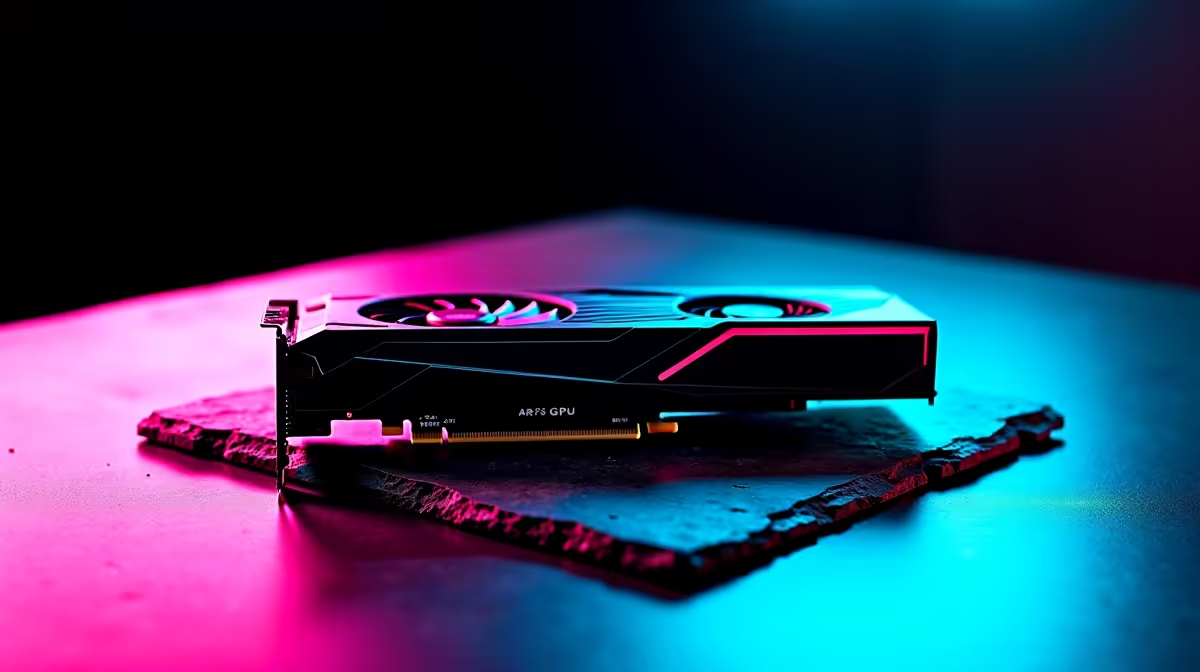
You just dropped thousands of ZAR on a massive new graphics card. You open the box, admire the fans, and try to slot it into your PC... only to realise it blocks your drive bays. We have all been there. Finding a full guide to GPU form factors including 2.5-slot cards and SFF build compatibility is essential before buying. Let us decode the sizes.
When you browse for new graphics cards, you will see terms like dual-slot or triple-slot. This refers to the PCIe expansion slots your card covers on the back of your case. A standard card usually takes up two slots. However... as cooling demands increase, manufacturers are making thicker coolers to keep temperatures low.
A 2.5-slot card physically occupies two slots on your case bracket. But its heatsink bulges into the third slot space. This means you cannot plug anything into the PCIe slot directly below it.
It is a brilliant compromise for cooling without going full triple-slot. If you are hunting for the best graphics card deals, you will notice a trend. Many mid-range to high-end cards now use this chunky design to optimise airflow.
Small Form Factor (SFF) builds are incredibly popular in South Africa right now. They save desk space and look incredibly sleek. But fitting a high-performance GPU into a Mini-ITX case requires careful planning.
For budget or ultra-compact SFF builds, older dual-slot NVIDIA GeForce GTX options are still fantastic. They rarely exceed traditional dimensions. But if you want a modern 2.5-slot card, you must check your case clearance carefully. Always measure the length, height, and thickness in millimetres.
Always leave at least 10mm of breathing room between your GPU fans and the case panel in an SFF build. If the glass sits flush against a 2.5-slot card, your fans will choke... leading to thermal throttling and loud noise.
When planning your build, remember that length is just as crucial as thickness. Many modern cards easily exceed 300mm. If your SFF case only supports 280mm, even a slim card will not fit. Check the official product specs for exact dimensions.
Power supplies also play a big role here. You will likely need an SFX power supply to free up cable routing space. This ensures your GPU gets clean airflow without thick cables blocking the intake fans.
If measuring millimetres sounds stressful, you can always skip the headache. Buying a pre-configured rig ensures perfect clearance. You can easily find amazing pre-built gaming PC specials online. The experts have already calculated the airflow and slot spacing for you.
However... if you love building it yourself, just keep an eye on our latest component specials. You will easily find the right compact motherboard, SFX power supply, and perfectly sized GPU for your dream mini rig.
Ready to Build Your Dream Rig? Finding the perfect graphics card size does not have to be a guessing game. Whether you need a slim profile for a tiny ITX case or massive cooling for maximum frame rates, Evetech has you covered. Explore our full range of PC components and start building your ultimate South African gaming machine today.
The graphics cards, tools and accessories referenced in this article are stocked at Evetech.co.za with local SA warranty, ZAR pricing and nationwide delivery.
The article breaks down the real-world impact on gaming FPS, creator workflows and everyday responsiveness — not just raw spec numbers.
Only a handful of specs meaningfully change your experience. The guide ranks them by real impact so you spend on what counts.
We cover upgrade headroom, platform longevity and the specific features worth paying extra for if you plan to keep this build for several years.
The article includes a clear generational uplift summary so you can judge whether upgrading from your current hardware is worthwhile.
Using GitHub Copilot: Complete Beginner's Guide for SA Developers. Everything you need to know with SA-specific pricing and recommendations.
Read more
Back-to-School Headset Buying Guide for SA 2026. Everything you need to know with SA-specific pricing and recommendations.
Read more
Mesh Front Panel Setup and Configuration: Complete Tutorial. Comprehensive coverage with SA insights, Rand pricing, and practical recommendations.
Read more
Black Screen: Troubleshooting Guide #1. Everything you need to know with SA-specific pricing and recommendations.
Read more
The Complete 2026 Guide to Storage in South Africa. Everything you need to know with SA-specific pricing and recommendations.
Read more
1000W PSU Not Working After Load Shedding: Recovery Guide. Everything you need to know with SA-specific pricing and recommendations.
Read more
AMD RX 9050 XT: Rumoured Specs, Price & Release. SA-focused analysis with local pricing data, real-world insights & actionable buying advice.

Can RTX 4080 Super Run AI Workloads for SA Developers Detailed answer with SA data, expert analysis & practical recommendations for local buyers.

Can RTX 4090 Run AI Workloads for SA Developers Detailed answer with SA data, expert analysis & practical recommendations for local buyers.

Top Settings for Intel Arc B580 at Ultrawide 1440p picks evaluated on performance, value & SA availability with current Rand pricing from Evetech.

RTX 4060 CS2 Low Settings at 1080p: FPS Results. Real-world benchmark data, FPS numbers & performance analysis. What SA gamers can actually expect.

Visual Artifacts: Possible GPU Issue Issue #1. Diagnosis steps, proven fixes & when to seek professional help. SA-specific support info included.

Can the RTX 4090 Handle 1440p 144Hz Gaming. Performance testing verdict with real data & practical recommendations for SA buyers.

Top ASUS GPU Under R15000 picks evaluated on performance, value & SA availability with current Rand pricing from Evetech.

GTA 6 Max Settings on RTX 5070. Tested & verified settings for best FPS and visual quality on SA hardware budgets.

Cyberpunk 2077 Max Settings on RTX 5080. Tested & verified settings for best FPS and visual quality on SA hardware budgets.

Starfield Max Settings on RTX 5070 Ti. Tested & verified settings for best FPS and visual quality on SA hardware budgets.

Top RTX 5090 Under R5000 picks evaluated on performance, value & SA availability with current Rand pricing from Evetech.