The round tripod base sitting on your desk is costing you more than just surface area. Every keyboard tap, every coffee mug placed near the mic, every accidental nudge travels straight up through that stand and into the recording as a low, hollow thud. Adjustable metal boom arms vs traditional desk stands is a comparison that looks like a comfort question but is really a quality question. The two mounting approaches produce different audio, impose different workflows, and suit different budgets in ways worth understanding before you buy.
Quick Answer
A metal boom arm mounts on the desk edge via a C-clamp, holding the mic airborne and cutting its physical connection to the surface. A traditional desk stand is cheaper, under R250 for a basic unit, but transmits knocks and limits height. For streaming or regular recording the arm is the better long-term investment. For a fixed mono setup that rarely moves, the stand is adequate.
🔧 What a Boom Arm Actually Changes
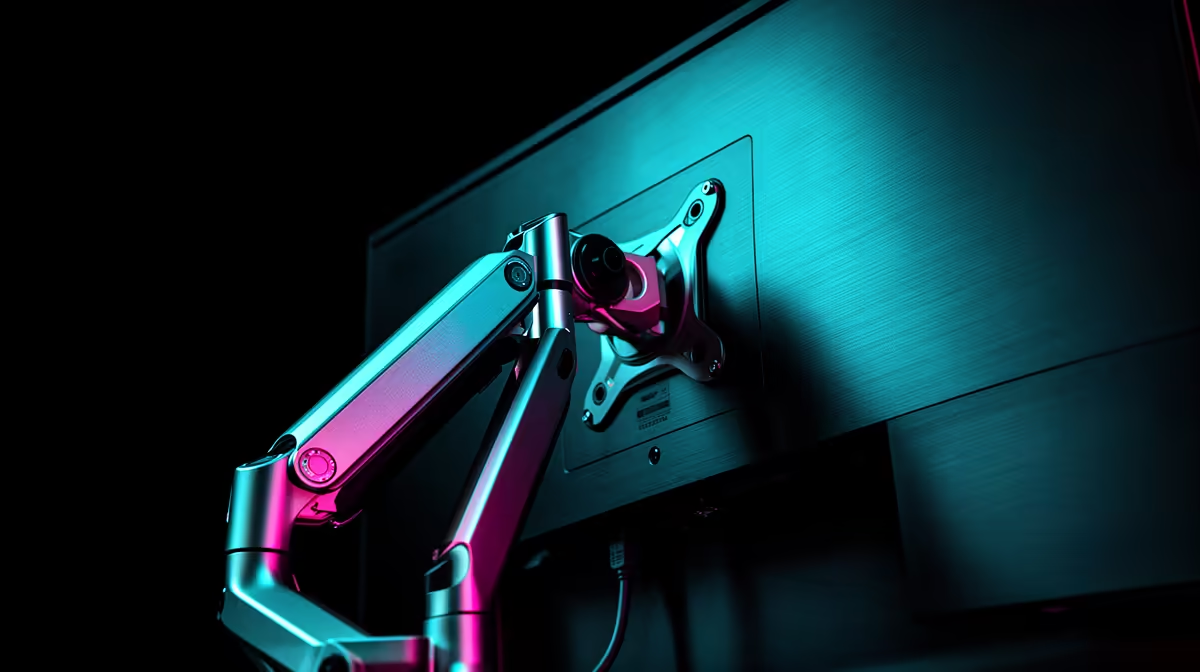
The central advantage of a boom arm is that it breaks the physical connection between the microphone and the desk surface. The arm fixes to the desk edge via a C-clamp and holds the mic airborne. Sound energy that travels through the desk, your keyboard, mouse clicks, a pen being set down, stops at the clamp rather than continuing up to the capsule. What you hear in the recording is your voice, not your typing habits.
A C-clamp mounting point grips most home and gaming desks comfortably, typically from around 10mm to 55mm thick. Thicker gaming desks with cable management channels along the edges can push toward the upper end of that range, so it is worth measuring your desk before ordering.
The second change is positioning. A boom arm extends horizontally and allows you to bring the mic to mouth height without your body having to meet the mic halfway. With a desk stand the capsule sits at surface level, which is too low for most seated positions unless you add a riser block. Sitting hunched to reach a low mic for a two-hour recording session produces back discomfort that accumulates quickly. An arm eliminates that entirely by reaching down from above and placing the capsule exactly where your voice is.
The third advantage is the shot. In a streaming setup visible to the camera, a boom arm positioned behind and above the monitor stays outside the frame entirely. A desk stand, by contrast, sits on the visible surface, appears in the background of the stream and adds visual clutter that a camera-conscious creator would rather avoid.
💰 The Real Cost Comparison
A basic metal boom arm rated to hold mics up to around 1.5kg runs between R600 and R900 at most South African retailers. A quality desk stand with a solid base costs under R250. The gap is real and it matters for a creator on a tight budget.
The honest framing of that price difference is this: a desk stand is a permanent cost, while the boom arm is a one-time upgrade you will keep across multiple microphone generations. When the mic eventually upgrades from USB to XLR, the arm stays on the desk. When you add a second mic for a co-host, the arm moves without friction. The stand, meanwhile, sits fixed on the desk for the life of the setup.
The weight rating is the purchase decision that matters most for the arm. Many plastic arms are rated to 500g or less and sag visibly under condenser microphones that often weigh 400 to 700g. A steel arm rated to 1.5kg stays at the set angle for months without drifting. The sag on an under-rated arm is gradual enough that many users do not notice it until the mic has dropped far enough to affect the recording quality or fall out of camera frame.
For a fixed budget setup where the microphone will never move and the desk surface is stable, a desk stand is not a poor choice. It is a deliberate trade of flexibility for simplicity and cost.
✨ Vibration and Mechanical Noise: The Underrated Difference
The vibration isolation benefit of a boom arm compounds over time. It is most obvious in recordings that capture a lot of desk activity: streamers who type frequently in chat, voice actors using a keyboard for note-taking, or podcasters who gesture or move objects on the desk during recording.
A desk stand transmits all of that activity. The sound is not always obvious in the waveform, but a condenser microphone is sensitive enough to capture desk rumble at low frequencies, typically between 40 and 100Hz, as a constant low hiss under the voice. This is the kind of noise that does not sound like anything specific but reduces the perceived clarity of the recording and requires low-cut filtering to remove in post.
A boom arm with its clamp-based mounting point removes most of that transmission. Pair the arm with a shock mount and the isolation is near-complete, since the shock mount's elastic suspension handles any vibration that does travel up the arm itself.
Pro Tip ⚡
When fitting a metal boom arm, set the horizontal reach so the mic sits about 15 to 20cm from your mouth at its natural resting angle before you tighten any knuckle joints. Tighten from the clamp outward, not from the mic end back. This approach lets you get the arm geometry right before locking it in place, so the final position needs minimal day-to-day adjustment.
🎙️ Setting Up the Arm for the Cleanest Result
The arm is only half the job. How you position and route the cable through it determines whether the setup stays clean over weeks of use.
Most metal boom arms include internal cable channels or clip points along the outer tube. Run the XLR or USB cable through these channels rather than leaving it loose. A hanging cable swings as the arm moves, and on a USB mic the cable tension can tug the connector slightly over time. Internal routing also keeps the desk surface cleaner and reduces the chance of the cable catching on chair wheels or a monitor stand.
Position the arm so the mic points slightly downward at the mouth rather than straight forward. A slight downward angle reduces plosive energy from breath hitting the capsule directly, and it keeps your line of sight over the mic rather than around it. The pop filter or built-in mesh then catches whatever air is left from hard consonants.
For a streaming setup with a monitor close to the desk back edge, mounting the arm behind the monitor is often the tidiest option. Swing the arm over the top of the screen when recording, push it back between sessions. This keeps the desk surface usable and the mic out of reach of accidental contact.
Frequently Asked Questions
What edge does an adjustable arm give a streamer?
The arm removes the mic from the desk surface entirely, which eliminates keyboard and surface noise from the recording. It also brings the capsule to mouth height without the need to hunch, keeps the mic out of camera frame when positioned behind the monitor, and allows you to push the mic aside between streams without removing it from the mount. A desk stand offers none of these practical benefits.
Is a desk stand noticeably cheaper than a boom arm?
Yes. A basic desk stand with a round tripod base costs under R250, while a sturdy metal boom arm rated to 1.5kg runs between R600 and R900. For a tight starting budget that is a meaningful difference. The arm is the better long-term investment because it stays useful across microphone upgrades, but the stand is a legitimate starting point for a fixed setup with minimal desk activity.
Which holds a heavier microphone more reliably?
A quality metal boom arm locked at the correct angle holds mics up to roughly 1.5kg without sag. A basic desk stand resists tipping better with a lightweight mic, since its low centre of gravity is an advantage at smaller weights. The critical factor is the arm's weight rating. A cheap plastic arm rated to 500g will sag or drift under most condenser microphones, which is worse than a stable desk stand.
Will a desk stand reach a comfortable recording height?
Rarely at a standard seated desk. Most desk stands cap at around 20 to 25cm, positioning the capsule below mouth height when you sit naturally. Reaching that height requires a riser block or a book underneath the stand. A boom arm extends horizontally and brings the mic to mouth level without any body adjustment, which matters for recording sessions longer than 30 minutes.
When is a desk stand the smarter choice?
For a fixed mono recording setup where the microphone will never need repositioning and the desk is stable and free of vibration. If you record only occasional voice memos or test audio, a desk stand under R250 covers the need without the expense of a full boom arm. The moment your recording becomes regular, your desk gets used during sessions, or you add a second mic, the arm's advantages justify the price difference.
Ready to clear the desk and clean up the recording?
Browse the full range of metal boom arms and microphone stands and find the mounting solution that fits your setup and your desk thickness.