


Complete Gaming Setup Guide for the SA Esports Athlete in SA 2026
Complete Gaming Setup Guide for the Esports. Clear setup instructions with SA-specific considerations, troubleshooting tips & recommended components.
Read moreYes, an ATX gaming case can fit Micro-ATX and Mini-ITX builds—if standoff points, airflow, and GPU space line up. Here’s how to avoid compromises and build confidently. 🧰✅
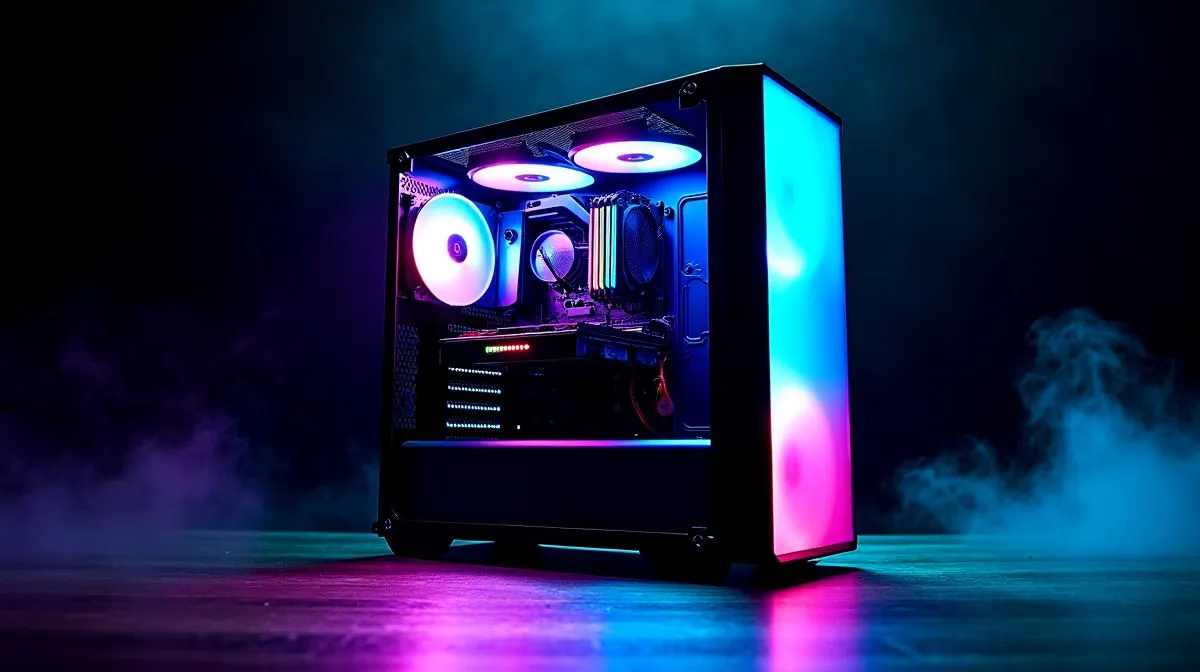
If you’re eyeing a bigger chassis for a smaller build, you’re not alone. Many South African gamers want the airflow, cable room, and upgrade headroom of an ATX gaming case... without filling every bracket. The good news? In most cases, yes... an ATX case can fit Micro-ATX and Mini-ITX builds. But there are a few important catches worth knowing before you click add to cart 🔧
ATX, Micro-ATX, and Mini-ITX refer to motherboard sizes, not the case itself. An ATX tower is built to support larger boards, so smaller boards usually mount just fine. That’s why a full-size case often gives you more room for airflow, cable routing, and future upgrades.
For a quick look at case form factors and options available locally, browse Evetech’s computer cases selection. It’s a useful starting point if you’re comparing size, style, and budget.
The key detail is motherboard standoff placement. If the case includes the correct standoff positions, your smaller board installs normally. Most mainstream ATX cases do.
Before buying, check these essentials:
A case must support the board’s mounting holes. This is standard on quality ATX cases, but it’s still worth confirming in the product specs.
A small motherboard in a big case can still run into spacing issues if you choose a long graphics card or oversized power supply. That matters more than people think.
Some Mini-ITX builds need cleaner cable routing. A spacious case helps, but the headers still need to reach comfortably.
A larger case can improve cooling, especially in South Africa’s warmer months. Mesh front panels and sensible fan layouts matter more than pure size.
If you like cleaner aesthetics and premium airflow-focused designs, take a look at Fractal Design PC cases. They’re popular for builders who want understated looks with practical interiors.
When using a smaller motherboard in a larger ATX case, plan your fan layout first. A well-placed front intake and rear exhaust often do more for temperatures than buying extra case volume alone.
There are times when a compact case is the better buy. If you want a LAN-party rig, a minimalist desk setup, or easier portability, Micro-ATX and Mini-ITX cases can be more practical. They also waste less space.
That said, an ATX case can still be the smarter choice if you expect to upgrade later. More room means fewer headaches when adding storage, bigger cooling, or a larger graphics card.
For value-focused shoppers, Evetech’s Gamdias gaming cases offer a broad mix of styles and features. If you’re watching your budget, you can also check Gamdias gaming cases under R1500 for affordable options that still support neat, practical builds.
So, will an ATX gaming case fit Micro-ATX and Mini-ITX builds? Yes, usually. Just make sure the case supports your board size, your GPU length, and your cooling plan. Bigger isn’t always better, but in many builds, it is easier.
If you’re building in South Africa, that extra space can be worth it. More breathing room, easier upgrades, less frustration. And honestly, that’s what most builders want... a case that works now and still makes sense next year 🚀
Ready to Find Your Perfect Match? The Mac vs Windows debate is complex, but for maximum power, choice, and value in South Africa, Windows is hard to beat. Explore our massive range of laptop specials and find the perfect machine to conquer your world.
Yes. Most ATX gaming cases support Micro-ATX. Confirm standoff locations, bracket alignment, and motherboard tray clearance for a clean fit.
It will. Ensure the ATX case has compatible standoff points, space for your GPU, and enough airflow. Mini-ITX usually benefits from extra room.
Often, yes. ATX cases may ship standoffs for multiple standards. Use the manual to place standoffs exactly for your motherboard holes.
Not because the board is smaller. GPU clearance mainly depends on case length, bracket design, and power supply shrouds—verify specs before buying.
It can improve if you plan fan placement. Check front-to-back airflow, radiator support, and avoid blocking intakes with drive cages.
You may have extra space and cable slack, which can help or hurt airflow. Plan routes behind the motherboard tray and use shorter runs where possible.
Confirm the motherboard’s PCIe layout and that your ATX case has enough slot space for the GPU thickness and any cards you plan to add.
Match your cooler height and PSU length against the case maximums. Also confirm radiator clearance if you plan an AIO for your Micro-ATX or Mini-ITX build.
Complete Gaming Setup Guide for the Esports. Clear setup instructions with SA-specific considerations, troubleshooting tips & recommended components.
Read more
AIO Liquid 360mm Installation Guide for Your PC. Clear setup instructions with SA-specific considerations, troubleshooting tips & recommended components.
Read more
MacBook Display Colour Looks Wrong? Calibration. Everything you need to know with SA pricing, step-by-step instructions & expert recommendations.
Read more
Printer Terminology Guide. Everything you need to know with SA pricing, step-by-step instructions & expert recommendations.
Read more
Git on Mac: Complete Setup Guide for Beginners. Clear setup instructions with SA-specific considerations, troubleshooting tips & recommended components.
Read more
Ryzen 9 9900X Thermal Paste Dry: Reapplication. Everything you need to know with SA pricing, step-by-step instructions & expert recommendations.
Read more
AMD RX 9050 XT: Rumoured Specs, Price & Release. SA-focused analysis with local pricing data, real-world insights & actionable buying advice.

Can RTX 4080 Super Run AI Workloads for SA Developers Detailed answer with SA data, expert analysis & practical recommendations for local buyers.

Can RTX 4090 Run AI Workloads for SA Developers Detailed answer with SA data, expert analysis & practical recommendations for local buyers.

Top Settings for Intel Arc B580 at Ultrawide 1440p picks evaluated on performance, value & SA availability with current Rand pricing from Evetech.

RTX 4060 CS2 Low Settings at 1080p: FPS Results. Real-world benchmark data, FPS numbers & performance analysis. What SA gamers can actually expect.

Visual Artifacts: Possible GPU Issue Issue #1. Diagnosis steps, proven fixes & when to seek professional help. SA-specific support info included.

Can the RTX 4090 Handle 1440p 144Hz Gaming. Performance testing verdict with real data & practical recommendations for SA buyers.

Top ASUS GPU Under R15000 picks evaluated on performance, value & SA availability with current Rand pricing from Evetech.

GTA 6 Max Settings on RTX 5070. Tested & verified settings for best FPS and visual quality on SA hardware budgets.

Cyberpunk 2077 Max Settings on RTX 5080. Tested & verified settings for best FPS and visual quality on SA hardware budgets.

Starfield Max Settings on RTX 5070 Ti. Tested & verified settings for best FPS and visual quality on SA hardware budgets.

Top RTX 5090 Under R5000 picks evaluated on performance, value & SA availability with current Rand pricing from Evetech.