


Complete Gaming Setup Guide for the SA Esports Athlete in SA 2026
Complete Gaming Setup Guide for the Esports. Clear setup instructions with SA-specific considerations, troubleshooting tips & recommended components.
Read moreATX vs Micro-ATX in mid-tower cases: pick the motherboard size that matches your parts, airflow, and upgrade plan. We break down slots, cooling, and clearance options so you build confidently. 🛠️✅
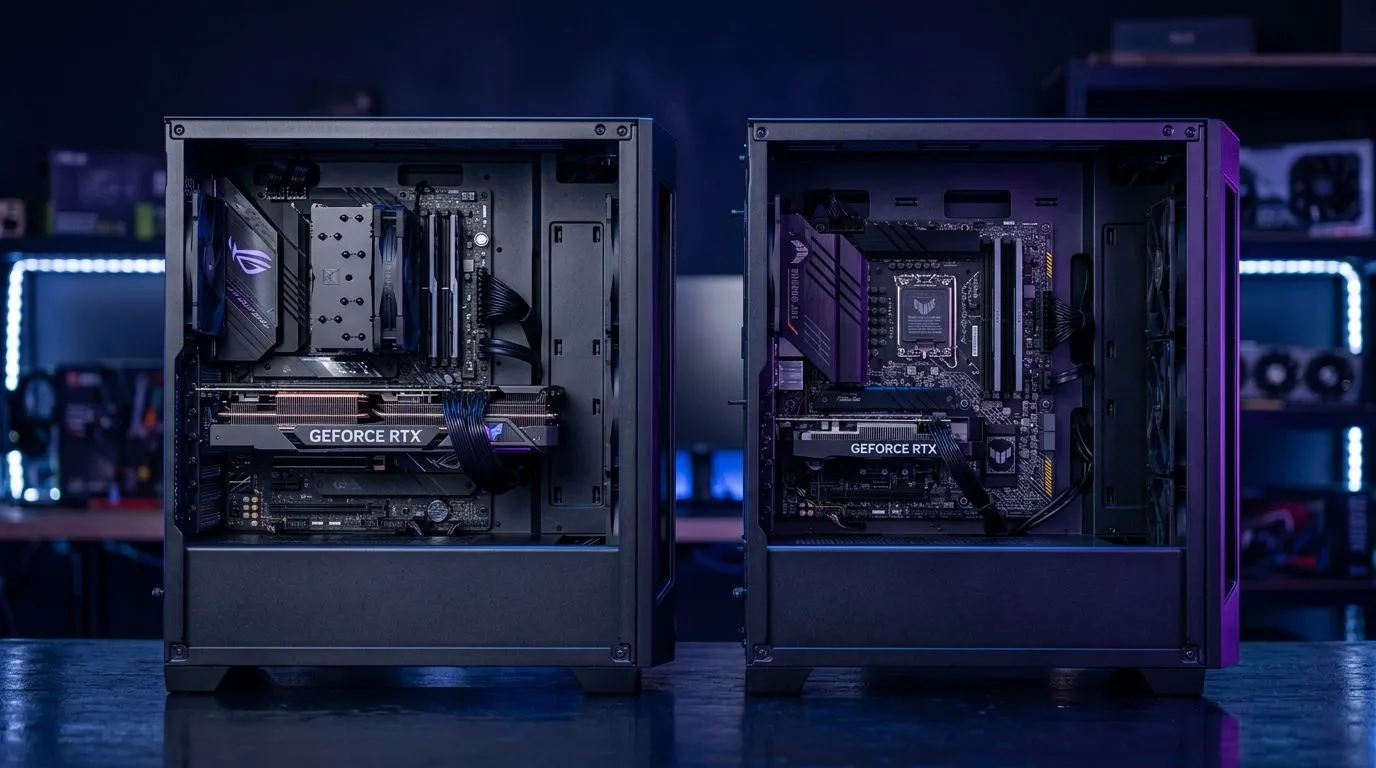
Building a new rig is a rite of passage for every South African gamer. You have your GPU picked out and your CPU ready to go, but then you hit the first major hurdle: the case. Choosing between ATX vs Micro-ATX in mid-tower cases is more than just about size; it is about balancing airflow, aesthetics, and future-proofing. Whether you are building a sleek, minimalist setup or a high-performance machine, your choice of housing defines your entire experience. 🔧
The primary difference lies in the motherboard mounting points. A standard ATX motherboard offers more PCIe slots and RAM headers, which is ideal if you are a content creator or a power user. However, Micro-ATX boards have become incredibly capable in recent years, often offering the same core gaming performance for a lower price. If you are struggling to decide, browsing our full collection of computer cases can help you visualise the internal space you actually need.
When working with a mid-tower, an ATX board fills the space perfectly, while a Micro-ATX board leaves room for custom liquid cooling loops or extra cable management space. If you prefer a premium look with better material quality, looking at Fractal Design PC cases is a great way to ensure your build looks professional once the side panel is closed.
Space efficiency doesn't have to break the bank. Many gamers find that Micro-ATX boards are the "sweet spot" for budget builds, allowing you to reallocate funds toward a better graphics card. If you are looking for high-value options, we have a wide selection of Gamdias gaming cases that cater to both form factors. ⚡
When building in a mid-tower with a Micro-ATX board, use the extra bottom-chassis space to mount your fan controller or RGB hub. It cleans up the main chamber and keeps your airflow path clear of unnecessary cables, ensuring your components stay cool under load.
For those working with a strict budget of under R1,500, you can still find excellent airflow-focused housing by checking out our affordable gaming case deals. Remember, a smaller case doesn't mean you have to sacrifice thermals, provided you plan your fan configuration correctly. ✨
Ready to Find Your Perfect Match? Whether you are going for a full-sized ATX powerhouse or a compact Micro-ATX warrior, we have the components to bring your vision to life. Explore our massive range of PC components and start building your dream machine today.
Most mid-tower cases support both ATX and micro-ATX. Check the case spec for supported form factors and verify mounting standoff positions.
ATX often offers more expansion slots and larger cooling options. Micro-ATX can be a great value if you need fewer PCIe devices.
Yes. An ATX case typically supports micro-ATX. You may have extra space, but compatibility is usually determined by the case’s supported form factor list.
Compare CPU cooler height limits, radiator support (front/top), and fan spacing. Clearance is mostly case-driven, not just motherboard size.
ATX generally provides more PCIe slots for GPUs, capture cards, and additional expansion. Micro-ATX usually reduces slot count, affecting future add-ons.
Directly, usually not. GPU clearance depends on the case design and front radiator configuration, while motherboard size mainly affects where components sit.
Choose ATX if you plan multiple expansions and more airflow headroom. Choose micro-ATX for a smaller footprint while keeping a sensible upgrade timeline.
Not inherently. Micro-ATX can even improve airflow by leaving space, but you still need to respect GPU length and radiator placement.
Complete Gaming Setup Guide for the Esports. Clear setup instructions with SA-specific considerations, troubleshooting tips & recommended components.
Read more
AIO Liquid 360mm Installation Guide for Your PC. Clear setup instructions with SA-specific considerations, troubleshooting tips & recommended components.
Read more
MacBook Display Colour Looks Wrong? Calibration. Everything you need to know with SA pricing, step-by-step instructions & expert recommendations.
Read more
Printer Terminology Guide. Everything you need to know with SA pricing, step-by-step instructions & expert recommendations.
Read more
Git on Mac: Complete Setup Guide for Beginners. Clear setup instructions with SA-specific considerations, troubleshooting tips & recommended components.
Read more
Ryzen 9 9900X Thermal Paste Dry: Reapplication. Everything you need to know with SA pricing, step-by-step instructions & expert recommendations.
Read more
AMD RX 9050 XT: Rumoured Specs, Price & Release. SA-focused analysis with local pricing data, real-world insights & actionable buying advice.

Can RTX 4080 Super Run AI Workloads for SA Developers Detailed answer with SA data, expert analysis & practical recommendations for local buyers.

Can RTX 4090 Run AI Workloads for SA Developers Detailed answer with SA data, expert analysis & practical recommendations for local buyers.

Top Settings for Intel Arc B580 at Ultrawide 1440p picks evaluated on performance, value & SA availability with current Rand pricing from Evetech.

RTX 4060 CS2 Low Settings at 1080p: FPS Results. Real-world benchmark data, FPS numbers & performance analysis. What SA gamers can actually expect.

Visual Artifacts: Possible GPU Issue Issue #1. Diagnosis steps, proven fixes & when to seek professional help. SA-specific support info included.

Can the RTX 4090 Handle 1440p 144Hz Gaming. Performance testing verdict with real data & practical recommendations for SA buyers.

Top ASUS GPU Under R15000 picks evaluated on performance, value & SA availability with current Rand pricing from Evetech.

GTA 6 Max Settings on RTX 5070. Tested & verified settings for best FPS and visual quality on SA hardware budgets.

Cyberpunk 2077 Max Settings on RTX 5080. Tested & verified settings for best FPS and visual quality on SA hardware budgets.

Starfield Max Settings on RTX 5070 Ti. Tested & verified settings for best FPS and visual quality on SA hardware budgets.

Top RTX 5090 Under R5000 picks evaluated on performance, value & SA availability with current Rand pricing from Evetech.