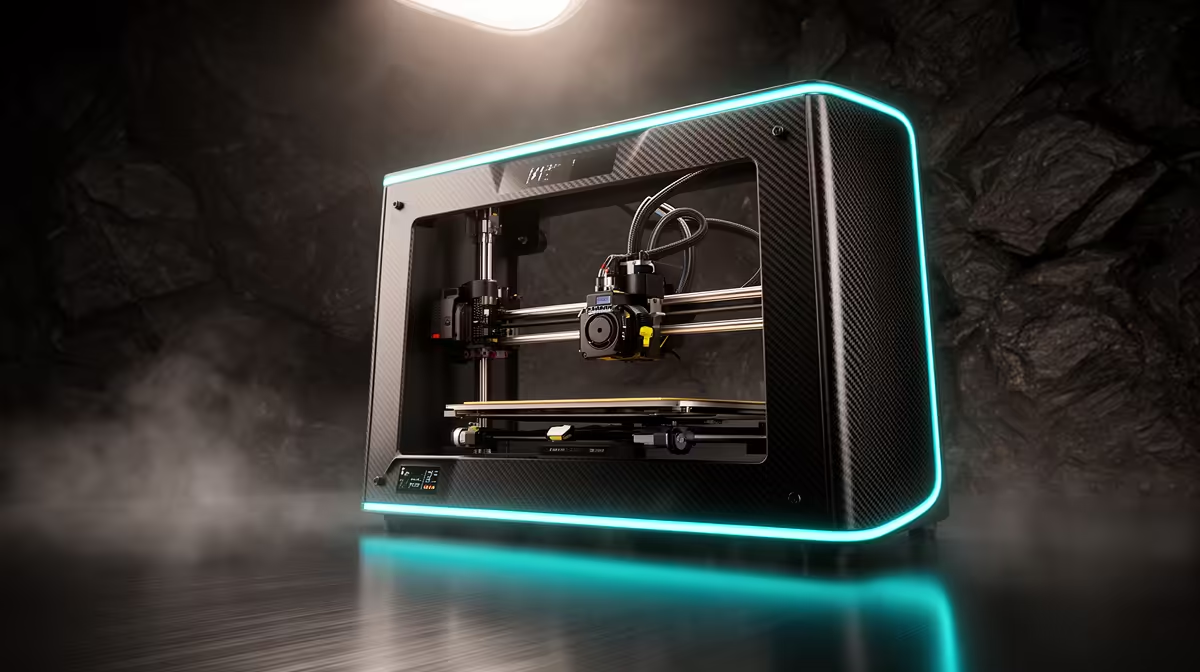
Two printers land at almost exactly the same South African price, yet they ask you to want completely different things. The Bambu A1 Combo vs Creality K1 decision near R12,500 is not about which machine is "better" in a vacuum. The A1 Combo is an open bedslinger built around four-colour printing through its AMS Lite feeder. The K1-class machine is an enclosed CoreXY built around raw speed and engineering materials. Pick the one whose strengths match the kind of work you actually print most weeks.
Quick Answer
At roughly R12,495 the Bambu A1 Combo gives you out-of-the-box four-colour printing, easy calibration and a quiet open frame, but it is single-colour-per-job slower and not ideal for high-temperature materials. The Creality K1 trades colour for a sealed chamber and a CoreXY motion system that prints faster and handles ABS, ASA and nylon better. Choose the A1 Combo for multicolour PLA and PETG models, and the K1 for fast functional parts in tougher plastics.
What the AMS Lite Actually Changes
The headline feature of the A1 Combo is the AMS Lite, a four-spool feeder that sits beside the printer and swaps filament automatically during a print. For anyone who wants logos, signage, tabletop miniatures with painted-in detail or product prototypes with distinct colours, this is the part that earns the money. You design with multiple colours or materials, the slicer assigns them, and the machine handles the changes.
There is a real cost to that convenience, and it is time. The A1 purges a small amount of filament every time it switches colours, and a model with frequent swaps spends a noticeable chunk of its print time flushing the old colour out of the nozzle. For a one-colour part that overhead disappears, but the A1 was clearly built to be coloured. If you browse the 3D printers and AMS hardware available at Evetech, the A1 Combo is the one positioned squarely at hobbyists and makers who care about visual output.
Why the K1 Is Built Around Speed and Heat
The Creality K1 takes the opposite view. It uses a CoreXY motion system, where the print head moves in X and Y while the bed only travels up and down. That arrangement keeps the moving mass low and stable, which is why CoreXY machines can run faster accelerations without the print quality falling apart. On tall or detailed single-colour parts, the K1 simply finishes sooner, with the K1 rated for up to 600 mm/s peak and real-world working speeds that still leave most bedslingers well behind.
The Enclosure Is the Real Story
Just as important is the sealed chamber. ABS, ASA and nylon warp and crack when they cool unevenly, and an enclosed build volume keeps the ambient temperature stable enough for these materials to print reliably. The open A1 frame is happiest with PLA and PETG, which do not need that protection. If you are printing brackets, enclosures, drone frames or any part that has to survive a hot car in a Joburg summer, the K1's chamber is doing essential work, not decoration.
Where the K1 Asks More of You
CoreXY speed machines reward a bit of tinkering. The K1 generation is faster to set up than older Creality printers, but it still expects you to manage bed adhesion, the occasional belt tension check and good slicer profiles for engineering materials. The A1 Combo, by contrast, leans harder on automatic calibration and is the more forgiving first machine.
Build Volume: A Closer Look
The A1 offers a 256 x 256 x 256mm build area, while the K1 runs at 220 x 220 x 250mm. That gives the A1 Combo a modest but real advantage on print size, which matters if large cosplay pieces or helmet prints are on your list. For most functional parts and miniature work, both beds are more than adequate. The size edge rarely decides the purchase on its own, but it tips the scales toward the A1 when everything else is close.
Running Costs and the SA Filament Picture
Both printers use standard 1.75mm filament, which is widely available locally in PLA, PETG and ABS. Multicolour printing on the A1 will get through filament faster because of purge waste, so budget for that if colour work is your main use. Spare nozzles, build plates and the consumables that keep either machine running sit alongside the rest of the printing gear in the accessories best sellers selection, which is a sensible place to stock up before a big print run rather than stalling mid-project.
For a home or small-studio maker in South Africa, the practical question is throughput versus variety. If you sell painted minis, signage or coloured props, the A1 Combo pays for itself in finishing time saved. If you produce functional parts and want them done quickly and in durable plastic, the K1 is the workhorse.
Who Should Buy Which
Buy the A1 Combo if your output is visual, mostly PLA and PETG, and you value four-colour printing and quiet, beginner-friendly operation. Buy the K1 if your output is functional, you need ABS or nylon, and finishing a part fast matters more than printing it in several colours. Neither choice is wrong at this price. They are tuned for two different makers.
Frequently Asked Questions
Can the Bambu A1 print in multiple colours without the AMS Lite?
No. Single-colour printing works fine on the bare A1, but automatic four-colour printing is the whole reason to buy the Combo, since the AMS Lite is what feeds and swaps the spools.
Does the Creality K1 print faster than the A1 Combo?
For single-colour parts, generally yes. The K1's CoreXY motion system carries less moving mass, so it sustains higher print speeds, while the A1's bedslinger design and colour purging add time on multicolour jobs.
Which one handles ABS and nylon better?
The K1. Its enclosed chamber keeps ambient temperature stable, which is what these warp-prone materials need. The open A1 frame is best kept to PLA and PETG.
Is four-colour printing slow on the A1?
It is slower than single colour because the printer purges filament at every colour change. For one-colour prints there is no penalty, so the slowdown only applies to true multicolour models.
Which is the better first 3D printer?
For most newcomers the A1 Combo, thanks to its strong automatic calibration and forgiving open design. The K1 is better suited to someone who already prints and wants speed and engineering materials.