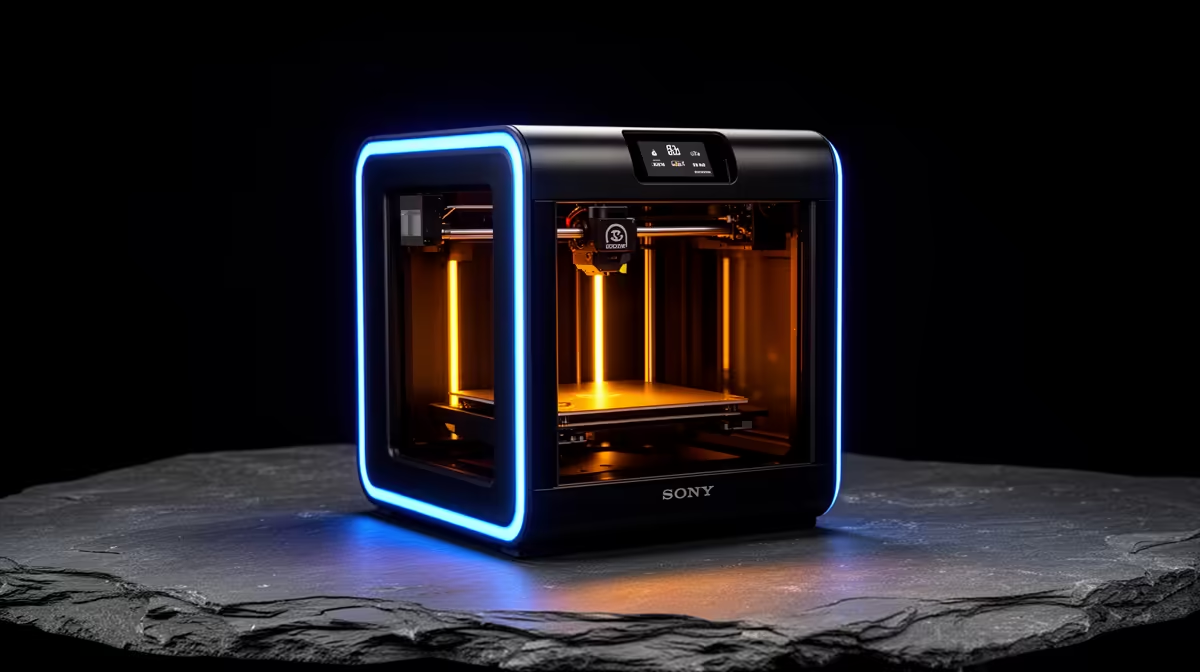
Two printers, one bedslinger design, and a R2,500 gap between them. The Bambu A1 vs A1 Mini decision lands on almost every SA maker's shopping list because both share the same hardware DNA: identical extruder logic, the same auto-bed-levelling, the same AMS lite four-colour add-on. What you actually pay extra for is space to print in. The A1 sits at R7,999 with a 256mm cubed bed, the A1 Mini at R5,499 with a 180mm cube. That is the whole story, and it deserves an honest look.
Quick Answer
The A1 costs R2,500 more than the A1 Mini and gives you roughly 2.8x the print volume (256 x 256 x 256mm against 180 x 180 x 180mm). If you print cosplay parts, helmets, large planters, or functional brackets, the A1 is the better buy. If you make miniatures, small spares, and desk toys, the A1 Mini saves money you would never recoup in extra bed space.
What the R2,500 actually buys you
The headline difference is build volume, and it is bigger than the spec sheet makes it sound. The A1's bed is 256mm on every axis. The Mini's is 180mm. Because volume scales as the cube of the linear dimension, that 76mm of extra reach per axis turns into nearly three times the printable space. A model that needs splitting into four pieces on the Mini often prints whole on the A1.
Everything else is shared. Both run the same 0.4mm hotend by default, both swap nozzles tool-free, and both support the AMS lite for multi-colour and multi-material work. Print quality at the same settings is effectively identical because the motion system and firmware are the same family. You are not buying a better printer with the A1, you are buying a larger one. The full local 3D printer range at Evetech sits in the 3D printers section of the components catalogue if you want to line the two up side by side.
Who should take the A1 Mini
The Mini is not a compromise pick. For a large share of SA hobbyists it is the correct one. A 180mm cube comfortably holds tabletop miniatures, board game inserts, phone stands, cable clips, replacement knobs, and most of the practical odds and ends people actually print week to week. At R5,499 it is the cheapest sensible entry into the Bambu ecosystem, and it keeps the AMS lite option open, so you do not lock yourself out of four-colour printing later.
It also has a smaller desk footprint, which matters in a flat or a res room where the printer shares a table with everything else. If your print history is mostly things that fit in your palm, the Mini's bed will never feel like the limiting factor.
When the Mini starts to hurt
The Mini frustrates two kinds of maker. The first prints large single-piece models: helmets, vases, big organisers, RC body shells. Splitting and gluing these adds work and visible seams. The second prints in batches and wants to fill a bigger plate to run more parts per job. For both, the 256mm bed earns its R2,500 quickly in time saved.
Where the A1 pulls ahead for SA projects
South African makers lean heavily toward functional and decorative prints that benefit from headroom: braai utensil holders, planter pots for the stoep, custom enclosures for Raspberry Pi and home-automation gear, and cosplay pieces for local cons. A 256mm bed prints a full-size helmet shell in one go and handles A5-ish flat plates without rotation gymnastics.
The A1 also makes multi-colour work more rewarding. With the AMS lite feeding the larger bed, a single print can carry more detail across a bigger canvas, which suits signage, nameplates, and display models. None of this is impossible on the Mini, it just takes more slicing, more assembly, and more patience.
Filament and running costs are the same
Both printers eat standard 1.75mm filament and run at similar speeds, so your cost-per-print is driven by material, not the machine. A 1kg roll of PLA covers a lot of either bed. If you want to stock spare nozzles, build plates, glue stick, and filament alongside the printer, the accessories best sellers list is a quick scan for the consumables that keep a printer running.
Noise and day-to-day living with either machine
Both the A1 and A1 Mini run quietly by 3D-printer standards. Bambu has tuned the motion system and fan profiles to keep noise levels reasonable for shared spaces. Neither machine is likely to disturb a flatmate through a closed door during a daytime print. The Mini has a slightly smaller footprint which gives it a marginal edge in cramped setups, but the A1 is not large either.
The honest verdict
Buy the A1 Mini if your printing lives inside a 180mm cube and you want to spend the least to get a genuinely capable Bambu. Buy the A1 if you already know you print big, batch often, or want one machine you will not outgrow in a year. The R2,500 is not a quality upgrade, it is a space upgrade, and only you know how much space your projects need.
Frequently Asked Questions
Is the A1 print quality better than the A1 Mini?
No. They share the same motion system, firmware family, and default 0.4mm hotend, so at matching settings the output is effectively identical. The A1 simply prints larger objects, not finer ones.
Can both printers do multi-colour printing?
Yes. Both support the AMS lite, which adds four-colour and multi-material capability. The A1's larger bed lets that colour work spread across a bigger model, but the Mini handles multi-colour on smaller prints just as cleanly.
What is the build volume difference in real terms?
The A1 offers 256 x 256 x 256mm and the Mini offers 180 x 180 x 180mm. That is roughly 2.8 times more printable volume on the A1, enough to print many large models in one piece instead of splitting them.
Which is better value for a beginner in South Africa?
At R5,499 the A1 Mini is the lower-risk first printer for someone unsure how much they will print. If you already know your projects are large, the A1 at R7,999 avoids a costly second purchase later.
Do they use the same filament?
Yes, both run standard 1.75mm filament such as PLA, PETG, and TPU. Your material cost per print is the same on either machine.
Still weighing the bed sizes against your projects? Compare both Bambu bedslingers and the rest of the FDM lineup in the Evetech 3D printers range, then add a spare build plate and filament before you check out.