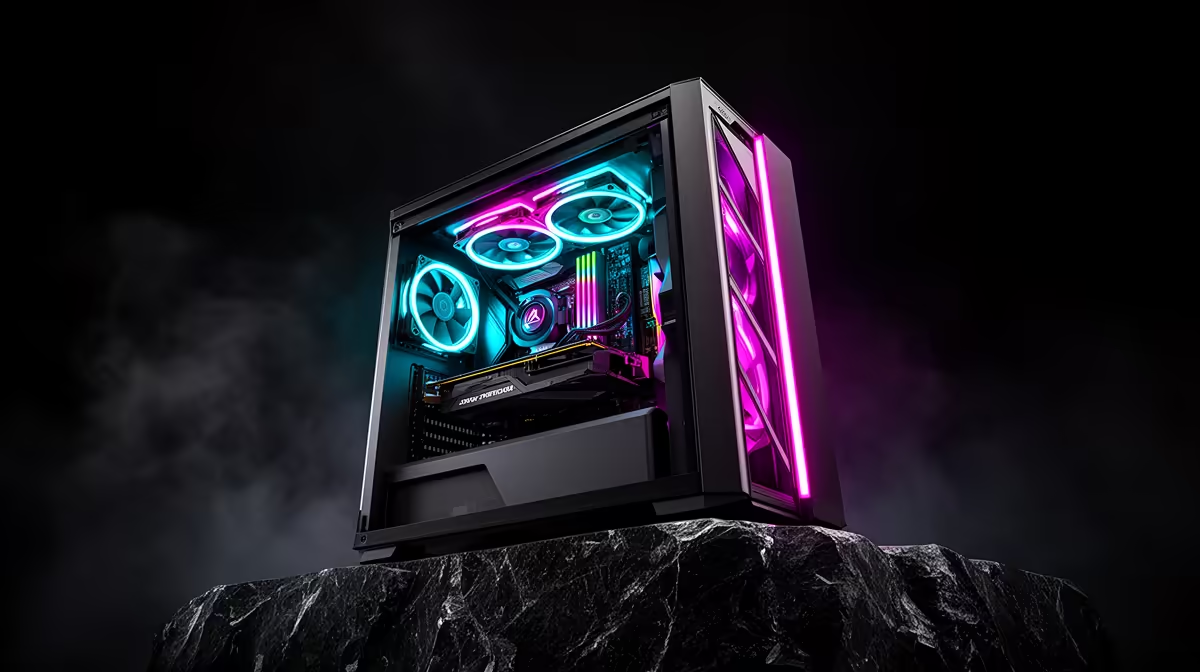
Running a 32B coding model locally on your own machine, with no token bills and no data leaving the building, comes down to one number: VRAM. A quantised 32B model needs roughly 20GB to hold its weights and a usable context window, and the cleanest way to cover that on a single consumer card in South Africa is a 24GB RTX 5090. Budget between R35,000 and R60,000 for the whole rig and you land at the practical ceiling for local inference without stepping into multi-GPU server territory.
Quick Answer
A 24GB RTX 5090 runs 32B coding models (about 20GB VRAM at common 4-bit quantisation) with headroom for context. Build the rest of the machine around it for R35,000 to R60,000: a current-gen 8 to 12 core CPU, 64GB system RAM, and a fast NVMe drive. That tier is the sensible single-GPU limit for SA local inference.
Why 24GB of VRAM is the deciding spec
A coding assistant that actually helps is one that holds enough of your codebase in context to reason across files. The model weights are the floor; the context window and the key-value cache stack on top. A 32B model quantised to 4-bit sits near 20GB. Add a working context and you are knocking on the 24GB ceiling, which is exactly why the 5090's 24GB framebuffer is the target rather than a smaller card.
Drop below that and you are forced to spill layers into system RAM, where inference slows to a crawl as the model shuttles data over the PCIe bus. The whole point of a local rig is responsiveness; a 24GB card keeps the entire model resident on the GPU so tokens stream fast.
What R35,000 to R60,000 actually buys
This is a wide band on purpose, because the GPU dominates the budget and the supporting parts decide where you land inside it.
The R35,000 to R45,000 build
Pair the 24GB card with a solid mid-range platform: an 8-core CPU, 64GB of DDR5, a 1TB NVMe boot drive, and a quality 850W power supply. This rig runs 32B models comfortably and handles everyday development, compiling, and the occasional game without complaint. It is the value sweet spot.
The R45,000 to R60,000 build
Step the CPU up to 12 or 16 cores for faster compiles and parallel data work, double the RAM to 128GB so you can run a model and heavy local tooling side by side, and add a second NVMe for datasets. The GPU is the same 24GB card; the extra spend goes into everything that feeds it.
CPU, RAM, and storage that keep the GPU fed
The GPU does the inference, but the rest of the machine decides whether it ever waits.
System RAM
64GB is the floor. Models load through system memory before they reach the GPU, and if you run any layers off-GPU you want fast, plentiful RAM to soften the hit. 128GB is worth it if you run multiple models or large local databases alongside.
Storage
A model file for a 32B network is in the 18 to 22GB range, and you will keep several variants. A 1TB NVMe is the minimum and a 2TB drive is more realistic once you collect a few models, embeddings, and project repos. NVMe matters here because load time off a fast drive is seconds versus minutes off slower storage.
CPU
Inference is GPU-bound, but tokenisation, your editor, the language server, and compilation all live on the CPU. Eight cores is workable; twelve or more keeps everything snappy when the model and your toolchain run together.
Quantisation, context, and what 32B really demands
The headline VRAM figure hides two moving parts: the precision the model runs at, and how much context you keep open.
How precision changes the footprint
A 32B model at full 16-bit precision would need far more than 24GB, well out of single-card reach. Quantisation shrinks the weights by storing them at lower precision, and 4-bit is the sweet spot for coding: it drops the footprint to around 20GB with little quality loss on most coding tasks. Go to 8-bit and you gain a touch of accuracy but blow past 24GB; go to 3-bit and you save memory but start to feel the quality drop in longer reasoning. For a 24GB card, 4-bit is the precision to target.
Why context eats VRAM
The context window, everything the model is currently holding in mind, is stored in a key-value cache that grows with the number of tokens. A short prompt costs little; pasting several files for the model to reason across costs a lot more. That cache sits on top of the 20GB of weights, which is why the 24GB ceiling matters: it is the weights plus a real working context, not just the weights alone. If you routinely feed very large contexts, you either accept a smaller model or run a more aggressive quantisation to free up room.
Cooling, power, and the case
A 24GB RTX 5090 is a power-hungry, heat-producing card, and a build that ignores that throttles under sustained inference.
Power supply
Size the power supply for the card plus the rest of the system with comfortable margin. An 850W unit is the sensible floor for this class of GPU, and a 1000W unit gives quieter, cooler operation under long loads. Use a quality unit; this is not the place to economise on a build that runs models for hours.
Cooling and airflow
Inference loads the GPU steadily for long stretches, which is different from gaming's bursts. Good case airflow, with intake at the front and exhaust at the rear and top, keeps the card off its thermal limit so it holds full clocks. A cramped case with poor airflow will see the GPU throttle and your tokens slow during long sessions.
Who this tier is for, and who can spend less
This rig suits a developer who runs a coding assistant all day, works with proprietary code that must stay on-site, or simply wants zero ongoing inference cost. If you only need smaller 7B or 14B models, a 12GB or 16GB card does the job for far less, and the prebuilt options in the AI PC range at Evetech cover those lighter tiers. For a quick read on which complete machines are moving and how they are specced, the PC best sellers list is a useful sanity check before you commit a build.
The honest ceiling for a single consumer GPU is roughly this 32B class. Going larger (70B and up) means either aggressive quantisation that hurts quality or a multi-card setup with the cost and power draw of a small server. For most SA developers, the 24GB RTX 5090 build is the right place to stop.
Frequently Asked Questions
Can a 24GB card really run a 32B coding model?
Yes, at 4-bit quantisation. The weights sit near 20GB, leaving enough of the 24GB framebuffer for a working context window. Larger contexts eat into that margin, so very long contexts may need a smaller model or lower precision.
Do I need 128GB of RAM or is 64GB enough?
64GB is enough to run a single 32B model and a normal development setup. Go to 128GB only if you run multiple models at once or keep large local datasets and databases resident alongside the model.
Will this rig also game well?
Comfortably. A 24GB RTX 5090 is a top-tier gaming card before it ever touches inference, so the same build doubles as a high-end gaming PC at native high resolutions.
Why not just use a cloud API?
Local inference means no per-token cost, no rate limits, and your code never leaves your machine. For teams under privacy or compliance constraints, or anyone running an assistant heavily all day, the rig pays for itself against ongoing API spend.
Is a multi-GPU setup worth it for bigger models?
Only if you genuinely need 70B-class models. Two cards add real cost, power, and cooling complexity, and consumer boards limit how cleanly they share work. For 32B and below, one 24GB card is simpler and faster to live with.
Ready to build your local AI workstation? Compare configured machines and start your spec from the AI PC range at Evetech, and reach out for help matching a build to your models.