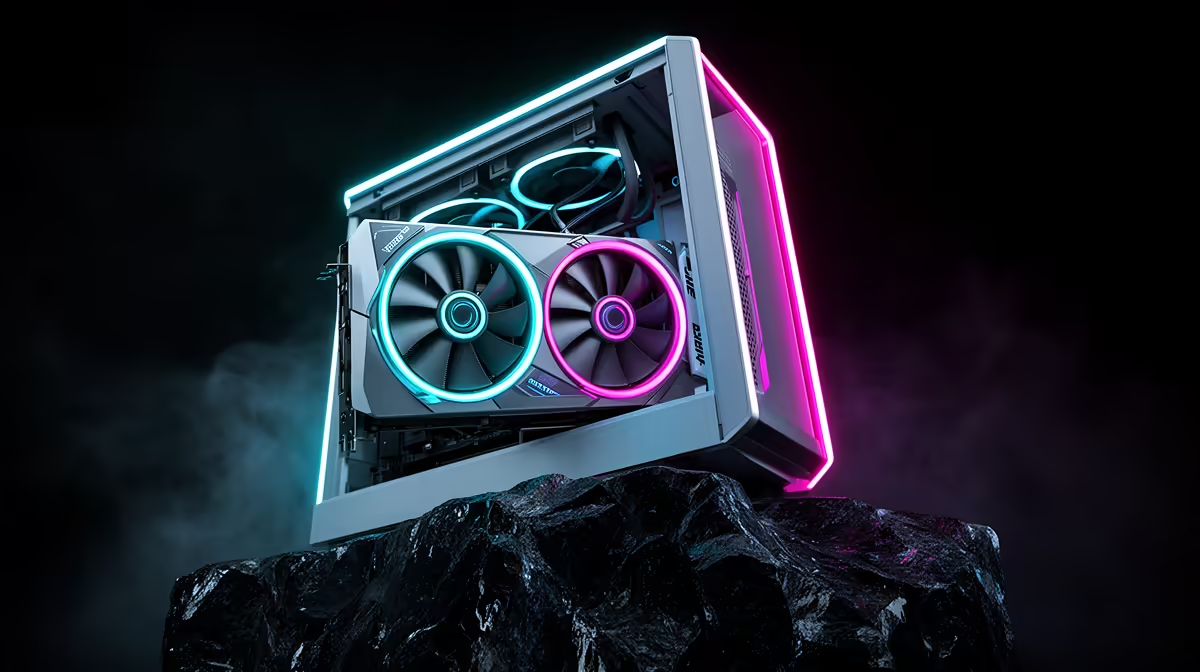
Generating images on your own machine starts with one number: video memory. The best beginner PC for local AI art is built around a 12GB VRAM graphics card, because that is the practical floor where Stable Diffusion stops fighting you. With 12GB you can run SD 1.5, SDXL, and quantised LoRA models without constantly running out of memory mid-render. Below that, you spend more time juggling settings than making art. Above the R8,000 laptop floor, a focused desktop build gets a first-timer creating images comfortably.
Quick Answer
12GB of VRAM is the realistic entry point for local AI art, and the RTX 3060 12GB is the classic value pick that sits at it. That much memory runs SDXL at 512 to 768 pixels comfortably and generates a 1024-by-1024 image in roughly 10 to 30 seconds at typical step counts. A complete starter build pairs that GPU with a modern CPU, 32GB of system RAM, and a fast SSD.
Why VRAM Is the Number That Matters
When you generate an image, the model and its working data load into the graphics card's video memory. If they do not fit, the software either fails or falls back to painfully slow workarounds. VRAM, not raw gaming speed, is the wall beginners hit first. An 8GB card can technically run lighter Stable Diffusion workflows, but it leaves no headroom for SDXL checkpoints, LoRAs, or modest upscaling, and you end up fighting out-of-memory errors instead of learning the craft.
12GB changes the experience. It comfortably holds SDXL alongside a LoRA or two, gives you room for larger checkpoints, and tolerates the experimentation that learning actually requires. That is why it has become the recommended starting line rather than a stretch goal.
The Beginner Build, Part by Part
The GPU: a 12GB RTX Card
This is where your budget concentrates. A 12GB NVIDIA RTX card such as the RTX 3060 12GB is the well-worn entry point because it pairs enough memory with broad software support. Generation times in the 10-to-30-second range for a standard SDXL image at sensible step counts feel responsive enough that you stay in a creative flow rather than waiting around. It is not the fastest card you can buy, but for a first local AI art machine it is the sensible balance of capability and cost.
For buyers who want more headroom, the RTX 4060 Ti with 16GB is worth considering: it gives you roughly four extra gigabytes of working room compared with the 3060, which means Flux at FP8 lands more comfortably and larger SDXL batches run without memory pressure. In timed SDXL tests, the 4060 Ti 16GB completes a standard generation in around 16 seconds against the RTX 3060 12GB's 27 seconds, so you trade roughly 40 percent faster iteration for a higher purchase price. For a beginner who prioritises headroom over pure generation speed, that is a worthwhile upgrade if the budget allows. The GPU best sellers show current pricing across both tiers.
CPU, RAM and Storage
The processor matters less than the GPU for image generation, so a solid current mid-range CPU is plenty. Target 32GB of system RAM -- model files, a browser full of references, and the generation software together consume memory quickly, and 16GB will feel tight as your library grows. Storage should be a quick NVMe SSD with real capacity, since checkpoints and SDXL models are large and you will accumulate several. Budget for at least a 1TB drive so you are not deleting models to make room.
Putting a Realistic Price On It
A capable starter machine built this way sits well above the roughly R8,000 entry-laptop floor, because the 12GB GPU and 32GB of RAM are deliberate choices rather than the cheapest options. Treat it as an investment in a hobby you will actually use, not a bargain-bin build. The current AI PC range at Evetech offers purpose-built configurations sized around this memory-first specification.
Software: Start Simple
You do not need to master everything at once. A beginner-friendly web interface like Forge gets you generating with less VRAM pressure and a gentler setup than the node-based tools. Learn prompts, checkpoints, LoRAs and upscaling there first. Once those click, a node-based workflow tool opens up more control. Starting simple keeps the focus on making images rather than wrestling with configuration.
What Each Model Tier Actually Gets You
Understanding the model landscape before you buy helps you plan the build honestly.
SD 1.5 models are the lightest category: they load fast, run on 8GB or more, and still have an enormous community-trained checkpoint library. They are limited in resolution and detail compared with newer models, but for learning prompting, LoRA stacking, and inpainting, they remain a useful starting point.
SDXL is the mainstream standard for quality work. It targets 1024-by-1024 native resolution and produces noticeably sharper, more coherent images than SD 1.5. With 12GB you run SDXL comfortably alongside one or two LoRAs, which covers most beginner workflows.
Flux is the more demanding newer generation. Flux.1 Dev at FP8 quantisation fits on a 12GB card but runs close to the memory ceiling, meaning you have less room for ControlNet or batching. The RTX 4060 Ti 16GB gives Flux more breathing space and is the reason buyers who know they want to work with Flux should consider the 16GB step-up from the start.
Knowing the Ceiling Before You Buy
Be honest about what 12GB will not do gracefully. Heavy ControlNet stacks and large batch sizes push past the memory ceiling, and the newest very large models often need quantisation or memory-offloading tricks rather than brute force. That is fine for a beginner, since you will not start there, but it sets expectations: 12GB is a confident entry point, not a no-limits card. When you outgrow it, the upgrade path is simply more VRAM, and the GPU best sellers show where the higher-memory options sit when that day comes.
Frequently Asked Questions
Is 12GB of VRAM really enough for AI art?
For a beginner, yes. 12GB runs SD 1.5 and SDXL comfortably with room for LoRAs and modest upscaling. You will only feel the limit with heavy ControlNet stacks, large batches, or the very largest models, none of which are beginner starting points.
Is the RTX 3060 12GB still a good choice?
It remains the classic value entry point because it pairs 12GB of memory with wide software support. It is not the fastest card available, but for first-time local AI art it balances capability and cost well.
How long does it take to generate an image?
On a 12GB RTX card, a 1024-by-1024 SDXL image typically takes around 10 to 30 seconds at standard step counts. That is responsive enough to keep you experimenting rather than waiting.
How much RAM and storage do I need?
Target 32GB of system RAM and a quick NVMe SSD of at least 1TB. Model files are large and accumulate quickly, so skimping on memory or storage causes friction even when the GPU is fine.
What software should a beginner use?
Start with a straightforward web interface like Forge, which has lower VRAM pressure and an easier setup. Once prompts, checkpoints and LoRAs make sense, move on to a node-based tool for more control.
Ready to make your first images locally? Explore the AI PC builds at Evetech, spec around a 12GB card and 32GB of RAM, and start generating without fighting out-of-memory errors.