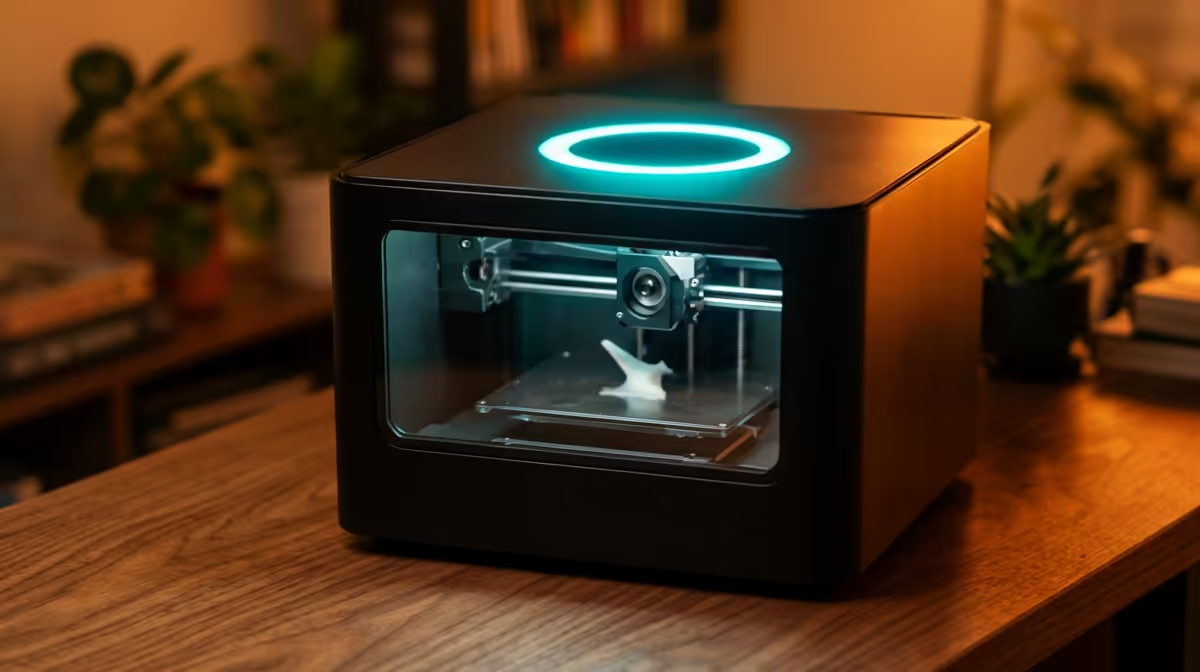
A res room shares a thin wall, a tight desk and a roommate who sleeps at different hours to you, which is exactly why the best compact and quiet 3D printer for a student res room has to be judged on noise and footprint first and print quality second. The Bambu Lab A1 Mini hits that brief at around R5,499, idling near 45 dB and taking up roughly the same desk space as a stack of textbooks. It sets up in under half an hour, so the printer is running before your roommate has finished asking what it is.
Quick Answer
The Bambu Lab A1 Mini at about R5,499 is the pick. It runs at roughly 45 dB on a 347x315x365 mm frame, calibrates itself automatically and slices over Wi-Fi, so first print to working print takes under 30 minutes on a desk you also have to study at.
Why noise is the deciding spec in a res room
Most buying guides lead with build volume. In shared student housing the number that actually matters is the decibel reading, because a printer that whines at 60 dB through a six hour print will end a friendship. The A1 Mini stays around 45 dB during normal moves, which sits closer to a quiet fridge hum than a power tool. The difference between 45 dB and 60 dB is not a small bump on a chart, it is the gap between something you can run overnight and something you switch off the moment anyone walks in.
Two things drive that quiet figure. The stepper motors run with quieter drivers than older budget machines, and the gantry is short and rigid so there is less rattle to amplify. You still hear it, but it fades into the background of a room with a duvet, curtains and a wardrobe absorbing sound.
Footprint and desk reality
A res desk is usually shared between a laptop, a monitor and your actual coursework. The A1 Mini at 347x315x365 mm leaves room for that, and its open frame means you are not fighting an enclosure for shelf clearance. The Evetech 3D printer range lists current dimensions per model, which is worth checking against your desk depth before you commit, because 20 mm either way decides whether the lid clears your shelf.
Bed size versus what students actually print
The A1 Mini prints up to a 180x180x180 mm volume. For the things students print most, phone stands, cable clips, lab models, dorm organisers and the odd cosplay piece, that is plenty. You only outgrow it if you move into large single-piece props, and at that point you are no longer optimising for a res room.
Setup time when you have a deadline
The A1 Mini auto-levels and runs flow calibration on its own, so you are not chasing a wonky first layer at midnight. You load the filament, send the file over Wi-Fi from the slicer, and walk away. For a student juggling lectures and a part-time job, getting from box to first successful print in under 30 minutes is the feature that gets the machine used rather than shelved.
Running cost and filament
A 1 kg roll of PLA covers a surprising number of small prints, and PLA is the right starting material because it needs no heated enclosure and gives off very little odour in a closed room. Budget for a spare nozzle and a glue stick for bed adhesion when you stock up on accessories.
Managing smell and air in a closed room
Noise is the headline problem in a res room, but air is the quiet second one. Even PLA, the gentlest common filament, gives off a faint warm-plastic smell over a long print, and a small sealed bedroom holds onto it. The fix is simple and cheap: crack a window during long jobs, and avoid printing ABS or other high-odour materials in a space where you also sleep. PLA at its low 200 to 220 degree band keeps emissions minimal, which is exactly why it is the right starting filament for shared housing rather than a tougher plastic that needs an enclosure and proper ventilation.
If your residence has strict rules on appliances, the A1 Mini helps you here too. It runs cool, draws modest power, and never needs a heated chamber, so it behaves more like a desk lamp than a workshop tool. That low profile, both literal and electrical, makes it far easier to justify to a roommate or a res warden than a large enclosed machine humming away on a high-draw circuit.
How quiet and quick reshape your study routine
The real payoff of a low-noise, fast-setup printer is that you actually use it. A machine that whines or takes an hour to calibrate ends up switched off and shelved. Because the A1 Mini idles near 45 dB and gets from file to first layer in under half an hour, you can queue a phone stand or a lab model between lectures and collect it when you get back. Quick wins like that keep the habit alive, and a printer that gets used pays for itself in a way a louder, fiddlier one never does.
It also changes how you collaborate. A quiet printer can run during a study group without drowning out conversation, and a fast one means a coursemate's broken bracket or a 3D-printed prototype for a group project is ready the same evening rather than overnight. In a res setting where desk space and goodwill are both scarce, those small practical wins matter more than raw build volume.
Who should buy something else
If you live alone and want the largest possible bed for the price, a bigger open-frame Bambu or Creality machine gives you more volume per rand, though usually at higher noise. If you print abrasive or engineering filaments, you want a hardened nozzle and ideally an enclosure, which pushes you up a tier. For a shared room where quiet and quick wins, the A1 Mini is hard to beat. The fastest-moving consumables and add-ons sit in the accessories best sellers, handy for grabbing a filament spool, a spare build plate and a nozzle in one go.
Frequently Asked Questions
How loud is the Bambu Lab A1 Mini really?
It runs at roughly 45 dB during normal printing, which is around the level of a quiet fridge. That is low enough to leave running overnight in a shared room without waking a sleeping roommate, though the start-up calibration is briefly a little louder.
Will it fit on a standard res desk?
Yes. At 347x315x365 mm it occupies about the same footprint as a stack of textbooks and leaves room for a laptop alongside. Measure your desk depth against the listed dimensions first if your shelf sits low.
What can I actually print on a 180 mm bed?
Phone stands, cable organisers, dorm storage clips, lab and study models, small cosplay parts and replacement clips. The 180x180x180 mm volume covers the vast majority of student projects, with multi-part assembly handling anything larger.
Do I need any 3D printing experience?
No. Auto-levelling and self-calibration remove the steps that frustrate beginners, and slicing over Wi-Fi means you send a file the way you send a print job. Most students get a clean first print on day one.
Is PLA the right filament to start with?
Yes. PLA prints without an enclosure, gives off very little smell and is forgiving for beginners. Keep one or two spare rolls on hand and add a hardened nozzle only if you later move to abrasive materials.
A quiet, compact printer turns a cramped res desk into a tiny workshop without annoying anyone next door. Compare current models, prices and bed sizes in the Evetech 3D printer range and pair your pick with filament and a spare build plate so your first print runs the day it arrives.