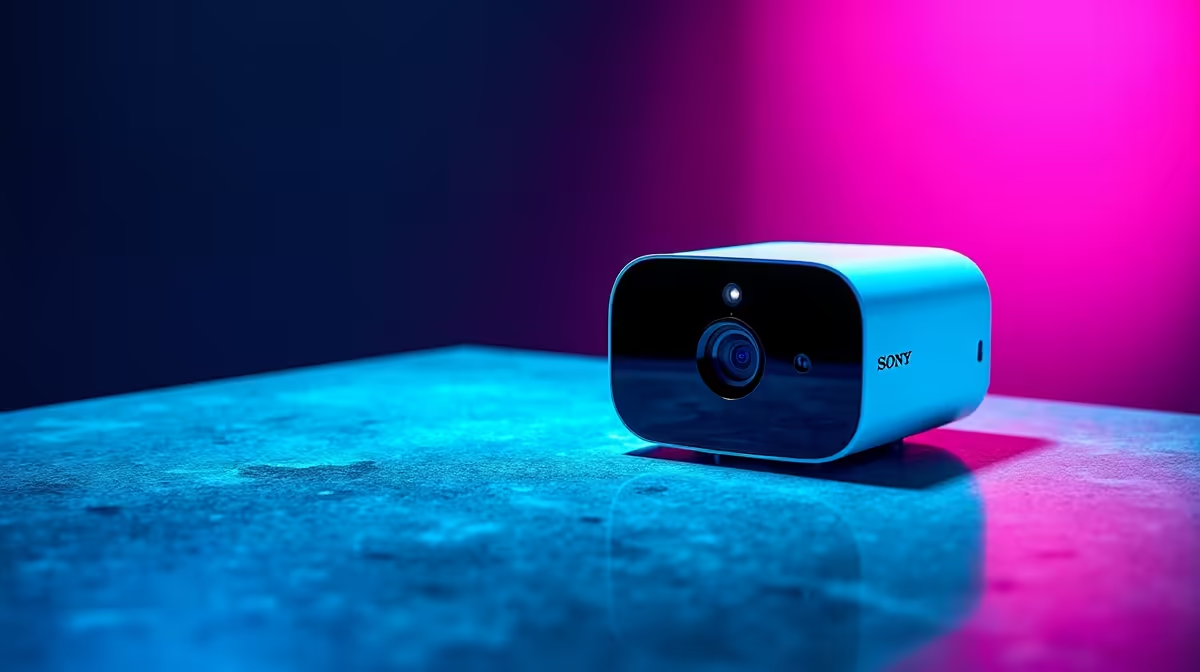
Putting a camera inside your own home raises a question outdoor cameras never do: who can see the footage, and when. The best indoor security cameras for SA homes and flats answer that with physical privacy shutters, on-device AI, and local microSD recording, so you can watch your space without handing a live feed of your living room to a cloud you do not control. This guide covers what to prioritise and which features genuinely matter in 2026.
Quick Answer
For an SA home or flat, prioritise a camera with a physical privacy shutter, two-way audio, on-device AI person and pet detection, and local microSD recording so it works without a paid cloud subscription. Resolution of 2K is the practical sweet spot. Budget indoor cameras start affordably and avoid monthly fees when they record to local storage, which suits cost-conscious SA buyers.
Why indoor cameras are a different purchase
An outdoor camera watches a driveway; an indoor camera watches your private life. That changes the priorities entirely. Privacy controls move to the top of the list, local recording becomes more attractive than cloud, and you care a great deal about what happens to the footage. A good indoor camera is judged less on weatherproofing and more on whether you trust it in your bedroom or lounge.
The features that actually matter
Physical privacy shutter
This is the standout indoor feature and surprisingly few cameras have it. A physical shutter is a mechanical cover that drops over the lens, and on the better models it stays closed by default until you arm the camera. Some implementations turn off the lens and microphone together at the push of a button, so when you are home there is a real, physical barrier rather than a software toggle you have to trust. For an indoor camera, this is the single feature worth paying for.
On-device AI detection
Older cameras pinged you every time a shadow moved. Modern indoor cameras run AI on the device itself to distinguish people, pets, and packages, sending alerts that actually mean something. Crucially, when this detection runs on-device rather than in the cloud, it often works without a subscription, so you get meaningful alerts without a recurring fee. That matters for SA buyers who would rather not commit to monthly cloud costs.
Local recording over cloud dependence
Local microSD or USB storage lets the camera record without leaning on a cloud service, which means no monthly subscription and no footage of your home sitting on someone else's servers. It also keeps recording working when your internet is down, a real advantage where fibre or connectivity can be patchy. Cloud has its uses for offsite backup, but for indoor monitoring, local-first storage is usually the smarter default. Many current models accept microSD cards up to 256GB or 512GB, which extends recording history without extra fees.
Two-way audio
A built-in speaker and microphone let you hear and speak through the camera, which turns a passive monitor into something useful: checking on a pet, telling a delivery person where to leave a parcel, or calling out to family. It is a small feature that meaningfully changes how you use the camera day to day.
Matching the camera to the space
A small flat and a larger home want different things. In a one or two-room flat, a single camera with a wide field of view often covers the main living area completely, and a privacy shutter matters even more in tight living quarters. In a larger home you may want a camera per key room, in which case on-device detection keeps the alert volume manageable so you are not buried in notifications. Think about coverage and notification load, not just raw resolution.
Resolution and night vision
2K resolution is the practical sweet spot for indoor use, sharp enough to identify faces and read detail without the storage appetite of higher resolutions. Colour night vision is a useful bonus, letting the camera capture usable colour images in low light rather than the flat grey of older infrared. You can compare the available models in the security camera range at Evetech, and the storage cards and mounts that go with them sit among the accessories best sellers.
Security basics worth checking
The camera that watches your home should itself be secure. Look for local storage with encryption, strong transport encryption, a unique password per device rather than a shared default, and two-factor authentication on the app. These are not glamorous features, but a poorly secured indoor camera is a liability rather than a safeguard, so treat them as non-negotiable. Per-device encryption keys and support for secure protocols such as TLS 1.2 or 1.3 are worth confirming before you buy.
Subscription or no subscription
Many indoor cameras are sold cheaply on the assumption you will subscribe to a cloud plan for the features that actually matter. Before buying, check specifically: does AI detection work locally without a subscription? Can footage be retrieved from the microSD card via the app without an active plan? Some brands gate even basic playback behind a recurring fee, which changes the real cost significantly. A camera that records locally and detects on-device costs more upfront but far less over two or three years.
Frequently Asked Questions
Do indoor security cameras need a monthly subscription?
Not if you choose one with local microSD or USB recording and on-device AI. Those features deliver meaningful alerts and stored footage without a recurring cloud fee. Cloud subscriptions add offsite backup and extra features, but they are optional for basic indoor monitoring.
What is a privacy shutter and do I need one?
A privacy shutter is a physical cover that drops over the lens, often disabling the microphone too, so the camera physically cannot see or hear when you are home. For an indoor camera in a private space, it is the most valuable feature to look for and few models include it.
What resolution should an indoor camera be?
2K is the practical sweet spot for indoor use, clear enough to identify faces and detail without consuming excessive storage. Higher resolutions exist but rarely justify their storage and bandwidth cost for in-home monitoring.
Will an indoor camera work if my internet goes down?
A camera with local storage keeps recording to its microSD card even without internet, since it is not dependent on a cloud connection. You lose remote live viewing and notifications until the connection returns, but the footage is still captured locally.
Can I use an indoor camera as a pet or baby monitor?
Yes. Two-way audio, on-device detection, and colour night vision make indoor cameras well suited to watching pets or a nursery. A privacy shutter lets you physically close it off when you do not need monitoring, which is reassuring in those rooms.
Setting up monitoring you can actually trust in your home? Browse the indoor cameras in the smart home and security range at Evetech and choose one with the privacy and local-recording features that matter.