


Using GitHub Copilot: Complete Beginner's Guide for SA Developers
Using GitHub Copilot: Complete Beginner's Guide for SA Developers. Everything you need to know with SA-specific pricing and recommendations.
Read moreBest keyboard for spreadsheet users: Decide if a numpad speeds data entry, reduces errors, and fits your workflow. We compare full-size, TKL, compact layouts, external numpads, and ergonomic picks 📊⌨️
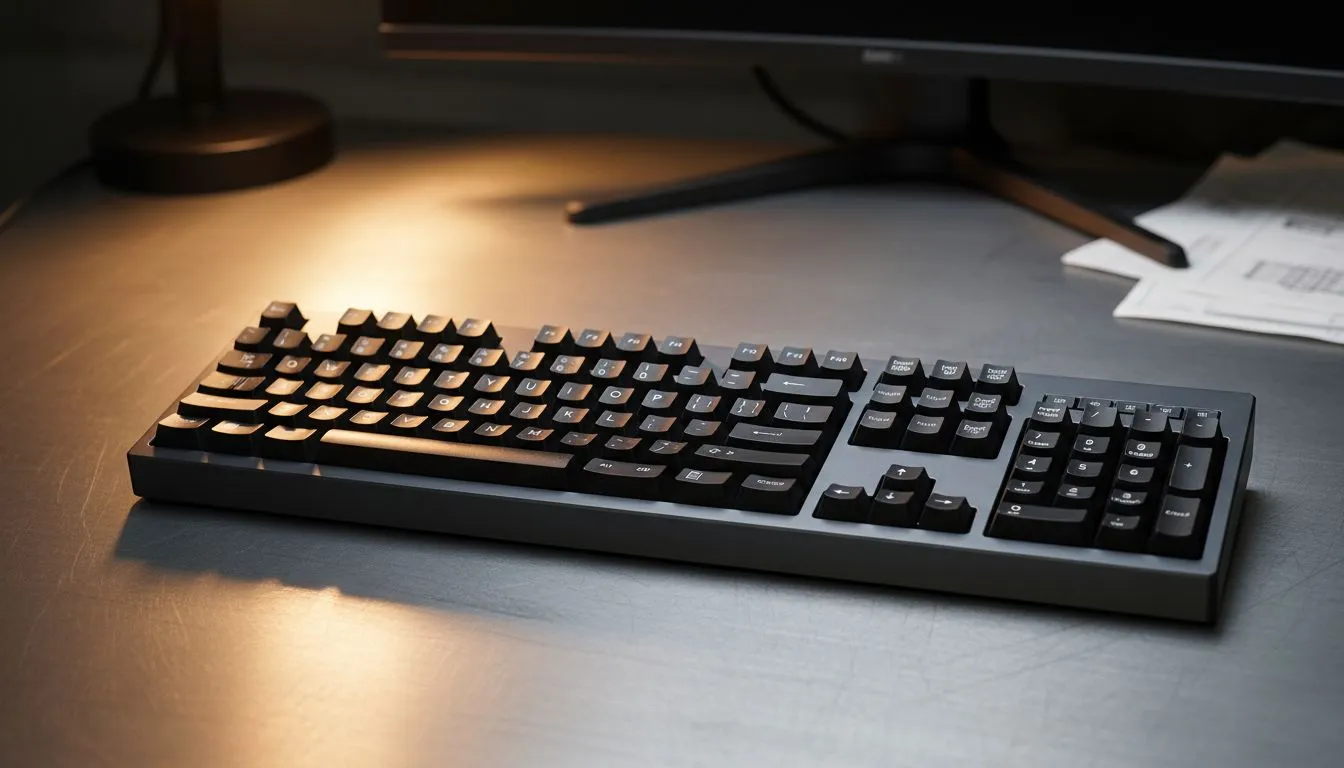
Staring at a massive Excel sheet at 4 PM on a Friday is tough enough. Doing it without a dedicated number pad? That is just unnecessary torture for your wrists. Whether you are balancing budgets in Rand or tracking gaming stats... the right hardware makes a massive difference. Finding the best keyboard for spreadsheet users often comes down to one big question: do you actually need that numpad? 🔧
For many South African professionals, the number pad is not optional. It is a vital tool for speed. Typing digits on the top row is slow... and prone to errors. A dedicated 10-key block allows your right hand to stay stationary while flying through calculations. If you are serious about productivity, you should browse the latest best gaming keyboard deals to find a full-sized board that suits your workflow.
Mechanical switches also play a huge role here. They provide tactile feedback that membrane keys lack. This means you feel exactly when a keypress registers. It reduces typos and saves time during long sessions in the office.
Many users want a single setup for work and play. While pro gamers often prefer smaller keyboards to save desk space, spreadsheet users need the extra keys. You do not have to spend a fortune to get both. You can easily find the cheapest gaming keyboard in South Africa that includes a full numpad without breaking the bank.
If you are setting up a new home office, consider a bundle. Picking up a high-quality keyboard and mouse combo ensures your peripherals match in both style and performance. This is often the most cost-effective way to upgrade your entire desk experience at once. ⚡
Master the 'Alt + =' shortcut in Excel to instantly sum a column of numbers. When combined with a dedicated numpad, you can breeze through financial reports in half the time. It is a simple trick that makes a massive difference in your daily output.
Your desk layout dictates your choice of connectivity. A cluttered desk can lead to a cluttered mind... and lower productivity. If you prefer a permanent, lag-free connection for your workstation, look at reliable wired keyboard models. They are simple to use and never require a battery swap.
On the other hand, many modern professionals prefer a clean, minimalist aesthetic. Keyboards featuring wireless connectivity allow you to move your gear freely. This is especially useful if you often switch between a laptop and a desktop monitor setup. 🚀
If your day involves more than ten minutes of data entry, the numpad is essential. It keeps your hands ergonomic and your data accurate. Small keyboards look great on Instagram... but they can be a headache for real-world accounting or data science. Choose a keyboard that supports your specific needs rather than following a trend.
Ready to Find Your Perfect Match? Whether you need a full-sized powerhouse for Excel or a compact board for gaming, we have the right gear for you. Explore our best gaming keyboard deals and upgrade your South African setup today.
Many do — a numpad speeds numeric entry and shortcuts. For Excel-heavy workflows, a keyboard with numpad for Excel boosts speed and accuracy.
Yes, with trade-offs. TKL saves desk space but may slow numeric entry; pairing a TKL with an external numpad gives flexibility.
External numpads are portable and let you keep a compact layout. They suit laptop users and are a common numeric keypad alternative for spreadsheets.
Full-size keyboards with a dedicated numpad remain fastest for sustained number crunching; mechanical switches can further increase speed.
Ergonomic keyboards with split or tented designs reduce wrist strain; choose one with an integrated numpad or use an external numpad for comfort.
Look for a dedicated numpad, programmable keys, quality switches, and anti-ghosting. A keyboard with numpad for Excel shortcuts improves efficiency.
Match layout to tasks: choose full-size with numpad for heavy data entry; pick compact or TKL plus an external numpad for mixed or portable use.
Using GitHub Copilot: Complete Beginner's Guide for SA Developers. Everything you need to know with SA-specific pricing and recommendations.
Read more
Back-to-School Headset Buying Guide for SA 2026. Everything you need to know with SA-specific pricing and recommendations.
Read more
Mesh Front Panel Setup and Configuration: Complete Tutorial. Comprehensive coverage with SA insights, Rand pricing, and practical recommendations.
Read more
Black Screen: Troubleshooting Guide #1. Everything you need to know with SA-specific pricing and recommendations.
Read more
The Complete 2026 Guide to Storage in South Africa. Everything you need to know with SA-specific pricing and recommendations.
Read more
1000W PSU Not Working After Load Shedding: Recovery Guide. Everything you need to know with SA-specific pricing and recommendations.
Read more
AMD RX 9050 XT: Rumoured Specs, Price & Release. SA-focused analysis with local pricing data, real-world insights & actionable buying advice.

Can RTX 4080 Super Run AI Workloads for SA Developers Detailed answer with SA data, expert analysis & practical recommendations for local buyers.

Can RTX 4090 Run AI Workloads for SA Developers Detailed answer with SA data, expert analysis & practical recommendations for local buyers.

Top Settings for Intel Arc B580 at Ultrawide 1440p picks evaluated on performance, value & SA availability with current Rand pricing from Evetech.

RTX 4060 CS2 Low Settings at 1080p: FPS Results. Real-world benchmark data, FPS numbers & performance analysis. What SA gamers can actually expect.

Visual Artifacts: Possible GPU Issue Issue #1. Diagnosis steps, proven fixes & when to seek professional help. SA-specific support info included.

Can the RTX 4090 Handle 1440p 144Hz Gaming. Performance testing verdict with real data & practical recommendations for SA buyers.

Top ASUS GPU Under R15000 picks evaluated on performance, value & SA availability with current Rand pricing from Evetech.

GTA 6 Max Settings on RTX 5070. Tested & verified settings for best FPS and visual quality on SA hardware budgets.

Cyberpunk 2077 Max Settings on RTX 5080. Tested & verified settings for best FPS and visual quality on SA hardware budgets.

Starfield Max Settings on RTX 5070 Ti. Tested & verified settings for best FPS and visual quality on SA hardware budgets.

Top RTX 5090 Under R5000 picks evaluated on performance, value & SA availability with current Rand pricing from Evetech.