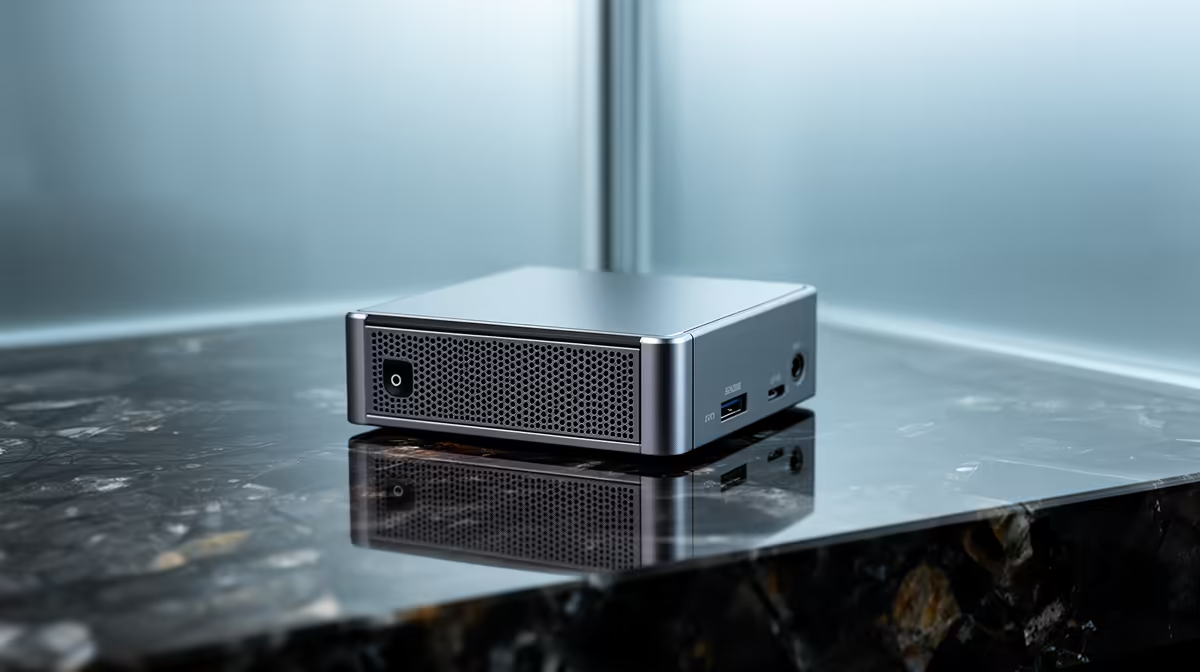
A full tower under a desk is a lot of metal for what most office work actually demands: a browser with twenty tabs, a spreadsheet, email and a video call. A mini PC does all of that from a box the size of a hardcover book, and the current generation is far more capable than the term suggests. For an SA home office or a tidy reception desk, the right one rivals a traditional desktop with almost none of the bulk.
Quick Answer
The best mini PC for SA office and everyday work pairs a Ryzen 7 APU with 32GB of DDR5 and a 1TB NVMe SSD. That combination handles multitasking, multiple browser tabs and video calls comfortably, drives dual monitors, and draws less power at idle than a full tower, all from a footprint that disappears behind a screen.
Why a Mini PC Makes Sense for Office Work
Office and everyday tasks are not demanding in the way gaming or 3D rendering are. They need a responsive CPU, enough memory to juggle apps, and fast storage so the machine boots and opens files instantly. A modern mini PC delivers all three without the wasted space and heat of a tower built for a graphics card it will never use.
The space saving is the headline, but the quieter benefits add up: lower idle power draw, less fan noise, and a clean desk with the whole computer mounted behind the monitor or tucked into a drawer. The mini PC range at Evetech shows how varied this category has become, from pocket-sized units to small powerhouses.
The Specs That Actually Matter
Mini PC listings can be confusing because the same chassis ships with very different internals. Focus on these.
Processor
A Ryzen 7 APU hits the sweet spot for office work: enough cores for heavy multitasking and integrated graphics good enough for everyday display tasks and casual visuals. Lower-tier chips suit a single-purpose machine (a till, a signage player), but for a main work PC the Ryzen 7 class gives you headroom that lasts.
Memory
32GB of DDR5 is the spec that keeps a busy office machine smooth. Many users run a browser with dozens of tabs alongside a spreadsheet, a chat app and a call at once, and 16GB starts to feel tight under that load. The faster DDR5 standard also helps integrated graphics, which borrow system memory.
Storage
A 1TB NVMe SSD is the right balance of speed and capacity. NVMe storage makes the whole machine feel instant, from boot to opening large files, and 1TB leaves room for documents, software and local backups without constant housekeeping.
Connectivity and display outputs
Check the ports before you buy. Most quality mini PCs offer dual-display outputs, which is what lets a single small box drive a two-monitor desk. Confirm it has the USB ports, wired network and wireless you need, since the compact size means fewer slots than a tower.
Mini PC vs a Traditional Desktop Tower
The honest comparison comes down to what you give up and what you gain.
- Footprint: a mini PC vanishes behind a monitor; a tower owns a chunk of floor or desk.
- Power and noise: mini PCs idle lower and run quieter for office loads.
- Upgradability: towers win here. You can usually add RAM or storage to a mini PC, but you cannot drop in a discrete graphics card.
- Performance ceiling: for office work they are level; for gaming or heavy creative work, a tower with a dedicated GPU pulls ahead.
For a desk that exists to get work done, the mini PC's trade-offs land in its favour. The moment you need serious graphics power, the calculus flips toward a tower.
Who should buy one
A mini PC suits the home worker who wants a clean, quiet desk, the small business kitting out several workstations without losing floor space, and the student or professional whose work is documents, browsing and calls rather than gaming. If that describes your day, you are paying for a tower you will never fully use.
Setting It Up for a Tidy Desk
Half the appeal is the clean setup. Many mini PCs support VESA mounting, so you can bolt the unit to the back of a monitor or an arm and run a single power cable to a tidy desk. Pair it with dual screens through the display outputs, a wireless keyboard and mouse, and the whole computer effectively disappears. To gauge what local buyers are pairing with compact builds, the most popular desktops right now are a quick way to see common configurations.
Reliability, Heat and Running All Day
An office machine often stays on from morning to evening, so longevity matters more than peak speed. Mini PCs run cooler than gaming towers simply because they are not feeding a hungry discrete graphics card, but their compact chassis gives heat less room to escape, which puts the cooling design under real scrutiny.
A well-built mini PC manages this with a sensible fan and ventilation layout, staying quiet under office loads that rarely tax the processor hard. Give it breathing room: do not bury the unit in a sealed drawer with no airflow, and keep the vents clear of dust. Treated sensibly, a quality mini PC handles years of daily use without drama, and its lower power draw is a small but real saving on a machine that is on for most of the day.
For a small business kitting out several desks, that consistency multiplies. Identical compact units are easy to deploy, easy to mount and easy to replace, and they free up the floor space a row of towers would otherwise swallow.
Matching the Mini PC to Real Office Scenarios
The same category covers very different jobs, so picture your actual use before you buy.
The single home-office worker
One person juggling a browser, documents, email and video calls is the classic fit. A Ryzen 7 unit with 32GB and a 1TB SSD gives a fast, quiet desk with room to grow, and dual monitors make light work of comparing documents or keeping a call open beside your work.
The reception or front-desk machine
Here reliability and a tidy look matter more than raw power. A mid-tier mini PC mounted out of sight keeps the counter clean while running a browser, a booking system and email without fuss.
The shared workstation or small team
For several near-identical desks, the mini PC's small size and low power draw are exactly the advantages a business wants. Standardise on one configuration and deployment, support and future replacement all get simpler.
Frequently Asked Questions
Is a mini PC powerful enough for office work?
Yes. A mini PC with a Ryzen 7 APU, 32GB of DDR5 and a 1TB NVMe SSD handles browsing, spreadsheets, email and video calls comfortably, matching a traditional desktop for everyday office tasks while taking up a fraction of the space.
Can a mini PC run dual monitors?
Most quality mini PCs include dual-display outputs, so they drive a two-monitor desk without extra hardware. Always check the specific model's outputs before buying to confirm it supports the screens you plan to use.
Can I upgrade a mini PC later?
Often you can add or swap RAM and storage, which extends the machine's life. What you cannot do is fit a discrete graphics card, so if heavy graphics work is on the horizon, a tower is the better long-term choice.
How much RAM does a mini PC need for office use?
32GB of DDR5 is the comfortable target for a busy work machine running many apps and browser tabs at once. 16GB works for lighter, single-task use, but 32GB gives you headroom that keeps the system smooth for years.
Does a mini PC use less power than a desktop tower?
Yes. For typical office loads a mini PC idles lower and runs quieter than a full tower, partly because it has no power-hungry discrete graphics card. That makes it well suited to a machine left on through the workday.
Want a desktop that does the work without owning your desk? Explore the mini PC range at Evetech, match the processor, memory and storage to your day, and set up a quiet, compact workstation that handles everything an office throws at it.