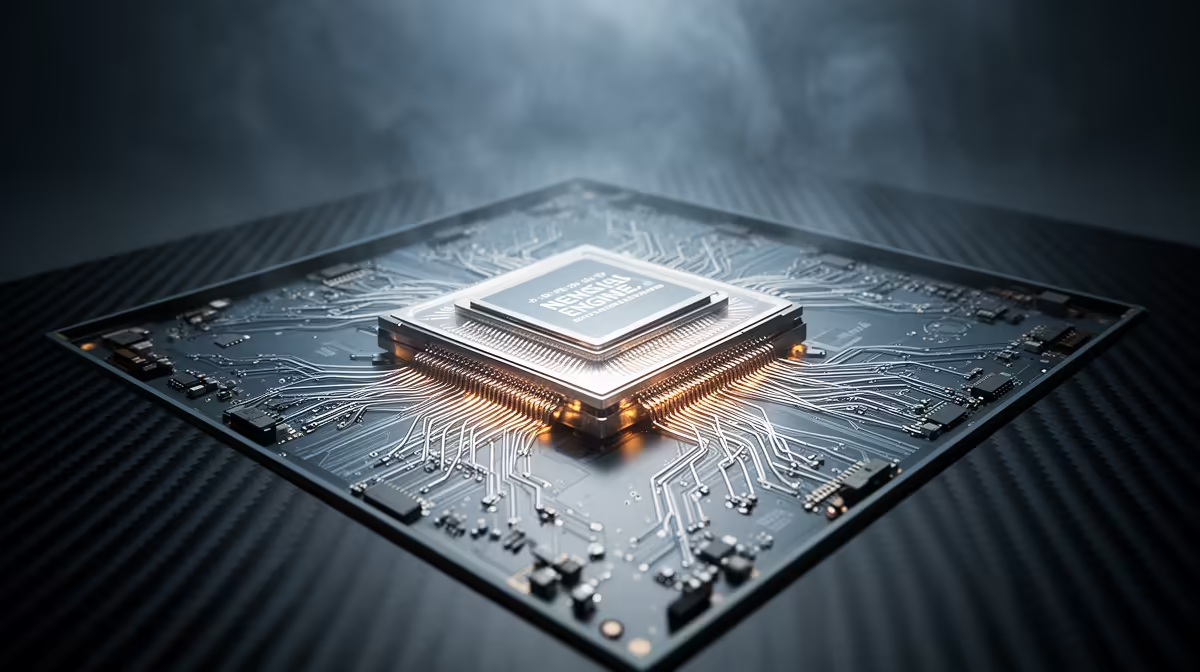
An NPU is a small specialist engine built to run neural-network tasks without waking the CPU or discrete GPU for every operation. In a 2026 laptop, it can handle camera effects, transcription and parts of a creative workflow while using less power. The TOPS number gets attention, but software support decides whether you use it.
Quick Answer
Compare NPU processors through three checks: does your application support the vendor's runtime, does the NPU meet the feature's performance requirement, and can it run the model at the precision being quoted? Use TOPS to narrow the list, then judge the whole processor through CPU speed, integrated graphics, memory and battery behaviour.
TOPS needs context
TOPS means trillions of operations per second. It is a peak arithmetic rate under a stated data type, often INT8. Two vendors can quote different precisions, sparsity assumptions or test conditions, which makes the headline figures a poor one-line comparison.
Ask what the application needs. A background-blur model may fit comfortably on a modest NPU. A generative image tool or local language model can exceed its memory, operator or performance limits and run on the GPU instead.
Sustained behaviour matters too. An NPU shares the laptop's power and thermal envelope. A short peak does not describe a long video call with blur, eye-contact correction and noise removal active together.
Software is the real gate
The operating system and app must send work to the NPU through a supported framework. If the model contains an unsupported operator, the runtime may split it across CPU, GPU and NPU or avoid the NPU. Driver maturity and application updates can change performance after launch.
Check the app maker's hardware list and version notes. Phrases such as "AI ready" do not guarantee that your plug-in uses the NPU. Look for the named processor family, operating-system build and feature.
Windows features can also carry their own minimum NPU requirements. Verify current Microsoft guidance when a specific feature drives the purchase, because those requirements can change.
Browse the AMD processor range and Intel processor range while comparing complete specifications.
CPU, GPU and NPU have different jobs
The CPU remains the general-purpose engine for application logic, file work and tasks that do not map well to a neural accelerator. The integrated or discrete GPU offers broad parallel performance and often runs larger creative or generative models. The NPU is designed for efficient sustained inference.
A good system schedules work between all three. During a call, the NPU can process camera effects while the CPU runs the meeting and the GPU drives displays. In a creative app, the GPU may still be the faster choice when the laptop is plugged in.
Do not sacrifice the CPU or GPU you need for a larger NPU score that one app cannot use. Balance the machine around daily work.
Memory can set the limit
An integrated NPU usually shares system memory. Capacity and bandwidth affect the whole platform, while the runtime reserves memory for the model. Soldered laptop memory cannot be upgraded, so buy enough for the operating system, applications and AI features together.
For local generative work, confirm whether the software expects dedicated GPU VRAM. An NPU does not turn shared memory into graphics memory or make every model fit.
Battery gains depend on workload
Offloading a supported background effect can reduce CPU or GPU activity, which may improve battery life and leave the fans quieter. The gain depends on screen brightness, wireless use and the rest of the application. An NPU cannot offset a bright high-refresh display running all day.
Look for measured battery tests with the feature active. Idle battery results tell you little about an hour of live transcription.
Desktop buyers have another calculation
A desktop connected to the wall gets less value from NPU efficiency, though local features and privacy can still be useful. A powerful GPU may run supported models faster. The NPU can keep lightweight assistants away from GPU resources needed by a game or render.
Check motherboard firmware and driver support when building around a new processor generation. The NPU feature path may depend on a current BIOS and operating-system update.
A practical comparison sheet
Write the exact AI features you plan to use. Beside each one, record its supported runtime, minimum TOPS if published, and whether it can fall back to CPU or GPU. Add CPU benchmarks for your normal applications, GPU performance, memory capacity and measured battery life.
This exposes empty specifications. A processor with a smaller peak figure may be the better buy when every required app supports it and the laptop lasts longer. A larger figure has value when software can feed it.
For a shared fleet, standardise on a driver and operating-system image that supports the required features. Test updates on one machine before broad deployment. This turns NPU compatibility into an operational choice rather than a collection of impressive but inconsistent laptop badges.
Frequently Asked Questions
Ask where the model actually runs.
An application can advertise an AI feature while sending the work to a cloud service. That says little about the local NPU. Disconnecting the network for a controlled test, where the app supports offline use, can reveal whether the feature remains available. Read privacy and processing notes rather than guessing.
Local execution can reduce delay and keep source data on the device, but the application still controls storage and telemetry. Review its settings. An NPU is hardware capacity, not a privacy guarantee.
Keep drivers in the ownership plan.
Save the laptop or motherboard support page and update through trusted vendor channels. New runtime and graphics packages can unlock features or correct scheduling. Create a restore point before a major update when the system is central to work.
If one feature stops using the NPU, verify application, operating-system and driver versions together. Rolling back random components can make compatibility harder to trace.
Is a higher TOPS number always better?
No. Precision, test conditions, driver support and application compatibility decide how much of that peak becomes useful work.
Can an NPU run a local LLM?
Some models and runtimes can use an NPU. Model size, supported operators, memory and software support set the result.
Do gamers need an NPU?
Games still depend on CPU and GPU performance. An NPU may handle streaming, voice or camera features without taking those resources.
Compare NPU processors by supported applications and complete platform performance, using TOPS as one filter instead of the final verdict.