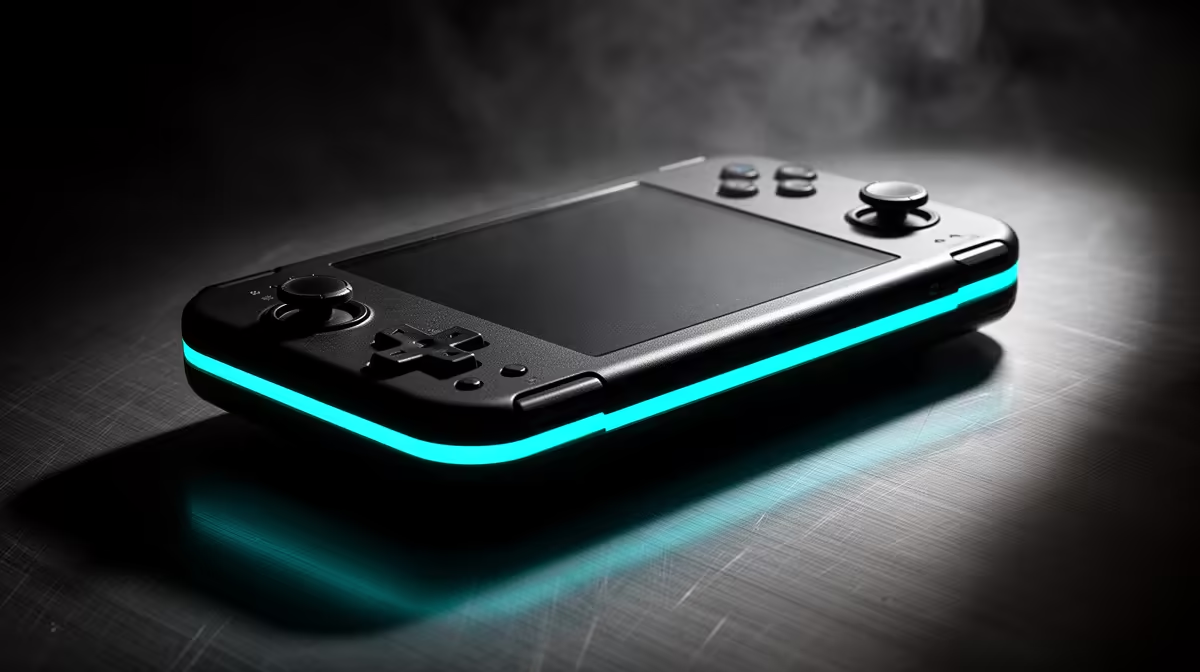
A handheld that emulates a shelf of retro consoles and also streams your modern library from a PC or the cloud has to clear one bar most units cannot: it has to run the Android retro handheld ecosystem natively. Android opens the Play Store, which means Moonlight, Steam Link, an Xbox app and your favourite cloud client all install alongside RetroArch. Linux-based handhelds are superb emulators but lock you out of those streaming apps, so for a hybrid user Android is the only sensible base.
Quick Answer
For a user who wants both local emulation and game streaming, an Android handheld like the Retroid Pocket 5 is the pick. It runs the Play Store natively, so cloud and remote-play apps install directly, while still emulating everything up to PS2, GameCube, Dreamcast and PSP. Expect to budget in the upper-handheld bracket once import costs are included.
Why Android wins for hybrid use
The whole hybrid case rests on one thing: app access. Streaming a modern title from your gaming PC needs Moonlight or Steam Link, and cloud play needs the relevant app, all of which live in the Play Store. A Linux handheld running a slim emulation-only OS simply cannot install them. An Android device treats emulation frontends and streaming clients as ordinary apps, so a single unit covers your retro back catalogue in the morning and a streamed AAA session in the evening. That dual role is exactly what a hybrid user is paying for.
Beyond streaming, Android also means you can install alternative emulation frontends, update RetroArch from the Play Store, and pick up any title from the broader Android gaming catalogue. The same device that runs a PS2 RPG can also run mobile titles that simply have no Linux equivalent, which adds a third layer of use on top of retro and streaming.
The Retroid Pocket 5: the value benchmark
The Retroid Pocket 5 has become the reference Android handheld for this job. It pairs a Snapdragon 865 with an Adreno 650 GPU, 8GB of LPDDR4x RAM and 128GB of UFS 3.1 storage behind a bright 5.5-inch 1080p AMOLED screen. The 865 is not the newest chip, but its emulator support is rock solid across every major Android frontend, which matters far more than raw benchmark numbers for retro work. Critically for streaming, it carries Wi-Fi 6, giving it the throughput to handle both local remote-play and cloud sessions cleanly.
On the emulation side, the Retroid Pocket 5 handles PS2, GameCube, Dreamcast and PSP comfortably, covering almost every retro library most buyers care about. The 5.5-inch AMOLED screen makes streamed and emulated content look genuinely sharp, and the active cooling fan keeps the SoC from throttling during demanding sessions. For a single device that does everything up to PS2-era emulation and streams reliably, it is the obvious starting point, and you can see how the format works across the handheld gaming consoles at Evetech.
The Ayn Odin 2: the no-compromise tier
If budget is not the constraint, the Ayn Odin 2 sits a clear step up. It runs a more powerful Snapdragon platform and is close to flawless at pushing the heavier end of emulation, handling demanding systems like Nintendo Switch titles in some configurations, while still being a full Android device with the same streaming-app access. The trade-off is price and, for SA buyers, import fees that stack on top of the base cost. It is the device to choose when you want the most headroom for demanding emulators and do not mind paying for it.
Matching the screen to streaming
For streaming specifically, the screen and Wi-Fi matter as much as the chip. An AMOLED panel makes streamed games look punchy, and Wi-Fi 6 keeps latency low on a good home connection. A weak wireless radio will bottleneck even a fast SoC, so pay attention to the wireless spec when comparing models.
Setting up Moonlight and Steam Link
Moonlight requires NVIDIA GameStream or Sunshine running on the host PC, while Steam Link pairs with any Steam library. Both apps install from the Play Store in seconds on an Android handheld. For the smoothest experience, run the device on a 5GHz or Wi-Fi 6 network and keep the streaming PC plugged into the router via ethernet. Latency over a wired connection on the host end drops to near-unnoticeable levels even at 1080p. Cloud services such as Xbox Cloud Gaming install through the Xbox app and stream directly from the internet without needing a local PC at all, which is useful when you are away from home.
Buying one in South Africa
These are mostly imported units, so factor shipping and duty into the real cost rather than the sticker price. A wired-fast home fibre line plus a 5GHz or Wi-Fi 6 connection gives the best streaming experience. Budget for the landed price, and consider that a single well-chosen Android handheld replaces what would otherwise be separate hardware for retro emulation and streaming. If you would rather compare the broader portable-PC and handheld landscape before committing, the best-selling PCs at Evetech include portable formats worth weighing against a dedicated handheld.
Frequently Asked Questions
Why not a Linux handheld for emulation?
Linux handhelds are excellent emulators but cannot install Play Store apps, so they lock you out of Moonlight, Steam Link and cloud clients. A hybrid user who wants streaming needs Android.
Can the Retroid Pocket 5 handle PS2 and GameCube?
Yes, it comfortably runs up to PS2, GameCube, Dreamcast and PSP emulation, which covers the vast majority of retro libraries. More demanding systems are where you step up to something like the Odin 2.
How important is Wi-Fi 6 for streaming?
Quite important. Streaming, whether from your own PC or the cloud, leans on a fast, low-latency wireless link, and Wi-Fi 6 gives the Retroid Pocket 5 the throughput to keep sessions smooth on a good connection.
Will import fees change the price a lot?
They can. Most of these handhelds ship from overseas, so duty and shipping add to the base cost. Budget for the landed price rather than the listed one when planning your purchase.
Do I need a powerful gaming PC for streaming to work?
For Moonlight you need an NVIDIA GPU on the host machine for GameStream, or Sunshine software which works with AMD and Intel cards too. For Steam Link, any PC that can run the game will stream it. Xbox Cloud Gaming needs no local PC at all.
An Android handheld is the one device that emulates your retro shelf and streams your modern library without compromise. Explore the handheld gaming consoles at Evetech to find a portable that does both.