Quick Answer
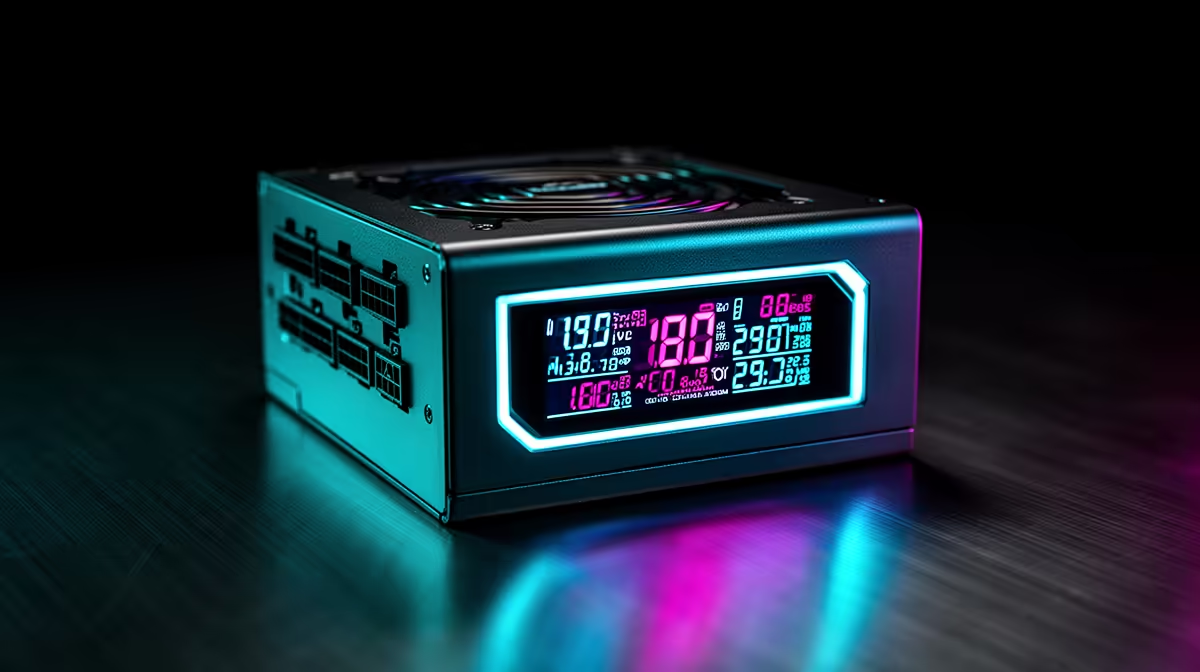
Yes. A magnetic OLED display on a PSU shows real-time input wattage, output wattage, voltage on key rails, fan RPM, and live efficiency percentage. It is a genuine monitoring tool, not pure decoration, though it supplements rather than replaces software monitoring for detailed per-component readings.
What an OLED PSU Display Actually Shows 🖥️
Premium PSUs like the ASUS ROG Thor Platinum III include a small OLED screen (typically 1.77 to 2.5 inches) visible through a windowed case or PSU shroud cutout. It pulls data from the PSU's internal metering circuits, showing actual wattage from the wall (input power), wattage delivered to the system (output power), live efficiency percentage, and voltage on the 12V, 5V, and 3.3V rails. Most monitoring tools like HWiNFO64 or GPU-Z can only estimate component power; only a PSU with internal metering gives exact wall-draw and real-time conversion efficiency. For South African gamers tracking electricity against Eskom tariffs of roughly R2.50 to R3.20 per kWh in major metros, knowing actual wall draw during gaming has practical budgeting value.
Magnetic Mounting and Practical Repositioning 🔩
The magnetic attachment lets the OLED module detach and reposition without tools. This matters because PSU shroud covers in modern ATX cases often hide the PSU face entirely. The display can be magnetically secured to an exposed case surface or a metal bracket for an always-on readout. Some South African builders attach it to the inside of the glass-free side panel area. The magnetic bond holds during normal desktop use but releases easily for repositioning. Confirm the display cable has adequate length for your preferred mounting location before finalising cable management.
Cost and Value for SA Buyers 💰
PSUs with OLED displays carry a notable premium locally. The ASUS ROG Thor 1200W Platinum III is priced at approximately R6,500 to R8,500 currently stocked at Evetech, versus R4,000 to R5,500 for a comparable 1200W Platinum unit without the display. The same wall-draw data can be obtained less expensively using a smart plug with energy monitoring at R400 to R800, paired with any quality PSU. The OLED display is the premium choice for builds where the PSU is visible and an integrated monitoring solution is preferred over a secondary device.
Use the OLED Reading to Validate PSU Sizing ⚡
After completing your build, check the OLED under full gaming load. If it shows 80% or more of your PSU's rated wattage, consider upgrading during your next component refresh. Sustained operation above 80% load reduces PSU longevity and pushes it outside its peak efficiency zone, increasing electricity costs over time.
FAQ
Can the OLED display show per-component power data like GPU draw?
No. It shows total system-level power from the PSU's output side only. For per-component monitoring, HWiNFO64 with GPU power estimation, or the GPU manufacturer's companion software, provides component-level breakdowns alongside the PSU's system totals.
Does the OLED display stay on during sleep mode?
Most PSU OLED displays power down during S3 sleep (suspend to RAM) when the 12V rail is partially cut. Some units remain lit in S5 (soft-off) to show standby power draw. Check the specific model's documentation for sleep-state behaviour.
Is the OLED PSU display compatible with all cases?
No. It requires the PSU face to be at least partially visible: through a PSU shroud cutout, in cases without shrouds, or via the magnetic reposition option. Many modern ATX cases fully enclose the PSU. Confirm your case layout before purchasing a PSU with this feature.
Want real-time power monitoring built into your build?
Evetech stocks premium PSUs with integrated OLED displays for high-end South African builds, with local warranty across all major brands.