



PCIe 5.0 vs PCIe 4.0 for Strategy and Sim Games in SA
PCIe 5.0 and PCIe 4.0 differ most in lane support, compatibility, and upgrade value for strategy and sim games. SA buyers should match the choice to their actual hardware and games.
Read moreBandwidth aside, mini DisplayPort: triple-shielded cabling and gold contacts cut EMI dropouts on long Mini DisplayPort runs into modern 4K panels. Use it as a buying checklist before clicking add to cart on Evetech. Numbers and trade-offs sit alongside each spec.
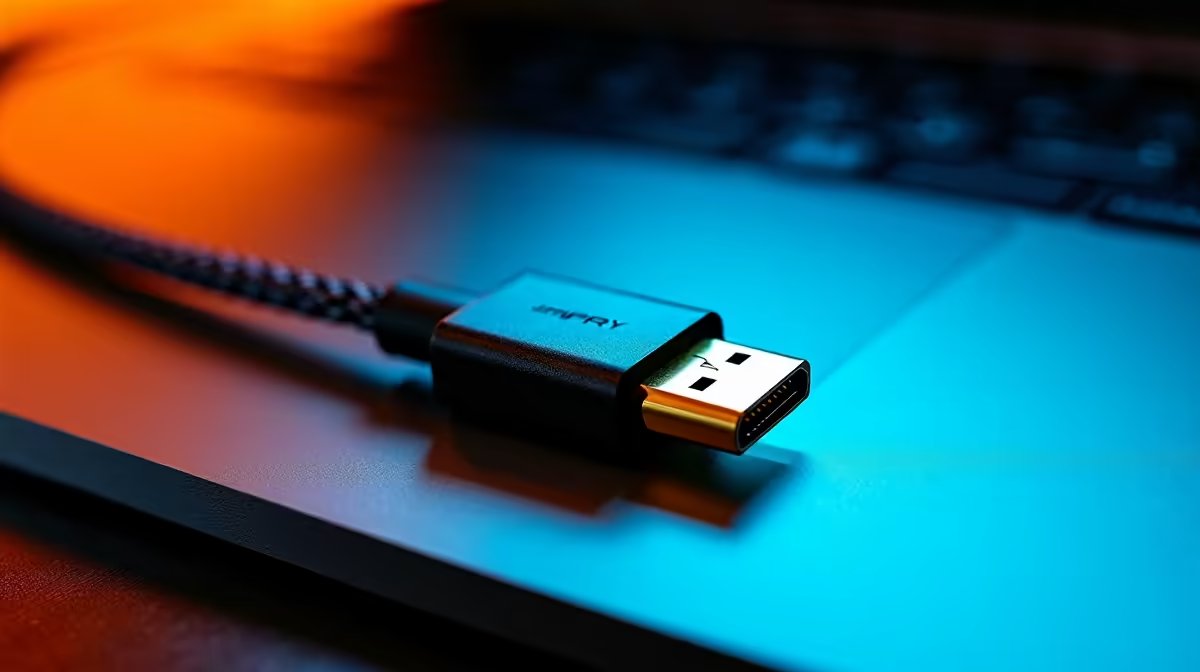
Yes. A Mini DisplayPort to DisplayPort cable supports 4K UHD (3840x2160) at 60Hz when both the source device and cable are rated for DisplayPort 1.2 or higher. The Mini DisplayPort connector carries the same electrical signal as full-size DisplayPort; the connector is simply smaller.
DisplayPort 1.2 provides 17.28 Gbps of usable bandwidth across four HBR2 lanes. The uncompressed data rate for 4K at 60Hz with 8-bit RGB colour is approximately 12.54 Gbps, well within that ceiling. A passive mDP-to-DP cable routes the source GPU's DisplayPort signal from the smaller Mini DisplayPort output through to a full-size DisplayPort connector on the monitor, with no signal conversion or active electronics. The cable does not limit the DP version; it is the source GPU and monitor that determine the maximum bandwidth. MacBook Pro models from 2012 to 2015 with Thunderbolt 2 (mDP connector) and dedicated AMD or Nvidia GPUs support exactly this path for 4K 60Hz output.
Before blaming a cable, check two things. First, confirm the source port version: look up the laptop or GPU specification and confirm DisplayPort 1.2 or higher is listed for the Mini DisplayPort output. A DP 1.1 source limits the signal to 8.64 Gbps, which supports 4K at only 30Hz. Second, confirm the monitor's DisplayPort input version: some older 4K monitors have DP 1.1 inputs that also cap at 4K 30Hz regardless of the source. Both must be DP 1.2 or better. Once confirmed, a passive mDP-to-DP cable at DP 1.2 spec costs R120 to R250 at Evetech and delivers stable 4K 60Hz without configuration beyond selecting the correct resolution in Display Settings.
On Windows 11: right-click the desktop, select Display Settings, set resolution to 3840x2160, click Advanced Display Settings, and confirm 60Hz in the refresh rate dropdown. On macOS Ventura or later: open System Settings, select Displays, and set resolution to 4K and refresh to 60Hz (or Pro Display settings for 60Hz specific). If 60Hz does not appear as an option, the source is using DP 1.1 or the cable is a substandard DP 1.0 product. A certified DP 1.2 cable lists the version on packaging. In South Africa, cables from verified local retailers through Evetech include this certification versus grey-market cables that frequently do not meet spec.
Windows defaults to the display's preferred refresh rate from its EDID, which is sometimes 30Hz for 4K monitors with multiple input options. Manually select 60Hz in Advanced Display Settings immediately after connecting rather than assuming the system defaulted to maximum. This resolves the most common mDP 4K setup complaint.
At 4K, Mini DisplayPort 1.2 sources max out at 60Hz. For gaming at 4K 120Hz or above, a source with DP 1.4 output is required, which is not available on the Mini DisplayPort form factor in current hardware (modern GPU DP 1.4 outputs use full-size DisplayPort).
Passive copper cables function reliably at 4K 60Hz up to 2m. At 3m, signal quality depends on conductor gauge. Buy a cable rated for 4K and keep the length at 2m or under for passive operation.
Only if the source supports DP 1.2 at that bandwidth: 1440p 144Hz requires 8.22 Gbps, within DP 1.2 limits. The cable itself handles this fine. The Mini DisplayPort source version is the constraint.
Need a Mini DisplayPort to DisplayPort cable for 4K output? Evetech stocks mDP to DP cables in 1m and 2m lengths rated for 4K 60Hz. Browse the display accessories section to find the right cable for your setup.
PCIe 5.0 and PCIe 4.0 differ most in lane support, compatibility, and upgrade value for strategy and sim games. SA buyers should match the choice to their actual hardware and games.
Read more
AM5 vs AM4 for video editing in 4K Difference explained is mostly about compatibility, budget, upgrade path, and setup fit. SA buyers should check device support and real needs before expecting a clear win from either option.
Read more
OLED vs QD-OLED for strategy and sim games buyers - what changes is mostly about compatibility, budget, upgrade path, and setup fit. SA buyers should check device support and real needs before expecting a clear win from either option.
Read more
DisplayPort 2.1 and 1.4 differences matter when SA PC builders match GPUs, monitors, and refresh targets. Use this difference between displayport 2 1 and displayport 1 4 explained pc builders guide to avoid mismatched parts.
Read more
Ray tracing vs Path tracing depends on Strategy and sim games needs, platform limits, and budget fit. Compare compatibility, latency, upgrade path, and real setup constraints before choosing for an SA build.
Read more
wireless mouse guide for Gqeberha gamers should be shortlisted around the job it must do. South African buyers should compare sensor, shape, weight, and wireless latency, warranty path, and upgrade room before treating any pick as best.
Read more
From 1 October 2026, WhatsApp Business Platform service replies in South Africa are expected to cost about $0.0076, or 12 cents, per delivered message.

DDR5-8000 RAM Kits pros and cons depend on the build, budget, and workload. Weigh gaming needs, platform fit, power, cooling, warranty support, and South African pricing context before shortlisting it.

Wi-Fi 6E vs Wi-Fi 6 depends on AAA single-player gaming needs, platform limits, and budget fit. Compare compatibility, latency, upgrade path, and real setup constraints before choosing for an SA build.

Ryzen 9 9950X3D dead pixel checks should isolate the panel first. Run colour fills, inspect the monitor menu, test another cable or input, and capture proof before linking it to the SA CPU upgrade.

YouTube will count public views from the first frame across video formats from 24 August, while earnings and eligibility remain tied to engaged viewing.

Canonical expects Ubuntu on WSL users to outnumber native Ubuntu desktop users before the end of 2026. The software is open source and runs inside supported Windows PCs.

Telkom's daily bundles pair WhatsApp access with 10 all-network voice minutes. The R15 option includes 300MB, while the R17 option uses a fair-use threshold.

A 10,000-hour test found similar image retention across older and newer OLED TVs, while newer panels were brighter and more efficient. Local OLED monitors started at R9,999.

650W for RTX 5090 needs a full-build check, not a simple yes. Review GPU guidance, CPU draw, transient load, connectors, PSU quality, and upgrade plans before deciding.
PCIe 5.0 and PCIe 4.0 differ most in lane support, compatibility, and upgrade value for strategy and sim games. SA buyers should match the choice to their actual hardware and games.

How to fix FPS drops Windows 11 RX 9070 XT starts with GPU drivers, overlays, power plans, and frame pacing checks. For SA gaming PCs, verify chipset updates, HAGS, refresh rate, thermals, and per-game graphics settings.
AM5 vs AM4 for video editing in 4K Difference explained is mostly about compatibility, budget, upgrade path, and setup fit. SA buyers should check device support and real needs before expecting a clear win from either option.