Quick Answer
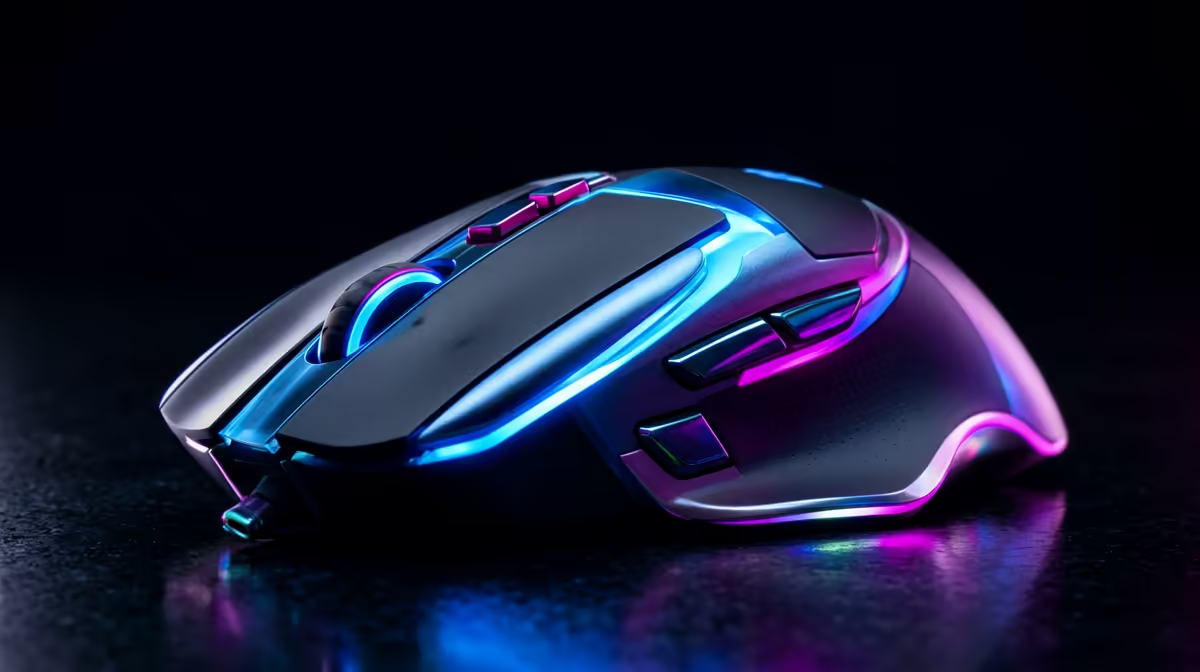
Yes. A quality wireless gaming mouse doubles as an excellent office mouse. Modern wireless gaming mice use optical sensors precise at 400 to 3,200 DPI for office work and up to 26,000 DPI or more for gaming, connect over both 2.4GHz and Bluetooth, and run 60 to 100 hours per charge. There is no meaningful performance sacrifice for office tasks on a gaming mouse.
Why a Gaming Mouse Works Fine at the Office 🖱
The features that define a gaming mouse, a high-precision optical sensor, low-click-latency switches, and wireless connectivity, translate directly into better office use. Precision tracking eliminates cursor micro-jitter when clicking small UI elements in spreadsheets. Switch longevity on gaming mice is rated at 50 million to 80 million clicks compared to 10 million to 20 million on standard office mice. Most wireless gaming mice in the R800 to R2,500 range use a 2.4GHz USB dongle or Bluetooth, with the best models supporting both for seamless laptop-to-gaming-PC switching.
Key Specs for Office-Gaming Hybrid Use 🎯
For a mouse to serve both roles, look for: sensor accuracy at 800 to 1,600 DPI for general Windows use (many gaming mice default to 800 DPI, ideal for a 1080p or 1440p monitor), a scroll wheel with fast and stepped modes for documents, at least 70 hours of battery, and a body suited to palm or claw grip for all-day use. Ergonomic comfort matters more for eight hours of spreadsheet work than for a one-hour gaming session. Avoid hyper-lightweight 60-gram models designed purely for low-lift FPS play if all-day comfort is a priority. SA wireless gaming mice at the dual-use sweet spot typically sit in the R1,000 to R2,000 range at Evetech.
What Office Users Might Not Need From a Gaming Mouse 🔍
RGB lighting uses a small amount of battery with zero functional office benefit. Look for a model where RGB can be fully disabled if runtime matters more than aesthetics. High polling rates above 1,000 Hz are invisible in office use; 125 Hz to 500 Hz is entirely smooth for document and browser navigation. Macro side buttons are more useful in gaming than in a standard office workflow, though power users sometimes map them to clipboard actions or window switching. The practical advice: buy the mouse most comfortable in your hand for eight hours of office use. Gaming performance at that budget will be more than sufficient automatically.
DPI Profile Switching Tip ⚡
Set your gaming mouse's lowest DPI profile to 800 DPI for office use and a higher profile at 1,600 to 3,200 DPI for gaming. Many gaming mice cycle through profiles with a dedicated button. Set the slow profile as default so the mouse is always in office mode when you sit down each morning, avoiding the cursor jumping across spreadsheets.
FAQ
Do wireless gaming mice have noticeable input lag for office tasks like video editing or CAD?
No. A 2.4GHz wireless gaming mouse delivers 1ms to 4ms input latency, imperceptible in any office application including video editing and CAD. The only scenario where wired input is technically advantageous is high-level competitive FPS gaming.
How long does the battery last for full-day office use?
With RGB off and a polling rate of 500 Hz, most quality wireless gaming mice deliver 70 to 100 hours of active use per charge. At 8 hours of office use per day, that is 8 to 12 working days per charge cycle, roughly bi-weekly charging.
Is there a weight difference between gaming and office wireless mice that matters for all-day use?
Yes. Ultra-lightweight gaming mice at 60 to 80 grams are comfortable for all-day use. Heavier gaming mice at 100 to 120 grams can cause wrist fatigue over an 8-hour day, particularly for users with wrist sensitivity. Check the weight spec carefully before purchasing for a primarily office-use role.
Need a wireless mouse that pulls double duty at work and gaming?
Browse Evetech's wireless gaming mouse selection and find a model that handles your desk from 9 to 5 and beyond.