



FSR 4 vs FSR 3.1 for Strategy and sim games in SA
FSR 4 vs FSR 3.1 for strategy and sim games depends on game support, image quality preferences, latency goals, and GPU fit. SA buyers should check the game and hardware path first.
Read moreWant the right case fan? This guide explains every case fan spec—CFM, RPM, and static pressure—so you can match airflow and quiet cooling to your build 😮💨❄️
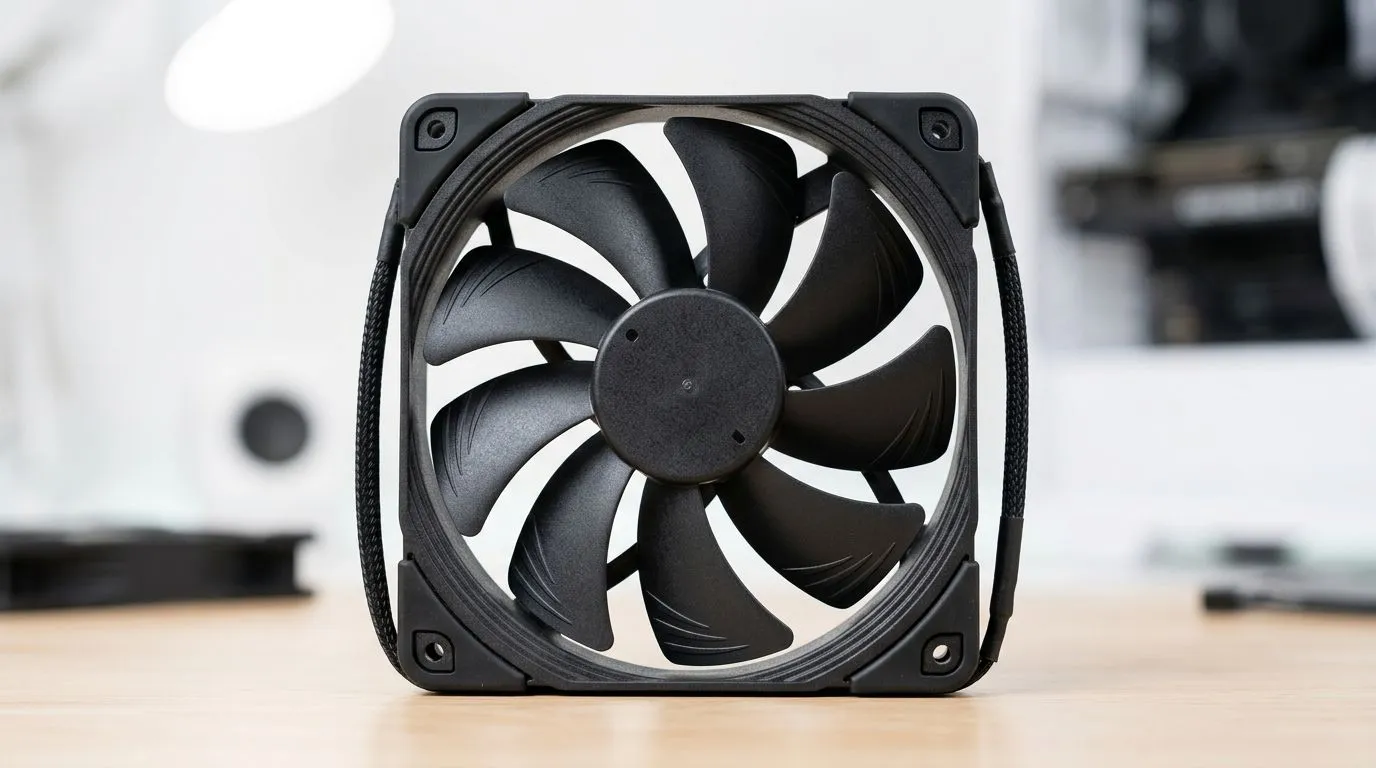
If your PC sounds like a taxi rank at peak hour, it’s usually not the CPU… it’s the fans. Choosing case fans in South Africa can be confusing too. CFM sounds good, RPM sounds powerful, and “static pressure” sounds technical for no reason. But it’s exactly what separates a quiet, cool build from a dusty, underperforming one. Let’s decode Every Case Fan Spec Explained: CFM, RPM, Static Pressure so you can buy with confidence. 🔧
CFM stands for cubic feet per minute, and it’s a measure of airflow. In plain terms, higher CFM usually means more air pushed through open spaces. That’s great for front-to-back airflow, especially when your case has mesh panels and not too many restrictive parts.
But here’s the catch… CFM alone doesn’t tell the full story. A fan can “move lots of air” on paper while struggling through tight obstacles like dust filters, radiators, or dense grills. That’s where other specs matter.
To browse a wide range of options, start with Evetech’s case fan selection: Shop case fans at Evetech ✨
RPM is rotations per minute. Higher RPM generally equals stronger airflow and better cooling potential, but it can also mean more noise. Most real-world builds balance RPM with temperature and noise through fan curves in your motherboard software (or a fan controller).
So what should you prioritise? If your case has a mesh front and minimal restriction, you can often run moderate RPM fans lower and still get good cooling. If you’re mounting fans behind a radiator or through a dense filter, RPM helps… but static pressure becomes the deciding factor.
Static pressure is the fan’s ability to push air through resistance. Radiators, thick dust filters, and tight front panels create resistance. Fans with stronger static pressure keep airflow effective where it counts.
This is why “high CFM” fans can disappoint on radiators. They may spin fast, but not push air through the restriction. Look for static pressure as your primary buying guide if you plan radiators or heavy filtration. 🚀
Fan size is practical. Your case supports a certain diameter, and clearance matters for cables and radiator thickness. Common choices include 120mm and 140mm fans.
Evetech makes it easy to filter by size:
If you care about looks, RGB is a separate consideration. Lighting should never replace cooling quality, but it can help you match your build theme:
And if you’re brand loyal, here are popular options to compare:
you’re building on Windows, set a clear fan testing routine: install your motherboard fan control software, then log temps for 10 minutes under your usual game. After that, tweak one variable at a time (RPM target or curve). This avoids “I think it’s better” guessing and helps you match airflow specs to real results.
Before you hit “add to cart”, ask yourself:
If you’re unsure, use this rule of thumb: for radiators and restrictive panels, static pressure is the spec that most consistently predicts performance. For open airflow, CFM and a reasonable RPM usually cover you.
Ready to Find Your Perfect Match? Want a cooler PC without the guesswork? Use the specs you learned here, then let us help you pick the right case fans for your build. Check out our selection and choose fans that fit your case, your noise comfort, and your cooling needs. Shop all case fans on Evetech for your next upgrade.
CFM means cubic feet per minute of airflow. Higher CFM can move more air, but filters and radiators often need higher static pressure too.
RPM shows rotational speed. More RPM often boosts airflow and cooling, but can increase noise unless you use PWM control or a slower, larger fan.
Static pressure is a fan’s ability to push air through resistance like radiator fins, dust filters, and dense mesh. It often beats CFM for these setups.
Use CFM for open airflow areas and static pressure for restricted airflow (radiators, filters). The best choice matches your case layout.
Look for higher static pressure for radiator fins. Pair it with the right RPM range and airflow direction to improve heat dissipation.
PWM lets the motherboard adjust RPM based on temps. Fan curves help balance noise and cooling by targeting optimal RPM instead of running at max speed.
Different blade design and static pressure levels change how well fans push air through your exact restrictions, so real cooling varies.
Yes. Filters and dense mesh add resistance, increasing the value of static pressure. If airflow seems weak, prioritize static pressure over raw CFM.
FSR 4 vs FSR 3.1 for strategy and sim games depends on game support, image quality preferences, latency goals, and GPU fit. SA buyers should check the game and hardware path first.
Read more
RTX 5060 too expensive? Cheaper SA alternatives should solve the exact workload without overbuying. Compare nearby options by GPU tier, VRAM, cooling, and PSU headroom, local warranty path, and total build balance before moving to a product page.
Read more
Best mechanical keyboard in Cape Town should be shortlisted around the job it must do. South African buyers should compare switch feel, latency, layout, and software, warranty path, and upgrade room before treating any pick as best.
Read more
Skip the RTX 4080 for content creation when a balanced SA workstation gives enough acceleration, VRAM, and cooling. Weigh creator GPUs by software support, export workloads, monitor resolution, and whole-PC gains.
Read more
Ryzen 9 7900X3D value for SA buyers depends on gaming needs, AM5 cost, and how often you run heavy productivity tasks. Compare honest pros and cons before choosing it over simpler Ryzen 7 or Ryzen 9 options.
Read more
Should SA gamers buy the Hall Effect keyboards? should be shortlisted around the job it must do. South African buyers should compare switch feel, latency, layout, and software, warranty path, and upgrade room before treating any pick as best.
Read more
Windows taskbar notification badges can be shown or hidden in Taskbar behaviours. This changes the small app indicators, not the underlying messages. Choose a calmer desktop while keeping a deliberate routine for checking important conversations and app updates.
B850 vs B650 for Streaming on Twitch and YouTube comes down to CPU path, motherboard features, memory support, I/O needs, and upgrade timing. SA buyers should match the choice to their setup instead of assuming one option always wins.

Ryzen 7 9700X pros, cons, and what SA gamers need start with balanced CPU speed and AM5 value. It can suit gaming and everyday creation, but the right choice depends on GPU pairing, DDR5 costs, and upgrade budget.

Content Warning PC build under R80,000 should balance GPU, CPU, RAM, SSD, and cooling around the game's needs. For SA buyers, treat the budget as a planning tier, not a live quote, and compare parts before ordering.
Windows taskbar notification badges can be shown or hidden in Taskbar behaviours. This changes the small app indicators, not the underlying messages. Choose a calmer desktop while keeping a deliberate routine for checking important conversations and app updates.

Windows USB device in use can mean a program still has the drive open. Finish transfers and close files before retrying ejection. Better performance caching requires safe removal; a replacement drive is not the first fix for an open-file warning.

Windows Nearby Sharing not working starts with feature, Bluetooth and visibility checks on both PCs. My devices only depends on matching Microsoft accounts. Test a small harmless file before buying networking hardware or changing your home router.

Windows hardware reserved RAM is different from memory used by applications. Compare installed memory with firmware detection and the usable amount before buying modules. Reservations and reporting limits vary by system; no universal setting restores every byte.

ROG Ally X may beat the LCD Steam Deck for SA gamers who prioritise newer handheld hardware, Windows flexibility, and stronger specs. Durban buyers should compare battery, screen, game support, price tier, and comfort.
FSR 4 vs FSR 3.1 for strategy and sim games depends on game support, image quality preferences, latency goals, and GPU fit. SA buyers should check the game and hardware path first.
Do You Actually Need a USB DAC for My Gaming Headset needs a cautious buyer checklist. Compare specs, real use case, compatibility, warranty, budget, and upgrade timing before treating it as the right SA choice.
RTX 5060 too expensive? Cheaper SA alternatives should solve the exact workload without overbuying. Compare nearby options by GPU tier, VRAM, cooling, and PSU headroom, local warranty path, and total build balance before moving to a product page.