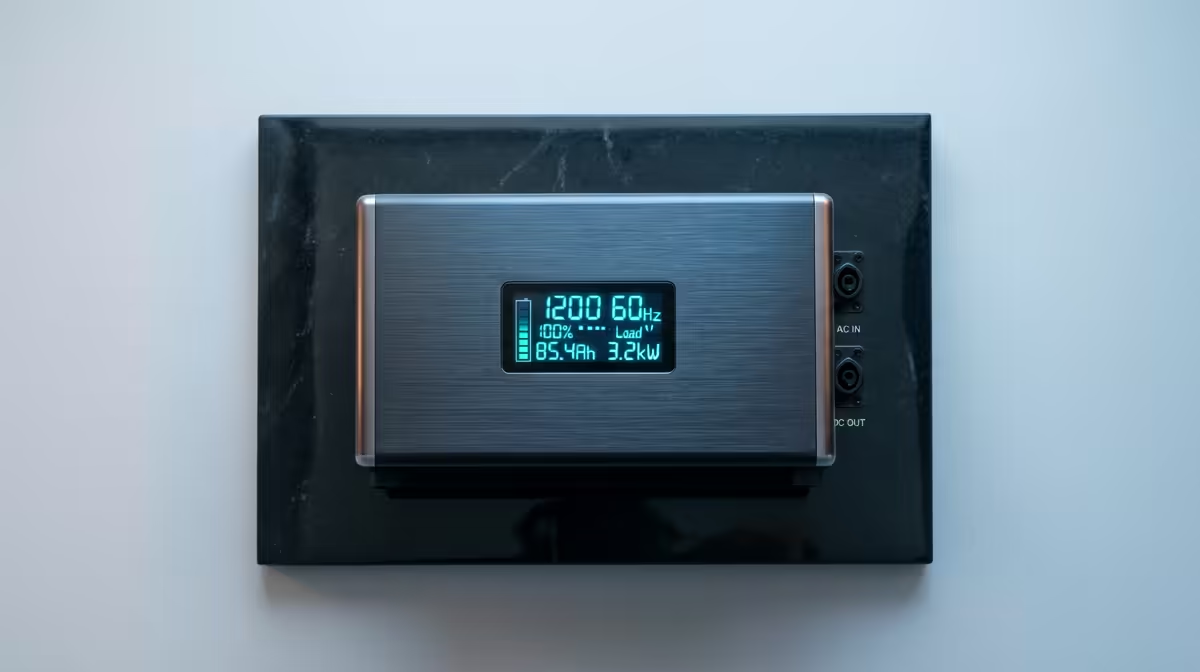
A NAS that loses power mid-write does not just go dark, it risks a corrupted array, an interrupted RAID rebuild, or a filesystem that needs hours of checking to trust again. A battery backup buys the seconds and minutes needed to shut down cleanly, but only if it is sized correctly. Choosing a UPS for your NAS comes down to three numbers that have to line up: the VA rating against your real power draw, the runtime that gives, and a software link that triggers an automatic shutdown before the battery dies. Get the maths wrong and you have bought false confidence rather than protection.
Quick Answer
Match the UPS VA rating to your NAS power draw, keeping the load comfortably below the unit's real watt capacity, then confirm it gives at least five to ten minutes of runtime so the server can shut down cleanly. Pair it with NUT software so the NAS powers down automatically before the battery runs out. Measure your actual draw first; undersizing is the most common mistake.
Start by measuring, not guessing
Every sizing decision flows from one figure: how many watts your NAS actually pulls. Specs and assumptions mislead here, because a four-bay unit idling draws far less than the same unit spinning up every disk during a rebuild. Most home NAS units sit somewhere in the 30 to 150 watt range depending on drive count and activity, but that is a wide band to guess within.
The reliable approach is to read the figure from a wall plug power meter under a realistic load, or at minimum take the NAS power supply rating as your worst-case ceiling. Then add roughly 30 percent headroom on top. A NAS fed by a 150W supply, for example, points toward a UPS rated for at least 200W of real output. That headroom covers spikes, ageing battery capacity, and any switch or modem you want to keep alive long enough to flush the shutdown.
Understanding VA versus watts
This is where most undersizing happens, because UPS units are advertised in VA but loads are measured in watts, and the two are not interchangeable. Most consumer UPS units carry a power factor around 0.6, meaning the usable watt capacity is roughly 60 percent of the VA number. A 1500VA unit, on that basis, delivers in the region of 900W of real power, not 1500.
The safe rule that protects you from the maths is to keep the total of your equipment's nameplate ratings below 60 percent of the UPS VA rating. Do that and it becomes effectively impossible to exceed the watt ceiling, even before you account for the inefficiency of running a battery near its limit. Aim to leave 20 to 30 percent more capacity than your calculated load anyway, both for future drive additions and because batteries lose capacity as they age.
Working out runtime
Runtime is not a fixed property of the UPS, it is the result of the battery capacity against the load you place on it. The lighter the load relative to the unit's size, the longer it lasts. For a NAS, you do not need hours, you need enough margin to shut down safely.
The practical target is five to ten minutes of runtime at your real load. That window is enough for the UPS to detect the outage, signal the NAS, run the shutdown script, unmount the volumes and power down gracefully before the battery is exhausted. Most UPS makers publish a runtime chart or calculator that maps load in watts to expected minutes, and that chart is the figure to trust rather than the headline VA number. Buying a much larger unit to chase a long runtime is usually wasted money for a home NAS; clean shutdown is the goal, not riding out a long outage.
The shutdown link is not optional
A UPS that keeps the NAS alive for eight minutes is useless if nothing tells the NAS to shut down within those eight minutes. The battery simply drains and the NAS dies hard anyway, which defeats the entire purpose. The connection between UPS and server is what turns backup power into actual protection.
Most UPS units expose a USB data connection that the NAS reads. Synology and QNAP systems include native UPS support in their software, while a broader and very common approach is NUT, the Network UPS Tools package, which runs on the NAS or a small always-on box like a mini-PC. NUT watches the UPS over USB, and when the battery hits a defined critical threshold it triggers a clean shutdown: volumes unmount, caches flush, and the array closes properly. One nice benefit of NUT is that a single UPS-connected machine can signal others on the network to shut down too, so a NAS, a mini-PC and a small server can all power down from one battery's warning. If you run that monitoring node on a low-power always-on box, the compact systems in the mini PC range at Evetech are well suited to the job.
A worked example
Say your NAS measures 90W under normal load. Add 30 percent headroom and you are designing around roughly 120W. To keep that comfortably under 60 percent of the UPS VA rating, a unit in the 900 to 1000VA class gives plenty of margin and an easy five to ten minutes of runtime at that draw. Connect it by USB, configure NUT or the NAS's native UPS support, set the critical battery threshold, and test it by pulling the wall plug to confirm the NAS actually shuts down on cue. That live test is the step people skip and later regret. For the supporting cables, power gear and small accessories the setup needs, the items moving through the PC best sellers are a useful place to round out the build.
Frequently Asked Questions
How big a UPS do I need for a home NAS?
Measure your NAS power draw, add about 30 percent headroom, then choose a UPS where that load stays under 60 percent of the VA rating. For a typical home NAS drawing 90 to 120W, a unit in the 900 to 1000VA class is usually plenty.
Why is VA different from watts?
VA is apparent power and watts is real power. Most consumer UPS units have a power factor near 0.6, so usable watts are roughly 60 percent of the VA figure. A 1500VA unit delivers around 900W, which is why you should never size purely on the VA number.
How much runtime does a NAS UPS need?
Five to ten minutes at your real load is enough. That covers detecting the outage, signalling the NAS and completing a clean shutdown. Chasing a much longer runtime is usually unnecessary expense for a home server.
What is NUT and why does it matter?
NUT, or Network UPS Tools, is software that monitors the UPS over USB and triggers an automatic clean shutdown when the battery hits a critical level. Without a shutdown link, the NAS just dies when the battery empties, so this software is what makes the backup actually protect your data.
Can one UPS protect my NAS and other devices?
Yes, as long as the combined load stays within the UPS capacity. With NUT, one machine connected to the UPS can also signal other devices on the network to shut down, so a single battery can cleanly power down a NAS, a mini-PC and a small server together.
Building out a home server that needs to survive a power cut without corruption? Pair a correctly sized UPS with a low-power monitoring node from the mini PC range at Evetech and shut down cleanly every time.