


Using GitHub Copilot: Complete Beginner's Guide for SA Developers
Using GitHub Copilot: Complete Beginner's Guide for SA Developers. Everything you need to know with SA-specific pricing and recommendations.
Read moreDiscover how the Chromebook Hub-Monitor performs in a one-cable test.🔥 Seamless connectivity and top-tier performance. 🚀
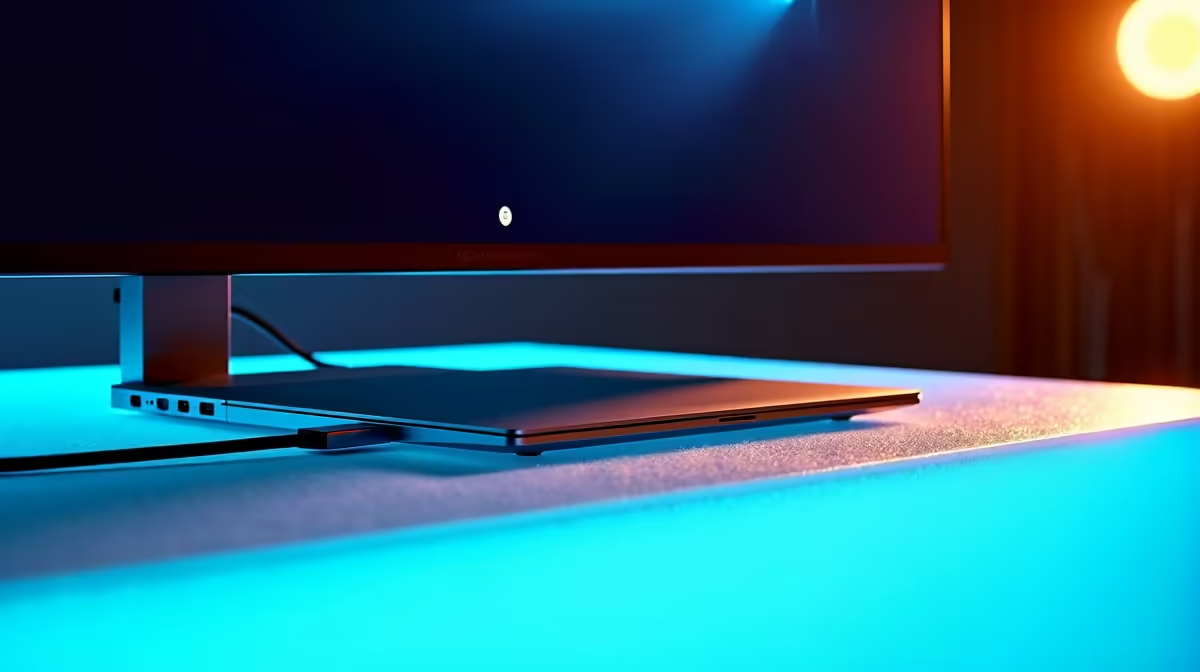
Tired of the cable spaghetti behind your desk? We all dream of a clean, minimalist setup, but dongles and power bricks often ruin the vibe. What if one single USB-C cable could connect your Chromebook to a big screen, charge it, and handle your keyboard and mouse? It sounds too good to be true. So, we decided to run a proper Chromebook hub-monitor: one cable test right here in SA to see if the dream is real. ⚡
At its core, a hub-monitor setup uses a single, powerful USB-C cable to do three jobs at once. It sends the video signal from your Chromebook to the monitor, delivers power from the monitor back to your Chromebook to charge it, and carries data for any peripherals (like a keyboard or external drive) plugged into the monitor's built-in USB ports.
This simple connection transforms your display into the central nervous system of your workspace. It's the ultimate in plug-and-play convenience, turning a collection of standard PC monitors into smart, efficient docking stations.
For our test, we grabbed a popular 27-inch QHD (1440p) monitor with a 65W USB-C Power Delivery port and a standard Chromebook. The goal wasn't to push graphical limits—this isn't about high-refresh-rate gaming monitors, but about everyday productivity and convenience.
The setup was… well, ridiculously easy.
That’s it. No extra power brick for the laptop, no dongles. Just one clean cable. ✨
So, did the single-cable promise hold up under real-world use? We tested the three key functions: display, power, and data.
The moment we plugged in the cable, the Chromebook’s screen appeared on the 27-inch monitor, and the charging icon lit up. The QHD resolution was crisp, and the 65W power delivery was more than enough to keep the Chromebook's battery topped up while browsing and streaming video. For professionals working with high-res content, many of the incredible 5K & 4K monitors on the market now also include this brilliant hub functionality.
Not all USB-C ports are equal. Before buying, check the monitor's Power Delivery (PD) wattage. A 65W output is great for most Chromebooks and ultrabooks, but power-hungry laptops might need 90W or more to charge effectively.
This is where many simple setups fail. We plugged a wireless keyboard dongle, a wired mouse, and a USB 3.0 flash drive directly into the monitor's built-in ports. Everything was detected instantly by the Chromebook. There was zero noticeable input lag on the mouse or keyboard, and file transfers from the flash drive were speedy. The hub-monitor handled it all without breaking a sweat. It's a clean way to avoid clutter, though you can always expand your setup with other monitor accessories if you need more ports.
After our test, the verdict is clear: the Chromebook hub-monitor setup is a fantastic solution for a huge number of South African users. 💻
It’s perfect for:
While this setup is a productivity powerhouse, you can also find immersive curved monitors with the same USB-C hub features. And if you're always on the move, the single-cable philosophy is also the driving force behind many excellent portable monitors that pair perfectly with a laptop.
The one-cable dream is officially a reality. It's simple, efficient, and declutters your life in a way you'll appreciate every single day.
Upgrade Your Workspace Today Ready to ditch the dongles and embrace the simplicity of a one-cable setup? Explore our incredible range of displays and find the perfect hub-monitor for your needs. Check out the best PC monitor deals at Evetech and reclaim your desk space.
A Chromebook Hub-Monitor combines docking station features with a display, simplifying connectivity with one cable.
Yes! A USB-C cable supports charging, data transfer, and display output to a compatible hub-monitor.
One-cable setups reduce clutter, improve portability, and simplify connecting multiple peripherals.
Yes, many hub-monitors work with laptops, tablets, and smartphones using USB-C connectivity.
Connect your Chromebook to the hub-monitor using a USB-C cable to enable power, display, and peripherals.
Choose a model with USB-C PD charging, 4K display support, and ports like USB-A, HDMI, or Ethernet.
No. Ensure your monitor supports multi-function USB-C Alt Mode for full one-cable functionality.
Using GitHub Copilot: Complete Beginner's Guide for SA Developers. Everything you need to know with SA-specific pricing and recommendations.
Read more
Back-to-School Headset Buying Guide for SA 2026. Everything you need to know with SA-specific pricing and recommendations.
Read more
Mesh Front Panel Setup and Configuration: Complete Tutorial. Comprehensive coverage with SA insights, Rand pricing, and practical recommendations.
Read more
Black Screen: Troubleshooting Guide #1. Everything you need to know with SA-specific pricing and recommendations.
Read more
The Complete 2026 Guide to Storage in South Africa. Everything you need to know with SA-specific pricing and recommendations.
Read more
1000W PSU Not Working After Load Shedding: Recovery Guide. Everything you need to know with SA-specific pricing and recommendations.
Read more
AMD RX 9050 XT: Rumoured Specs, Price & Release. SA-focused analysis with local pricing data, real-world insights & actionable buying advice.

Can RTX 4080 Super Run AI Workloads for SA Developers Detailed answer with SA data, expert analysis & practical recommendations for local buyers.

Can RTX 4090 Run AI Workloads for SA Developers Detailed answer with SA data, expert analysis & practical recommendations for local buyers.

Top Settings for Intel Arc B580 at Ultrawide 1440p picks evaluated on performance, value & SA availability with current Rand pricing from Evetech.

RTX 4060 CS2 Low Settings at 1080p: FPS Results. Real-world benchmark data, FPS numbers & performance analysis. What SA gamers can actually expect.

Visual Artifacts: Possible GPU Issue Issue #1. Diagnosis steps, proven fixes & when to seek professional help. SA-specific support info included.

Can the RTX 4090 Handle 1440p 144Hz Gaming. Performance testing verdict with real data & practical recommendations for SA buyers.

Top ASUS GPU Under R15000 picks evaluated on performance, value & SA availability with current Rand pricing from Evetech.

GTA 6 Max Settings on RTX 5070. Tested & verified settings for best FPS and visual quality on SA hardware budgets.

Cyberpunk 2077 Max Settings on RTX 5080. Tested & verified settings for best FPS and visual quality on SA hardware budgets.

Starfield Max Settings on RTX 5070 Ti. Tested & verified settings for best FPS and visual quality on SA hardware budgets.

Top RTX 5090 Under R5000 picks evaluated on performance, value & SA availability with current Rand pricing from Evetech.